Add to Chrome? - Part 3: Findings and Recommendations
In the first two installments of this blog series (Part 1 and Part 2), we explored some high-level concepts related to browser extensions and their security implications and then how we went about analyzing them.
In this third blog we explore some of our findings and general recommendations on whether or not you should click “Add to Chrome” the next time you find a fancy new extension!
Awesome Findings
Running our pipeline across all 140,000+ Chrome extensions provided some interesting results. With the recent popularity of all things Large Language Models (LLMs) and Generative AI, we decided to look into any extensions with ChatGPT in the name and discovered an extension called “Awesome ChatGPT Screenshot and Screen Recorder.” If you look closely, at the time of this blog, this extension has supposedly been around for 10+ years, and ChatGPT has only been around for about 1.5 years. Looks like the creator changed the extension’s name to make it even more Awesome!
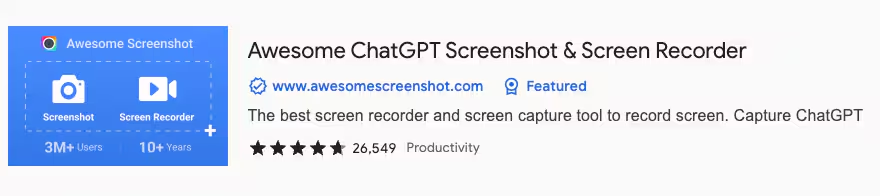
Google Chrome Web Store Awesome ChatGPT Screenshot & Screen Recorder
To simplify things, we also created a Splunk dashboard where you can input the extension ID and see our scoring results. We are applying various scores in the pipeline, which anyone can tweak to dial up or down the risk scoring based on different criteria as they see fit.
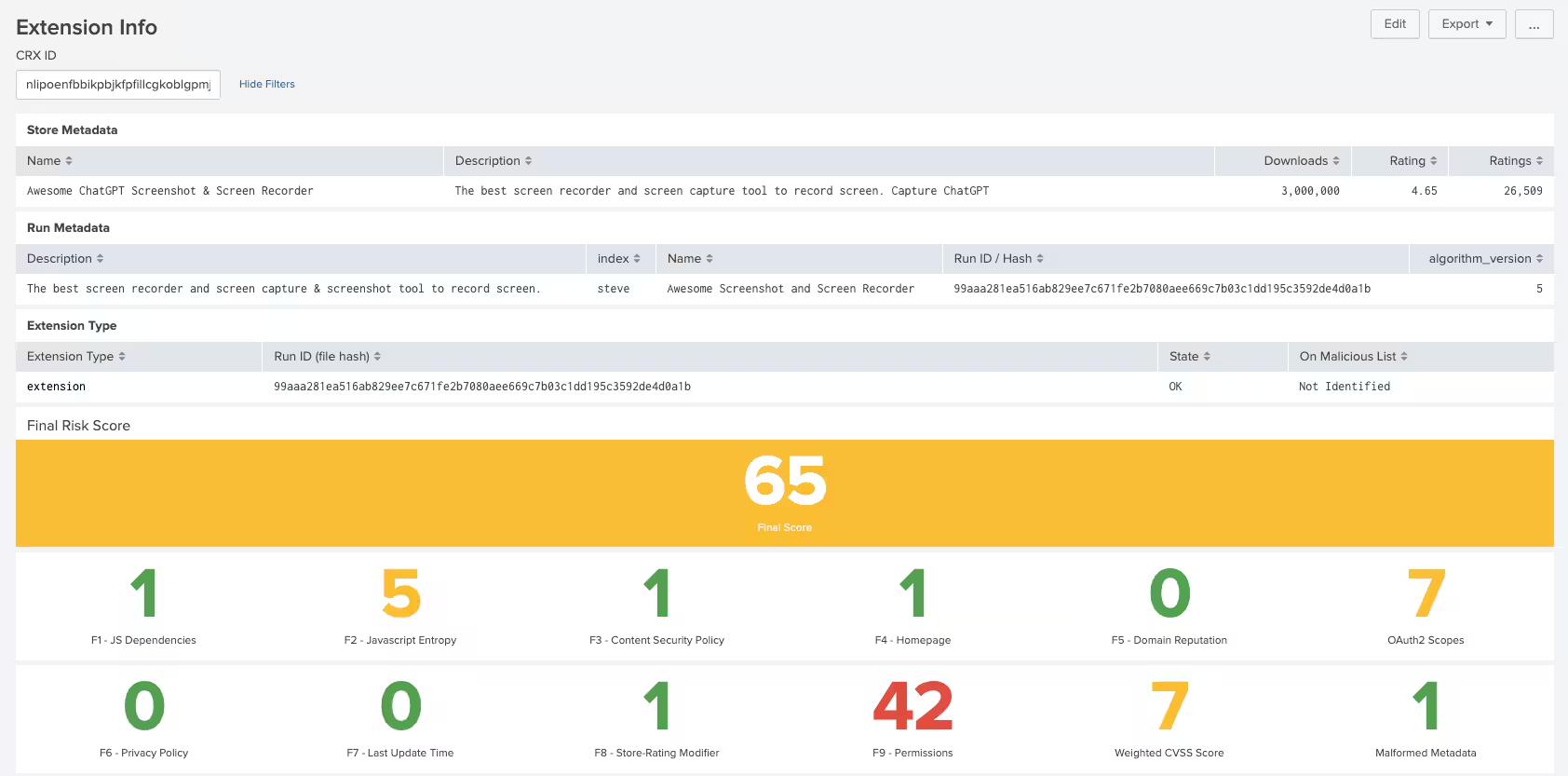
Splunk Extension Risk Dashboard
Right away, permissions popped out as a potentially high-risk score (regarding dashboards, the color red is usually higher risk; don’t hate me, red!). We based our permission risk scores on guidance from Google’s permission risk whitepaper.
We can then drill down into the required permissions for this extension to better understand them.
Below are the permissions requested by this extension along with their risk ratings and description per Google’s whitepaper:
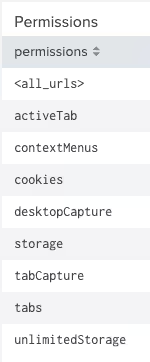
- <all_urls>: High The extension wants to run on any URL that starts with a permitted scheme (http:, https:, file:, ftp:, or chrome-extension). Can be a broad permission with possible risks.
- activeTab: Medium Gives an extension temporary access to the currently active tab when the user invokes the extension as when clicking its browser action. For example, with user interaction, the extension can inject JavaScript. Access to the tab lasts while the user is on that page, and is revoked when the user navigates away or closes the tab.
- contextMenus: Medium Integrate menus for an extension throughout the Chrome browser
- Cookies: Medium Read or write cookies for any domain specified in permissions (requires host permissions to do this)
- desktopCapture: Medium Screenshots the entire desktop. A private profile extension with this permission could access a user’s data.
- Storage: Low Store data on computer
- tabCapture: High Get picture/video of user’s current tab
- Tabs: High Can access current URLs and favicons
- unlimitedStorage: Low Removes HTML5 storage size limits
Did drilling down into the permissions required by this extension help us to determine if it’s malicious or not? Do we know if it is asking for more permissions than it should? Probably not. This extension, by definition, captures your screen, so it probably does require many permissions that I’d be wary of. But if you really don’t want to use your system’s inbuilt tools to perform these functions, maybe this extension is your perfect screen capture companion!
Free VPNs? Sign Me Up!
Few words get me more excited than “Free VPN.” Actually, “Free” plus any number of other words are probably up there on my list too (cats, wombats, beer, money). But I digress... Who wouldn’t want to sign up for a free VPN that sends all your data through some unknown entity?
After looking for extensions with VPN in their name or description, we turned up some fun examples. Most of the Free VPN offerings are nothing more than SOCKS Proxies, minus any sort of actual VPN functionality. SOCKS, by design, isn’t an encryption protocol, it just proxies the connection.
One of the craziest bits we found in multiple Free VPN offerings was hard-coded Google Sheets links to lists of SOCKS proxy IP addresses with cleartext usernames and passwords.
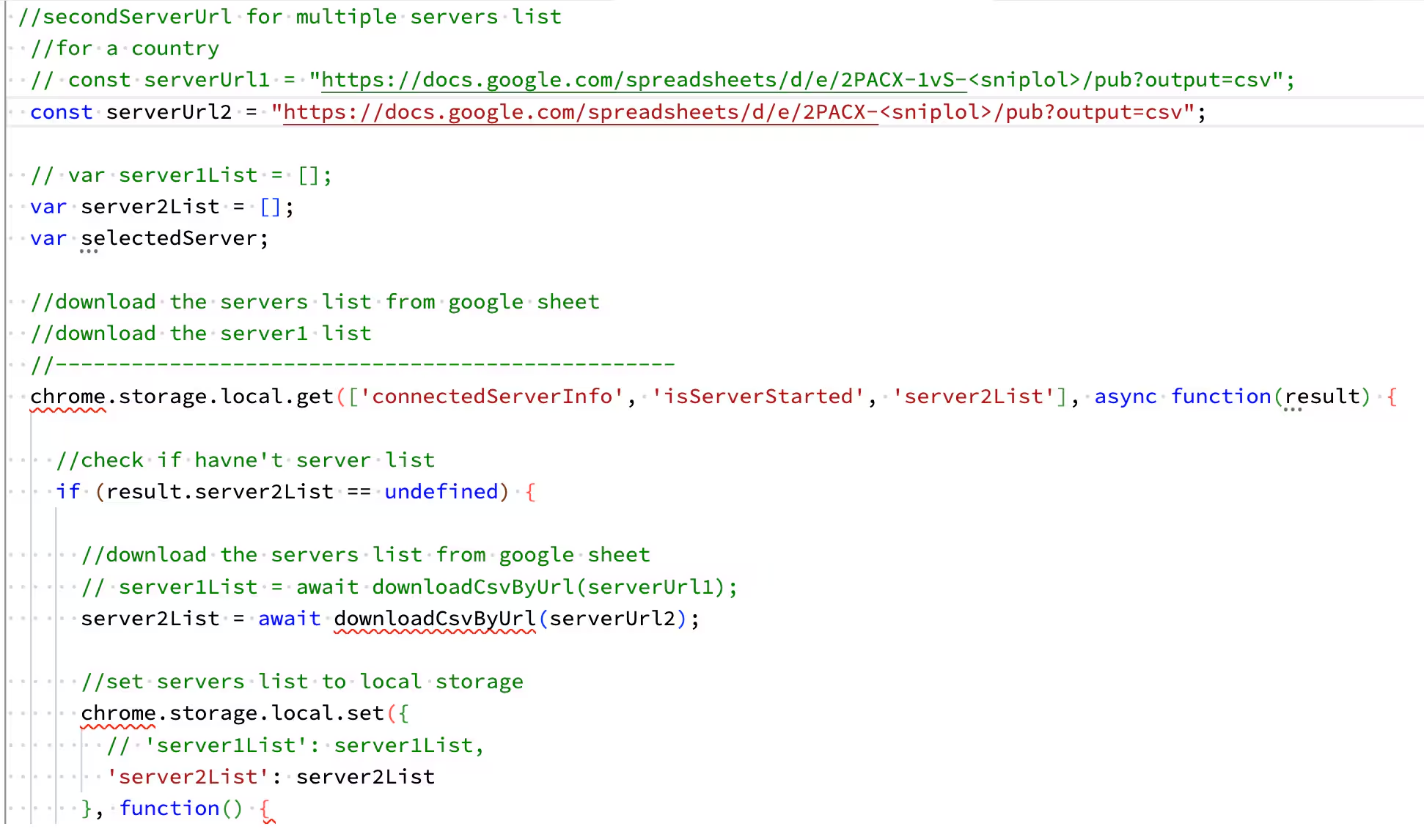
Code snippet from a “Free VPN” extension
When we checked, most of these endpoints were no longer up and running. They could have been legitimate proxies that people were offering to help Internet users hide their origins from the servers they were accessing. Still, I’d be extremely wary of using a service like this. That’s me telling you in my sternest voice to steer clear of these!
Other Findings
Some other interesting findings in the collected data were extensions that helped fill in forms. Just like your favorite password vaults, these extensions were designed to help save your fingers from having to fill in forms on sites where you’ve already done so. The danger we found here was that all of that data was sent to a remote host for safekeeping as opposed to being stored locally on your own computer. Why waste your own storage space on potentially sensitive data when others can store it for you?
We also found instances of entire runtimes and binaries packaged within extensions. Examples include FFmpeg, ONNX and Ruby, just to name a few. Why would these need to be bundled into extensions? Some extensions are quite advanced and actually require these binaries and runtimes to do what they need to do, but having them bundled opens up many risks if that extension is compromised
Data validation is one area that had us baffled. The manifest.json file bundled with every extension is an example of this. Google defines the manifest.json file as “Every extension must have a manifest.json file in its root directory that lists important information about the structure and behavior of that extension.”
We’re currently up to version 3 of the manifest definition, which has made some improvements over past versions. However, there still appears to be very little validation of what the developer has put into this file.
In a prior manifest version, a malicious extension used a novel technique to bundle a decryption key into a field called “Key” to decrypt commands at runtime so that they would evade detection during a static security review. In our analysis, we found many extensions with misspelled permission names and random items inserted into the manifest file, among other things. Failure to properly validate the contents of the manifest file could potentially lead to unintended consequences.
Future Work
One word kept bringing us to a logical conclusion in our research: JavaScript. No matter how much time and effort we put into automation, JavaScript kept biting us in the proverbial backside. I’ve asked, “Who loves JavaScript?” at every conference where we’ve presented this work, and to date, I’ve only had a single hand go up. Without a reliable means to test browser extension behavior dynamically, we are left with static analysis. If you want to know the difference between static and dynamic analysis, look here. And why can’t we test browser extensions dynamically, you ask? Many browser extensions will only wake up and begin their dirty work when you visit a particular URL. And without knowing that URL, we can’t begin to assess the behavior of said extension. I’m not going to get into minification and obfuscation here, but let’s just say that to analyze JavaScript properly, I’d want a human reverse engineer on my side every day of the week.
Conclusion
That’s it! Thanks for reading about our research into Chrome browser extensions. In blog 4, we have some follow-up content that will delve into work done by our colleagues using the dataset we created here. Some of it really ties the whole room together, as they say, so stay tuned!
In the meantime, happy hunting browsing!
As always, security at Splunk is a family business. Credit to authors and collaborators: Shannon Davis, James Hodgkinson
Related Articles

Predicting Cyber Fraud Through Real-World Events: Insights from Domain Registration Trends

When Your Fraud Detection Tool Doubles as a Wellness Check: The Unexpected Intersection of Security and HR

Splunk Security Content for Threat Detection & Response: November Recap

Security Staff Picks To Read This Month, Handpicked by Splunk Experts

Behind the Walls: Techniques and Tactics in Castle RAT Client Malware

AI for Humans: A Beginner’s Field Guide

Splunk Security Content for Threat Detection & Response: November 2025 Update

Operation Defend the North: What High-Pressure Cyber Exercises Teach Us About Resilience and How OneCisco Elevates It
