Splunk Mobile: Your Brand-New Home Screen
Meet Your New Mobile Hub
Staying connected to your data—no matter where you are—is more critical than ever. Splunk helps you turn data into action, and now, we’re excited to introduce something completely new: a brand-new Home Screen in the Splunk Mobile app.
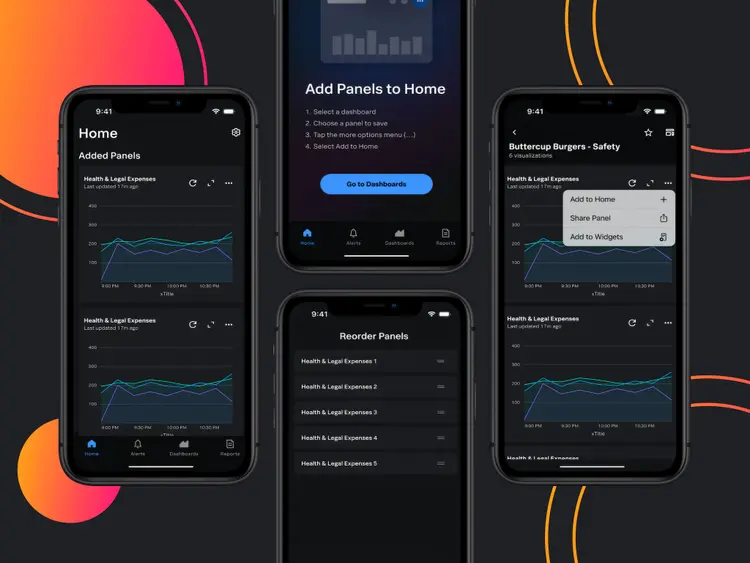
This is not an update—it’s a first-of-its-kind hub that puts your most important dashboards, visualizations, and metrics right at your fingertips. From this Home Screen, you can access the information you need faster than ever, without digging through multiple dashboards.
Whether you’re a long-time Splunk Mobile user or discovering the app for the first time, this Home Screen represents our commitment to building powerful, intuitive, mobile-first experiences.
Experience Data Your Way
The Home Screen reimagines how you interact with Splunk on mobile:
Highlights include:
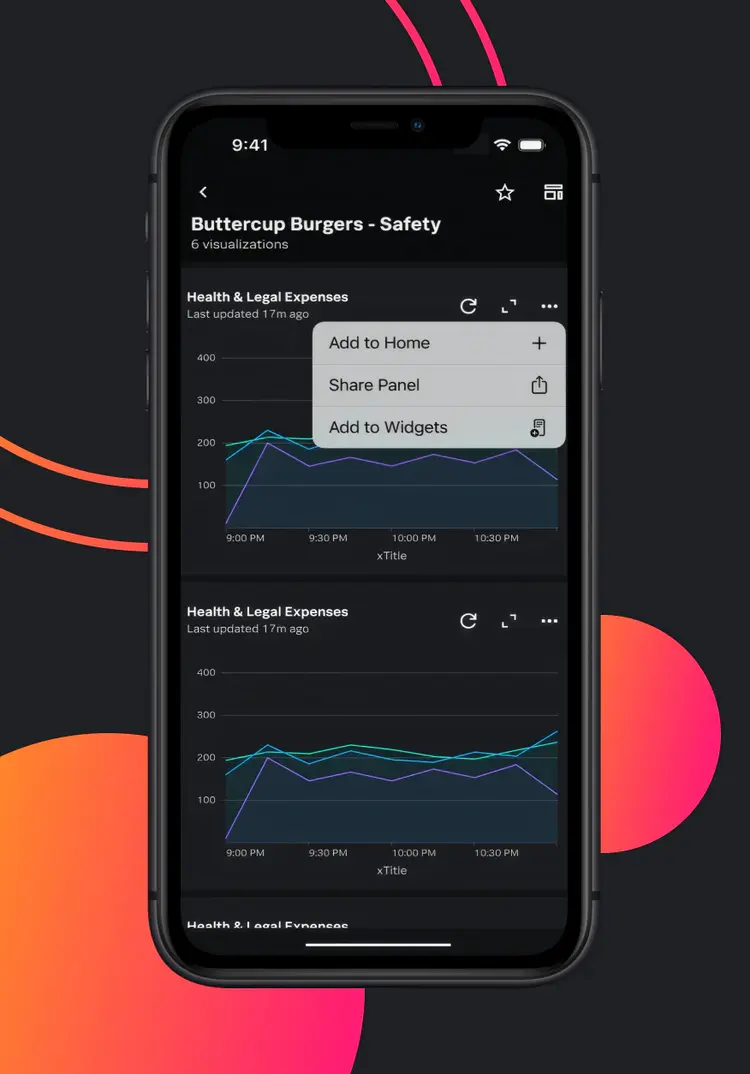
- Personalized Quick Access: Add your most-used visual panels from Classic Dashboards or Dashboard Studio in one central location—a first-of-its-kind feature.
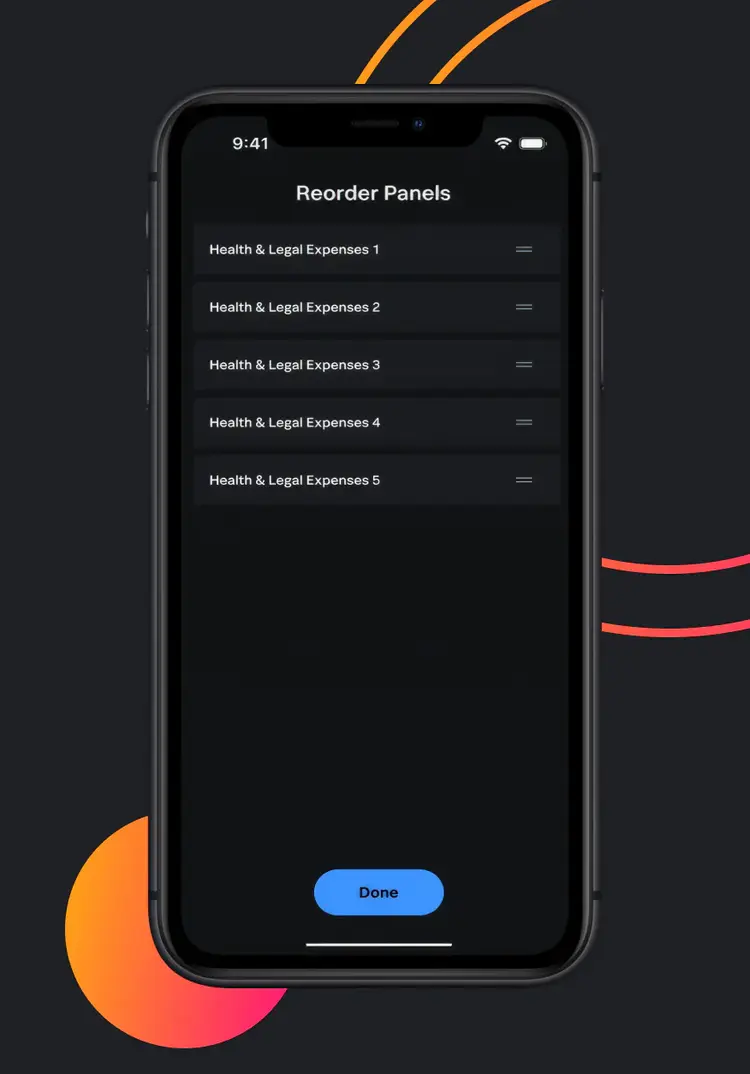
- Drag-and-Drop Reordering: Prioritize the insights that matter most to you.
- Seamless Navigation: Tap a panel title to go straight to its full dashboard.
Everything you need is just a tap away—no scrolling, no searching.
Why Splunk Mobile? Your Data, Always Within Reach
Splunk Mobile brings the power of your data directly into your pocket. Whether you’re:
- A security analyst responding to alerts outside office hours
- An IT operations manager monitoring critical systems on the move
- A business leader tracking KPIs from the field
…the app keeps you connected. With real-time visibility, you can make rapid decisions, act immediately, and prevent small issues from becoming big problems.
Beyond the Home Screen: A Complete Mobile Experience
While the Home Screen offers quick access to your most-used panels, Splunk Mobile extends its capabilities to ensure you're always connected to your data:
- Access Dashboards on the Go: View interactive visualizations and drill-downs optimized for mobile, enabling you to analyze data anytime, anywhere.
- Receive and Manage Alerts: Get instant notifications for critical events and take immediate action, ensuring timely responses to potential issues.
- View and Share Reports: Access both scheduled and unscheduled reports, filter them by favorites or schedule, and share insights directly from your mobile device.
- Secure and Global Access: With multi-factor authentication and enterprise-grade compliance, Splunk Mobile ensures your data is protected while being accessible globally.
Splunk Mobile empowers you to stay informed and take action, regardless of your location.
See the Brand-New Home Screen in Action
We recently hosted live demo sessions to walk through the brand-new Home Screen, showcasing how to personalize and navigate your dashboard panels.
If you missed the live sessions, you can watch the full demo recording (password: fSHUB94j) and see the Home Screen in action.
During the demo, we cover:
- All key Home Screen features
- How to customize and reorder your panels
- Tips for seamless navigation to your dashboards
Don’t miss this opportunity to see the first-of-its-kind Home Screen that lets you view panels from both Classic Dashboards and Dashboard Studio in one central location.
A New Era of Mobile Innovation
This launch represents a fresh milestone for Splunk Mobile. Our team is committed to continuously innovating, making mobile access to your data not just convenient—but essential.
Get Started with Your Brand-New Home Screen
Experience the new Splunk Mobile Home Screen—download or update the app now:
Want to help shape the future of Splunk Mobile? Join our beta group for early access and provide feedback: Sign up here.
Next Step
Download or update Splunk Mobile, explore your Home Screen, and sign up to be among the first to see it in a live demo or receive the recording.