Upgrade Readiness: Unlocking Success with the Splunk Health Assistant Add-On
Splunk recently announced exciting updates and significant modernizations for the upcoming releases of Splunk Enterprise 10.0 and Splunk Cloud Platform 10.0. This blog is the first in a series to help prepare your organization for these changes by exploring upgrade readiness best practices. This first installment will highlight the Splunk Health Assistant Add-On, a vital tool that supplements the Splunk Enterprise Monitoring Console, designed to streamline your transition to the next version of Splunk Enterprise 10.0.
What is the Splunk Health Assistant Add-On?
The Splunk Health Assistant Add-on enhances the Splunk Enterprise Monitoring Console with new, up-to-date health checks. Think of it as a way to get the latest and greatest health information about your Splunk Enterprise deployment without updating it or even restarting!
By installing the latest version of the Splunk Health Assistant Add-On—available through Splunkbase or directly through Monitoring Console—you can proactively assess your platform and environment for potential compatibility issues that would block you from smoothly updating Splunk Enterprise. These readiness checks empower you to identify and address any concerns before an upgrade, minimizing risks and setting your organization up for a seamless and successful transition to the new Splunk software.
Download and Use the Splunk Health Assistant Add-On
The Splunk Health Assistant Add-On lets you download new upgrade checks instantly, without requiring a platform restart or risking downtime. Even better, Splunk can seamlessly deliver future checks to your environment without interrupting your operations.
If the Add-On is already installed in your environment, new versions—including upgraded readiness checks—will automatically become available whenever Splunk introduces updates. There are two simple ways to check for and apply these updates:
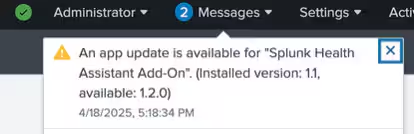
- Notification in Splunk Enterprise: A message will appear in Splunk Web alerting you to the availability of the new version. You can select the notification to download and apply the updates—no restart required!
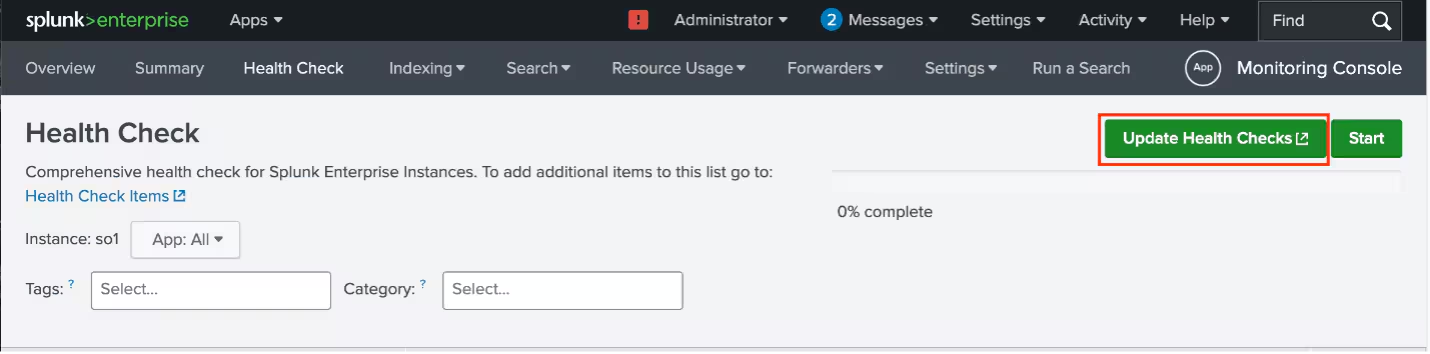
- Update Health Checks Button: The “Update Health Checks” button in your Splunk Enterprise will turn green when a new version is ready. Simply select the button to apply the updates, again with no need to restart your environment.
With these user-friendly update paths, keeping your Splunk platform environment upgrade-ready is a hassle-free experience.
Upgrade Readiness Checks in the Splunk Health Assistant Add-On
The “Security” checks within the Add-On validate your environment’s compliance with upgrade requirements. These are not standard health checks, but rather targeted validations that are designed to ensure your deployment is ready for Splunk Enterprise 10.0.
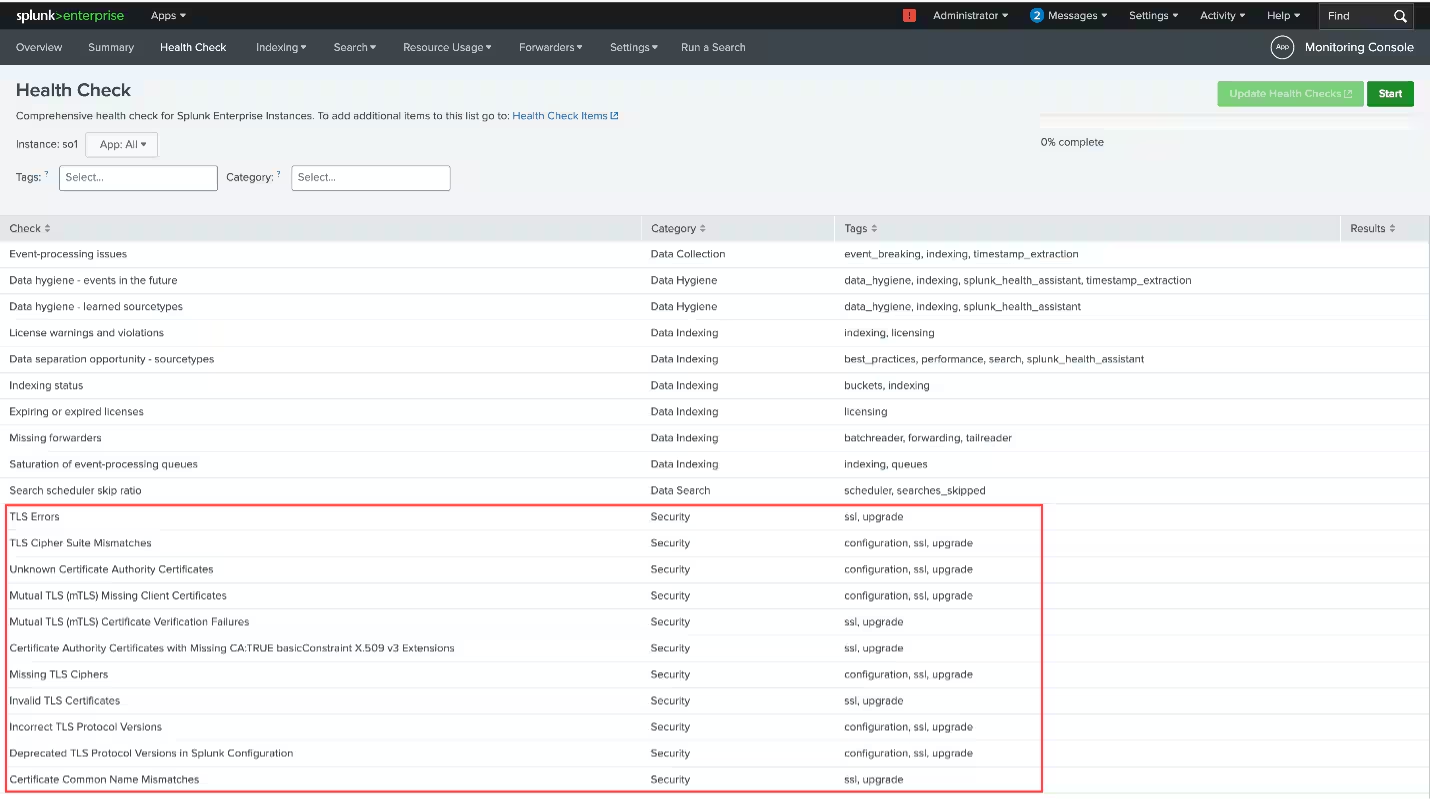
For Splunk Cloud Platform customers, a subset of these upgrade readiness validations—tailored to the Splunk Cloud Platform 10.0—are accessible through the Cloud Monitoring Console. These checks are installed automatically, requiring no action on your part to turn on.
Related Articles

Building Machine Learning Models with DensityFunction
Painting with Data: Choropleth SVG
Dashboards Beta v0.5: SVG Choropleths Unleash Your Inner Picasso

Analyze Metric and Event Data on the Same Platform

Monitoring Family Pickle Consumption with Splunk!
Announcing the End-of-Sale of Splunk Light

Chasing a Hidden Gem: Graph Analytics with Splunk’s Machine Learning Toolkit

Find the Sweet Spot of Splunk Enterprise Upgrades