Google GSuite to Splunk HEC Configuration
Google Cloud recently expanded the list of GSuite audit logs that you can share with your Cloud Audit Logs, part of your organization’s Google Cloud’s account. This is awesome news and allows administrators to audit and visualize their GSuite Admin and Login activity in Splunk real-time via the same method used to stream Google Cloud logs and events into Splunk, using the Google-provided Pub/Sub to Splunk Dataflow template.
I’ll walk through how to set up the integration step-by-step to help you with getting started on collecting the GSuite events into your Splunk environment in 30 minutes or less!
Getting Started
1. In order to share your GSuite logs with Google Cloud you must login to the admin console and modify the following settings under: Account – Company profile – Show more – Legal & Compliance – Sharing options. Edit and Enable and Save to begin sharing the GSuite logs with your Google Cloud organization. (Additional instructions can be found here.)

2. (Optional) For simplicity, I recommend creating a new Google Cloud project used for centralized logging and to use for streaming your logs to Splunk.
Splunk Prep
Ensure your Splunk environment is ready to receive the Google Cloud data via the HTTP Event Collector (“HEC”).
3. Install the Splunk TA for Google Cloud Platform on your Search Head(s) and Indexer(s). If you are on Splunk Cloud, just install the Add-on on the Search Head since the automation in Splunk Cloud will install the appropriate components on the indexers automagically.
Note: For on-premises customers that are sending your HEC traffic directly to a heavy forwarder before your indexers, you will need to install the Splunk TA for Google Cloud Platform there as well since it performs index-time operations.
4. Document your Splunk HEC URL that will be used to stream data to. For Splunk Cloud customers, this is: https://http-inputs-<customer_name>.splunkcloud.com:443
5. Create a new HEC token to be used to accept the Google Cloud data and document the string. Settings – Data Inputs – HTTP Event Collector – New Token.
-
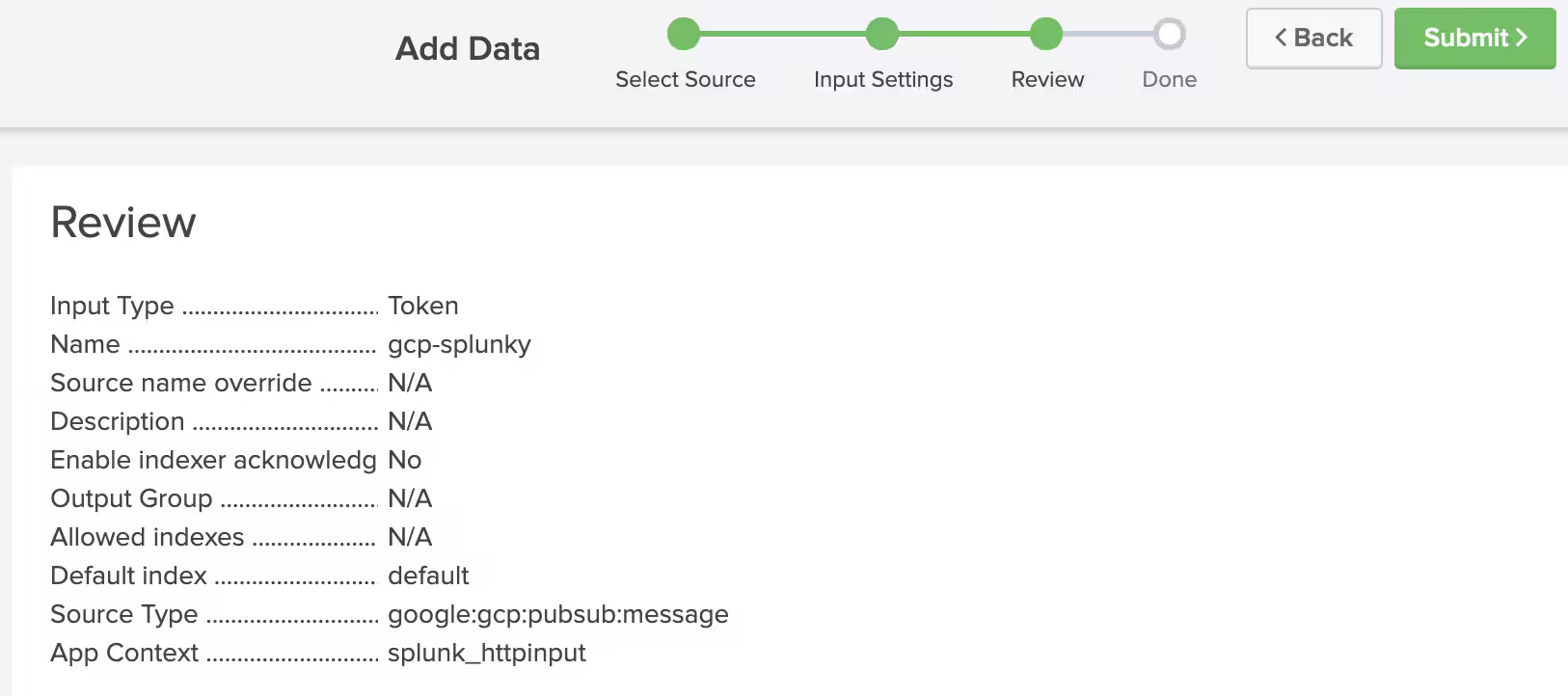
Enter any name for the input and leave all other fields blank. Select Next.
-
Select the gcppubsub:message sourcetype and select any app context. Select Next.
-
Select Submit to generate the token. Be sure to copy this value as it is used later in the configuration.
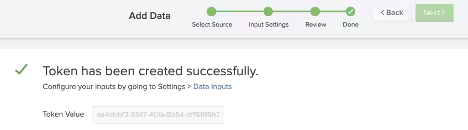
Note: You only need to create one HEC token for all of the Google Cloud data thanks to the handy work in the Add-on to parse out the different sourcetypes.
Google Cloud Setup
Navigate to the Google Cloud project you’ve configured to be used for the log aggregation across your organization.
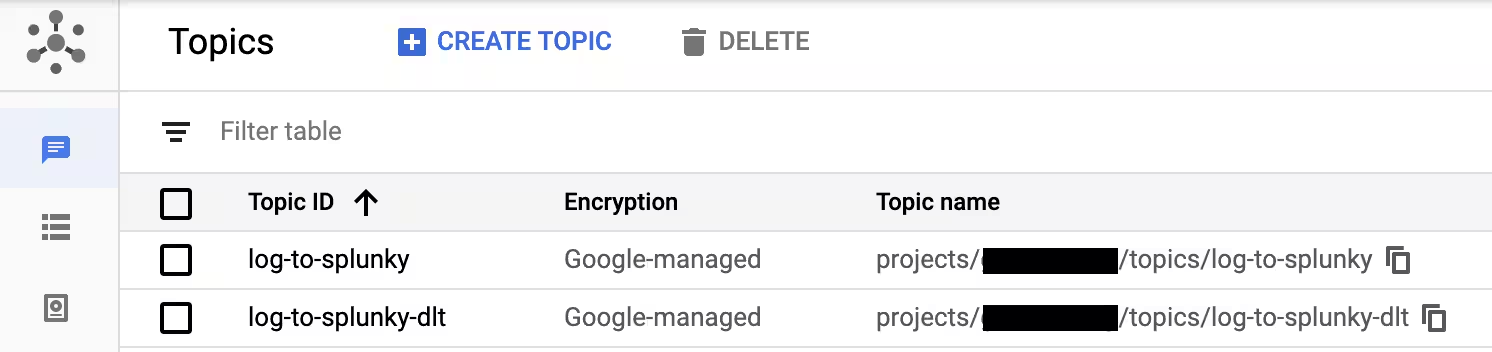
6. Create the Pub/Sub Topics. Navigate to Pub/Sub in your project and create two (2) topics with the name of your choosing—a primary topic to hold messages to be delivered, and a secondary dead-letter topic to store undeliverable messages when Dataflow cannot stream to HEC e.g. misconfigured HEC SSL certificate, disabled HEC token or message processing error by Dataflow.
-
Primary: topic-name
-
Secondary: topic-name-dlt
7. Create your subscription to query the both topics created in the last step.
-
Enter any name for your subscription
-
Select the Pub/Sub primary topic created in the previous step
-
Leave the rest of the values default or customize to your organization’s preference
-
Repeat the same steps for your dead-letter topic

8. Create organization-level aggregated log sink. This is a crucial step and allows you as an administrator to configure one aggregated sink to capture all logs across the organization and projects that should be sent to the Pub/Sub topic created above. Note that you cannot create aggregated sinks through Google Cloud Console and it must be configured through either the API or gcloud CLI tool. Once created, you can only manage the sink from the gcloud CLI or API - only project-level (non-aggregated) sinks show up in Google Cloud Console at this time.
-
Open a Cloud Shell in the active project
-
Enter the following in the Cloud Shell to create the aggregated sink:
gcloud logging sinks create kitchen-sink \
pubsub.googleapis.com/projects/[current-project]/topics/topic-name --include-children \
--organization=[organization_id] \
--log-filter=’logName:”organizations/[organization_id]/logs/cloudaudit.googleapis.com”’
Where:
-
kitchen-sink is any arbitrary name of the sink to create
-
current-project is the project you are currently creating the sink
-
organization_id is your unique organization identifier
Optionally, you can modify the --log-filter to capture any additional logs you would like to export if you want to export more than GSuite events.

More information on creating aggregated log sinks can be found here: https://cloud.google.com/logging/docs/export/aggregated_sinks#creating_an_aggregated_sink
9. Update permission for the service account created in the previous step. You will note the last part of the sink creation command outputted a recommendation to update permissions on the service account created as part of the process. This is required to allow the sink service account to publish messages to the previously created Pub/Sub input topic. To update the permissions, simply copy the entire name and run the following:
-
Open a Cloud Shell in the active project or use the existing Shell
-
Enter the following:
gcloud pubsub topics add-iam-policy-binding my-logs \
--member serviceAccount:[LOG-SINK-SERVICE-ACCOUNT] \
--role roles/pubsub.publisher
Where:
- LOG-SINK-SERVICE-ACCOUNT is the copied name of service account outputted from the previous step
Optionally, you can validate the service account and permission association with the following command:
gcloud logging sinks describe kitchen-sink --organization=organization_id
Google Cloud Dataflow Setup
Now that the underlying logging configurations are setup, it is time to complete the last piece of the Google Cloud puzzle: configuring the Dataflow template to output the logs to Splunk HEC.
10. Navigate to Dataflow and select Create New Job From Template and enter/select the following:
-
Any job name
-
Preferred Region
-
Cloud Dataflow Template: Cloud Pub/Sub to Splunk
-
Pub/Sub Subscription name created in step #7
-
HEC token created in step #5
-
HEC URL from step #4
-
DLT Topic from step #6
-
Any bucket name. If you have not created a bucket, simply go to Storage and create a new bucket. The syntax for the bucket name is gs://bucketName
-
Expand Optional Parameters
-
Set Batch size for sending multiple events to Splunk HEC to 2 (can be adjusted later depending on your volume)
-
Set Maximum Number of Parallel Requests to 8 (can be adjusted later depending on your volume)
-
Set Max workers to 2 (can be adjusted later depending on your volume). Note the default is 20 which would incur unnecessary total Persistent Disk cost if not fully utilized.
-
Enter any additional settings pertinent to your organization
-
Run Job
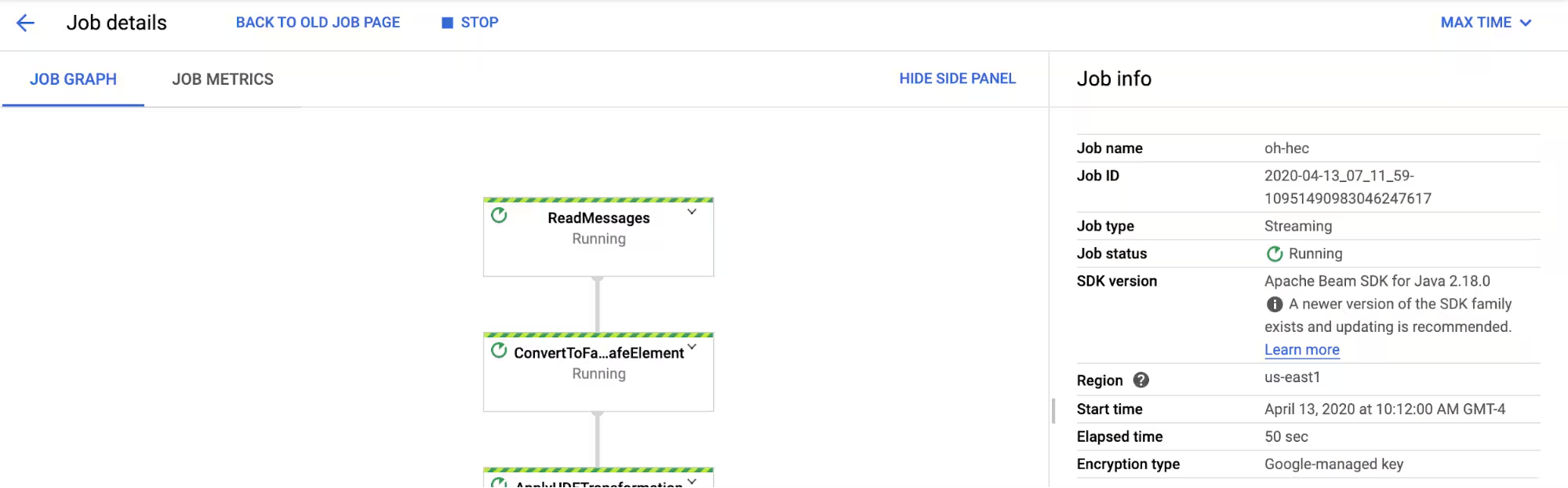
The Dataflow job should now show as running and beginning to stream events to Splunk!

11. Let’s quickly create and delete a group in GSuite to kick off some activity.
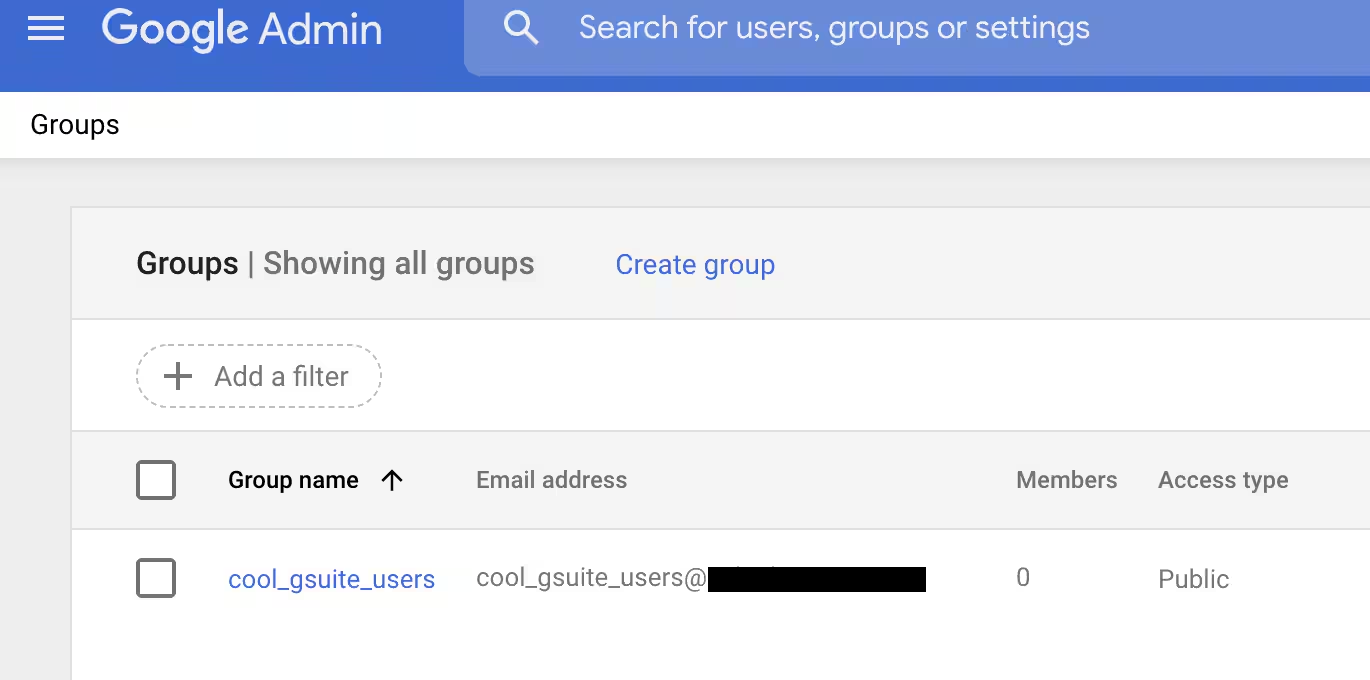
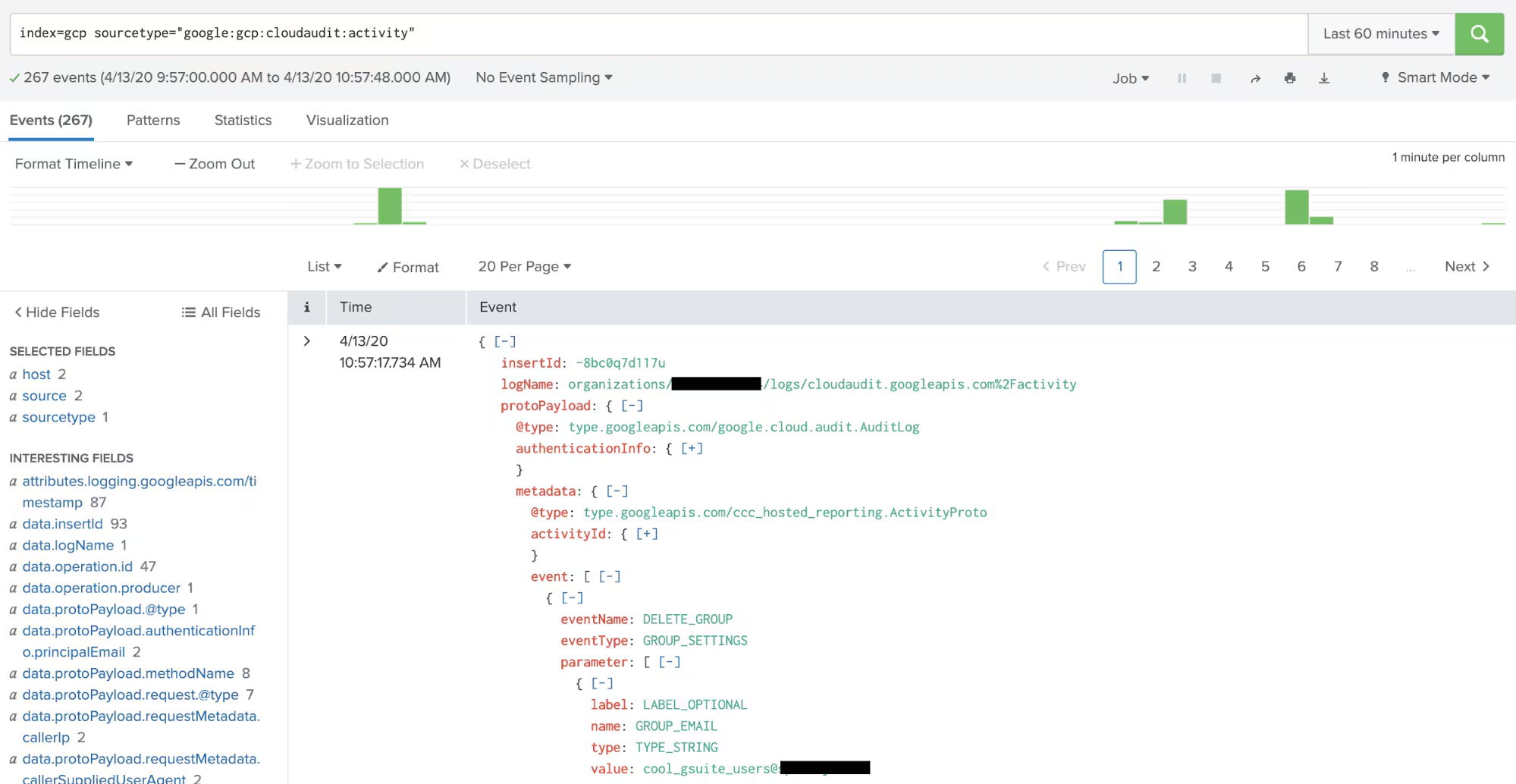
Navigate to Splunk and validate events are flowing into your environment. In my environment I have all events coming from the token we created earlier sending to the gcp index, this index can be whatever desire in the configuration step.
From below we can now see events are streaming into Splunk via HEC and that our DELETE_GROUP event is populated for our test group.
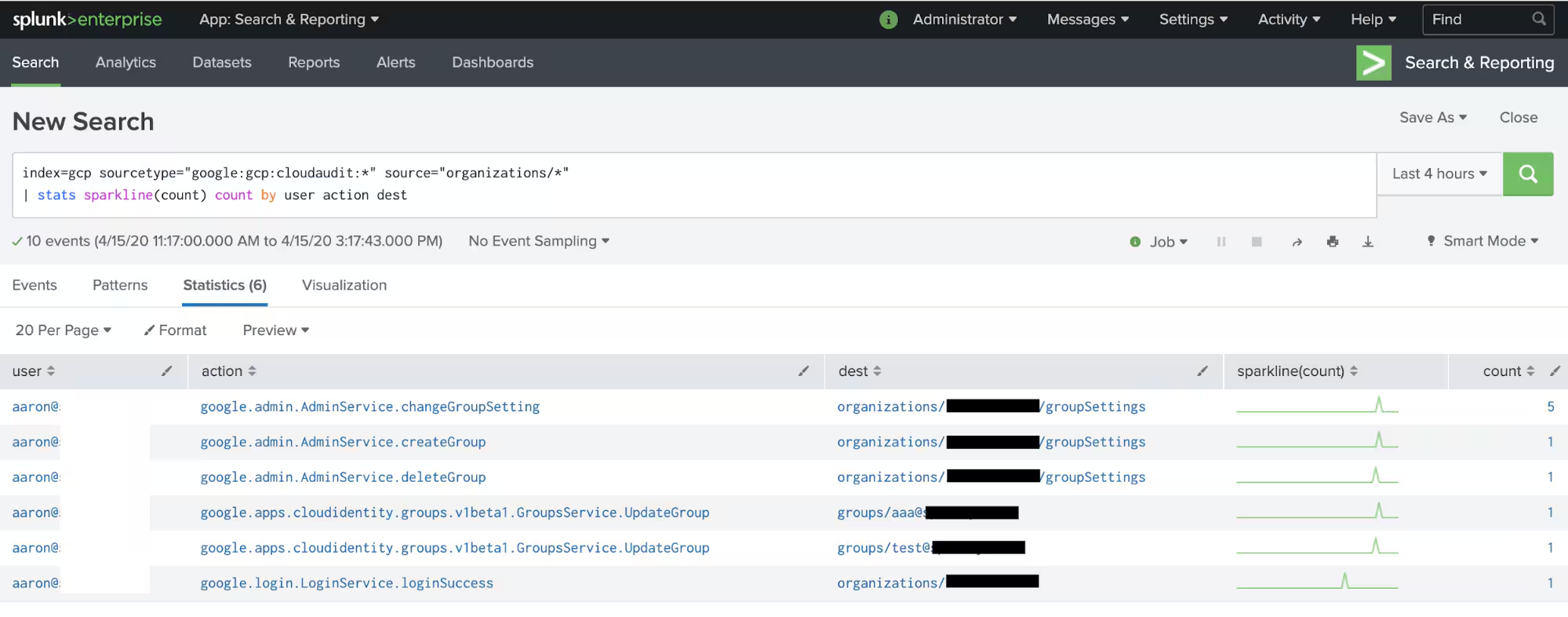
Now that the data is in Splunk, we can start doing reporting and analytics on the events like below to find the top changes and actions across my GSuite data. In my lab we can see the authentication attempt to my account and modifications I’ve made to a few test groups:
Other Tidbits
Below are additional tidbits to know while setting this integration up.
- Organizational logs that contain the GSuite events cannot be viewed via the classic log viewer in the project view. You will need to use the new log viewer previewer under the base organization.
- If your organization is using GSuite for email, collaboration, etc. and not yet Google Cloud, you may need to explore creating a Google Cloud account and project to use this method to send to Splunk.
- Additional information on viewing GSuite audit logging can be referenced here.
- Organization aggregation sinks cannot be viewed in the Cloud Console. To view the sink, you will need to utilize the gcloud command to view and modify the sink.
Happy Splunking!
----------------------------------------------------
Thanks!
Aaron Kornhauser
Related Articles

Unlocking New Possibilities: Splunk and AWS Better Together
Executive Q&A: Accelerating AI Success with Splunk and AWS

Accelerate Operations with AI: New Splunk and AWS Integrations

Introducing Splunk Victoria Experience on Google Cloud: Faster, Clearer, More Resilient

Splunk Cloud Platform: Accelerating Digital Resilience for the Agentic AI Era in Kingdom of Saudi Arabia with Google Cloud

How Splunk and Dataminr Work Together to Help Accelerate Resilience

Splunk Named 2025 Americas Partner of the Year Finalist by Microsoft

Managed Enterprise Platform: Delivering Mission-Critical Observability with Splunk
