Change Management for IT: Understanding IT Changes with ITSM and the ITIL® 4 Framework
Key Takeaways
- Change management is a structured approach that aligns people, processes, and technology to help organizations transition from a current state to a desired future state, minimizing disruption and maximizing adoption.
- Ongoing measurement, continuous feedback loops, and data-driven monitoring are essential to track progress, address issues early, and ensure sustainable, value-driven transformation.
Some 2,500 years ago, the Greek philosopher Heraclitus stated that the only constant in life is change. And that reality spans every modern IT environment today: constantly changing business and user needs, technologies, and compliance demands trigger unending upgrades and patches.
Unfortunately, changes to IT services and their underlying components come with inherent risks. How well these changes, these risks, are managed makes the difference in whether you you’re your desired outcomes, efficiently and effectively.
Defining “change” and IT change management
The ITIL® 4 service management framework defines a change as the addition, modification, or removal of anything that could have a direct or indirect effect on IT services.
IT change management is charged with maximizing the number of successful changes to IT services and their components. How? By ensuring risks have been properly assessed, authorizing changes to proceed, and managing the change schedule.
Change management has long been defined as a central or ‘core’ process to IT service management, as the VeriSM approach to service management makes clear. The Universal Service Management (USM) method lists change as one of the five non-redundant processes that include all the activities relevant to managing a service.
Let’s break down how these best practices — ITIL 4, VeriSM, and USM — advise on the best way to plan and execute IT changes to meet business outcomes.
A note on terms: change management vs. change control
Though most known as IT change management, ITIL 4 calls this practice “IT change enablement”.
Note, also, that change management can apply to many areas of a business — for example, organizational change management is very different from IT change management, the topic of this article.
Another phrase to be aware of is change control: “Change control is a procedure within change management that focuses on specific steps and activities to ensure that releases and deployments do not conflict with production components. Critical and time-sensitive platform changes, such as security patches, often lead directly to change control. As a result, change control has a higher level of risk that organizations typically accept.”
Categories of IT changes
When it comes do delivering IT changes requested by the business, the demands are usually:
- High throughput
- Quality
Balancing these two requirements can be a challenge — after all, these factors are usually on the opposite sides of the risk spectrum.
For example, take a culture where bureaucracy prevails: approvals, checks, balances from various teams. Here, speed may be compromised in an attempt to limit negative effects of IT changes during the planning and approval activities.
In contrast, a high velocity organization may push for speed of execution — this may hinder the effectiveness of relevant checks and balances.
Categorizing IT changes and defining the most appropriate approach to handling each of them is one of the ways IT can try find a compromise between speed and control.
Three categories of change
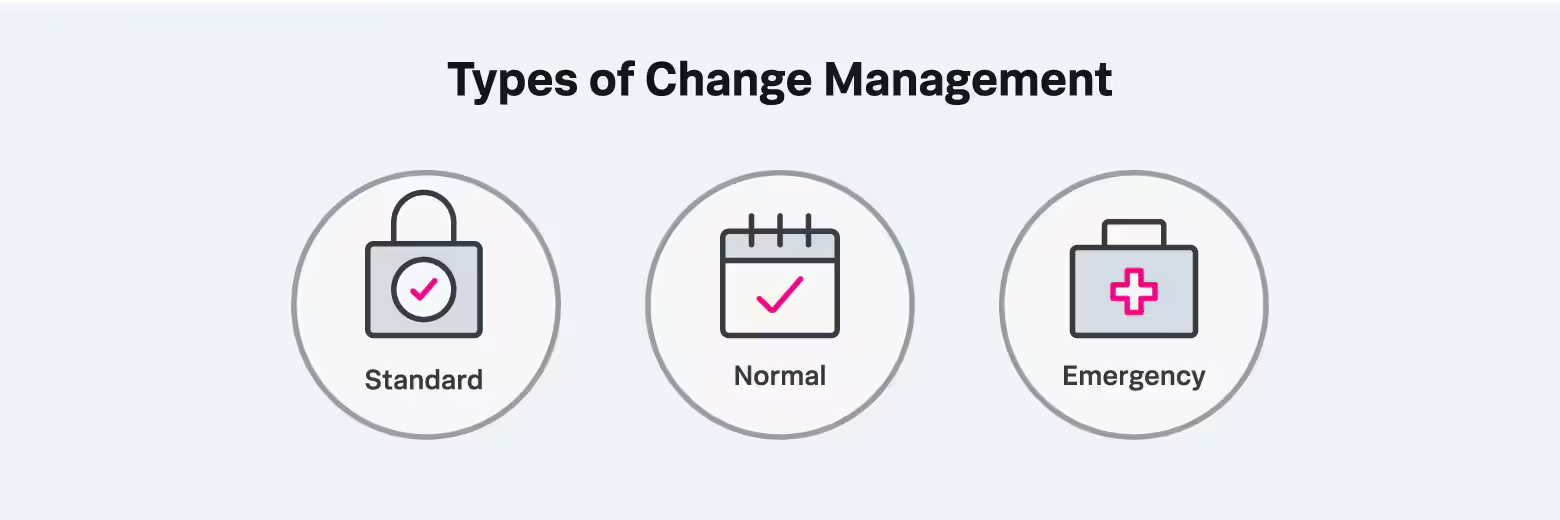
There are three categories of change types according to ITIL:
- Standard change: This is a low risk, preauthorized change which is relatively common and follows a known procedure. Standard changes are often managed by the service request management process. An example of a standard change can be a minor update to users operating systems (OS) software.
- Normal change: A scheduled change with significant risk that requires some level of assessment and authorization. A normal change may be introduced through projects, upgrades, or routine maintenance.
- Emergency change: An unscheduled change that must be implemented as soon as possible, for which policies may allow for expedited approval or approval after the change is applied. Emergency changes are usually triggered as a means to resolve a major incident or address a significant security vulnerability.
By designing adaptable change models based on the change categories and risk profiles, an IT organization can significantly increase the likelihood that IT changes will be planned and executed effectively, safely, and promptly.
Activities & phases in the IT change management lifecycle
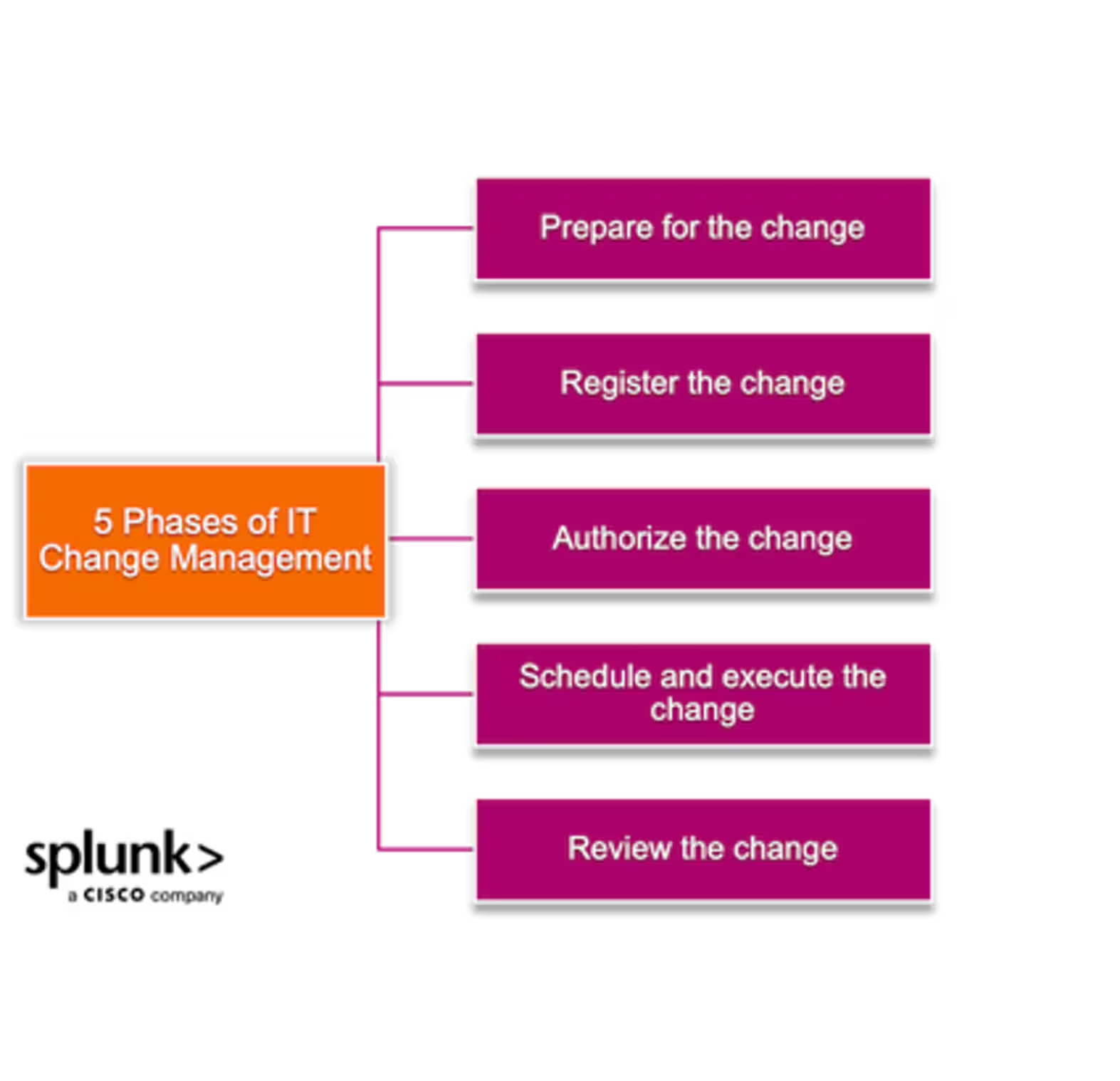
While the type of IT change has a significant bearing on the process activities, there are generally five main steps involved in the lifecycle of a change:
Phase 1. Change preparation
Before an IT team submits a change request, they usually have done some groundwork in advance. This pre-work may include:
- Some project activities, such procurement, design, and development.
- Routine work, like maintenance and upgrades, where the team is now ready to deploy to production.
Usually during preparation, the change team prepares a plan that includes sequenced activities, responsibilities, and timelines. The team has both an idea of the potential impact of the change as well as a rollback plan in case things go wrong.
Phase 2. Change registration
Next, the team lead or other responsible teammate submits the change request. If an ITSM ticketing system is used, a change ID is generated and the ticket gets populated with a variety of information including:
- The description of the change
- The change category
- Initial information on service components involved
- Potential impact and priority
- Any supporting information from the first preparation phase
Phase 3. Change authorization
Depending on the change type and potential risk level, the change request is routed to the appropriate change authority for assessment, review and approval. The change authority may be a product team, line manager, change manager, and/or change advisory board (CAB).
Decisions on whether or how to proceed will be determined mainly by:
- Business need
- Planning readiness
- Perceived risk against the organization’s risk statement
Phase 4. Change realization
Once a change is approved, the change is scheduled and communicated to key stakeholders. Scheduling ensures that the right resources are made available and limits the possibility of conflicts with other changes that involve the same IT components.
The change is then executed, but putting the change live isn’t the end of the change process. The change is then monitored over time, with the initial results communicated to the same stakeholders.
Phase 5. Change review
After some agreed period, the realized results of the IT change are reviewed with the stakeholders. Some of the questions to be asked include:
- Was the change successful?
- What went right? What went wrong?
- What lessons have we learned?
The feedback from the previous steps is documented and improvements incorporated in future changes. The change request ticket is linked with any related incidents or problems, and then closed.
(Related reading: the role of feedback loops & incident review best practices.)
Risks in IT change management
Change management always considers the chances that things might go wrong because of an IT change. However, always remember that the ‘risk of doing nothing’ can be worse.
Let’s look at some common risk factors for change.
Bureaucracy prevents speedy changes. IT changes are primarily driven by the need for continual improvement. However, if the change authorization process is slowed down by excessive bureaucracy —requiring too much supporting documentation, involving too many approvers — it people will be discouraged from following the correct process.
As a result, the organization's ability to innovate and implement new changes quickly is severely hindered. And you’ve likely also spawned some shadow IT that may introduce additional risk.
Environmental considerations. Change scenarios also depend on the kind of environment the IT services are hosted in. For example, legacy equipment may make it difficult to execute faster changes through automation.
Modernizing the execution of IT changes by adopting continuous integration, continuous delivery, and continuous deployment can:
- Address the fears of fast execution.
- Reduce arduous change approval practices.
Streamlining change models and approval levels through appropriate governance mechanisms can also address the risk of IT staff circumventing the laid down process.
Criticality of changes. But IT changes come with inherent risks especially where any impact to live, critical services is significant. As IT environments evolve in complexity, chances that a change can cause more harm than anticipated are higher than ever.
The CrowdStrike incident of July 2024 is a classic case where a routine configuration update went wrong — disastrously wrong. Here, a routine update resulted in over 8 million devices globally running Microsoft Windows to crash.
Managing risk in IT changes
Take that example of an important lesson learned: As part of IT change planning, teams should ensure that the IT change implementation plans include the ability to reverse or ‘fix-forward’ changes, which is tested as part of the preparation steps.
Communication is critical in aligning stakeholders especially IT service owners whose dependent systems will be impacted by the IT change.
A comprehensive configuration database (CMDB) can be an invaluable resource for change management. A well scoped and comprehensive CMDB hosts the details about:
- The IT services
- Their underlying components
- Their relationships to other services and components
This information can be immensely useful in planning the change, especially regarding:
- Assessing impact prior to the change.
- Providing visibility on which stakeholders need to be engaged.
Last thoughts
As more organizations take a cloud-first approach to IT services and adopt automated mechanisms for implementing of changes within their environments, the role of IT change management will continue to evolve. The focus will increasingly be on two areas:
- Governance to ensure that change models are standardized, and risks are contained through proper impact assessment,
- Higher velocity to satisfy business needs for speed in innovation and improvement.
Closer collaboration with other ITSM practices including incident, problem and configuration management will also be crucial in enabling IT teams effectively contain fallouts from changes gone wrong.
Related Articles

What Is Natural Language Processing? A Complete Guide to NLP

AI Use Cases for the SOC: How Generative AI Transforms Security Operations

IT Service Delivery Explained: Key Processes, Best Practices, and Technologies for Enterprises

Top 10 SIEM Use Cases Today: Real Examples and Business Value

Qualitative vs Quantitative: Which Research Method is Right for You?

Four Database Types You Need to Know

8 Kubernetes Certifications to Boost Your Cloud Career in 2026: Costs, Levels & Resources Compared

What Is Detection as Code (DaC)? Benefits, Tools, and Real-World Use Cases