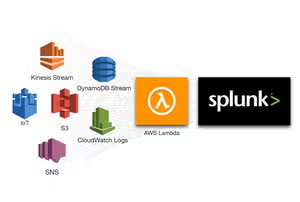
Splunk Data Manager Enables Google Cloud Platform Data Onboarding
Platform SplunkI'm excited to announce that Splunk Data Manager now supports onboarding of Google Cloud Platform (GCP) data sources, effective immediately. With this launch, you can now get the benefits of Splunk data analysis for the high-value events generated by Google Cloud when you onboard GCP data sources into Splunk using Data Manager.
Key capabilities and use cases enabled through this launch:
- Configure, monitor, troubleshoot and manage data onboarding for GCP data sources
- Support for critical GCP data sources such as Audit logs and Access Transparency logs, thereby enabling customers to generate insights related to actions taken by Google staff when accessing your Google Cloud content, critical alerts related to GCP resource modifications, system activities for Google Cloud actions that modify the configuration of resources and visibility into security policy violations
- Ability to easily onboard data from 100s of GCP projects and folders through GCP organization resource and automatically add or remove projects and folders in Data Manager based on changes to your Google Cloud resource hierarchy
- Automation for GCP prerequisites and configuration
The availability of GCP data onboarding is in addition to AWS data onboarding and Microsoft Azure data onboarding that were enabled earlier this year. Data Manager ships as a built-in application in Splunk Cloud Platform and is available today to all Splunk Cloud Platform customers who have chosen AWS as their provider and are on Victoria and Classic (except GovCloud US-West and US-East) experiences.
By providing minimal information about your cloud environments in Data Manager’s rich user interface, you can easily onboard data from AWS, Azure and GCP, and manage your configured data inputs from one central location, irrespective of which cloud provider’s data you are bringing in.
Onboarding GCP data sources in Data Manager:
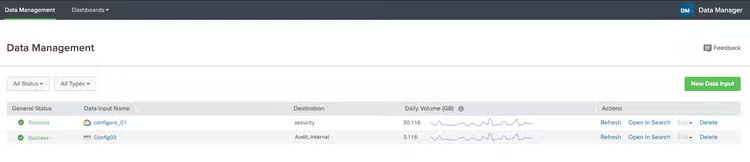
To start onboarding GCP data sources, click on the Data Manager app on your Splunk Cloud Platform home page on the left panel. The landing page provides a quick summary of the currently configured data sources and its vital statistics across all supported cloud services, so you get an excellent overview of the status of all the cloud data inputs at a glance. We also provide helpful filters so you can focus on the inputs that are important to you at the moment.
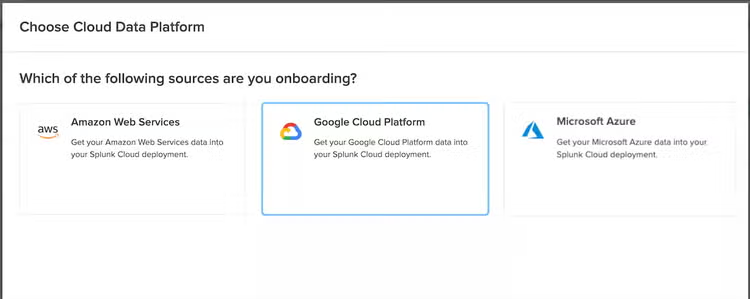
To create a new input, click New Data Input. In the new window, you will select the cloud service where the data will originate. In this case, select Google Cloud Platform (GCP).
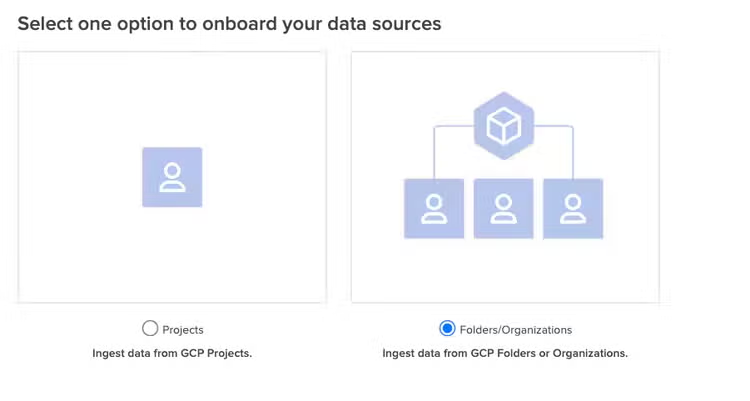
The primary purpose of the Data Manager app is to simplify data ingestion. Furthermore, Data Manager provides the ability to ingest data from specific projects, multiple folders or entire organization providing you the control to only ingest the data that you need.
In the first release, we support five log types-Admin Activity, System Events, Policy Denied, Data Access and Access Transparency logs—with plans to expand data source types in future releases.
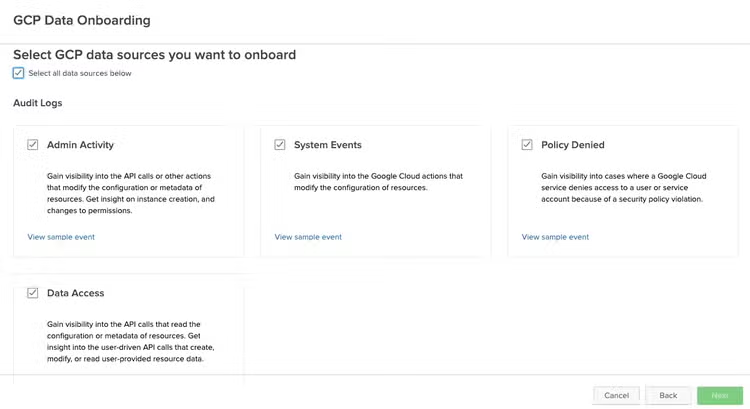
All the prerequisites and relevant GCP setup information is easily accessible and consumable through the Data Manager UI, with in-context documentation along with a flow diagram of the setup. These tasks should be performed by the GCP Admin. The prerequisites include enabling only the necessary APIs, creating the service accounts and buckets used for Terraform state information. Being a security focused company, we follow the principle of least privilege – so you’ll notice that Data Manager only expects the minimum permissions necessary for the purpose of data ingestion.
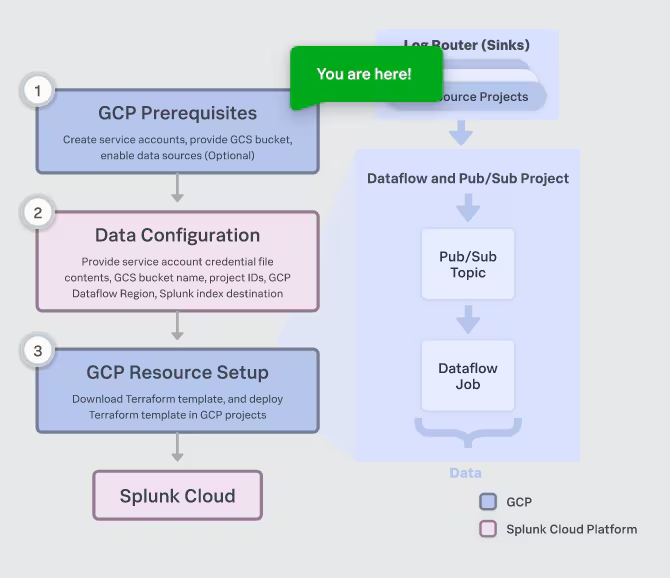
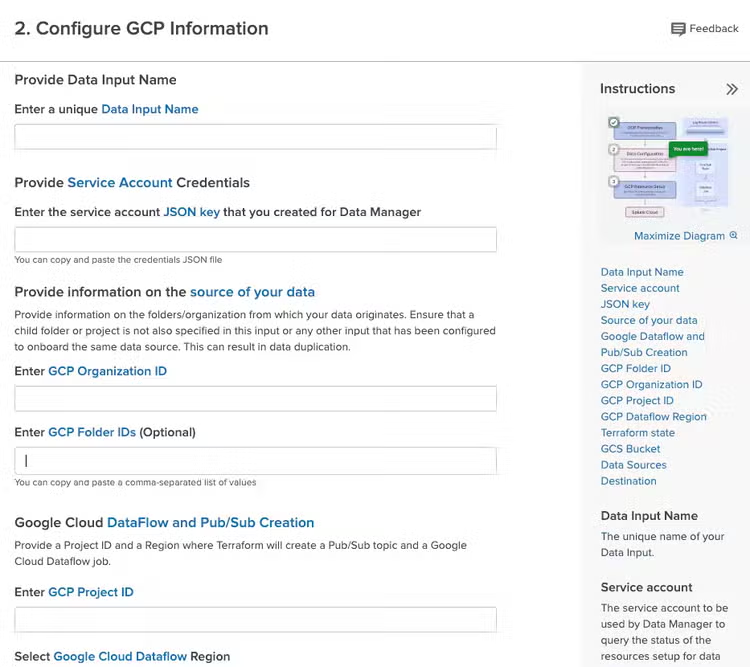
Once all the prerequisites are met, the required GCP resources to support Data Manager should be in place. Now, all that’s required is to provide Data Manager with the relevant resource details. Splunk admins who are not versed in GCP lingo should not worry — the UI provides a brief explanation of each of the resources required, and the flow diagram indicates exactly where you are in the workflow.
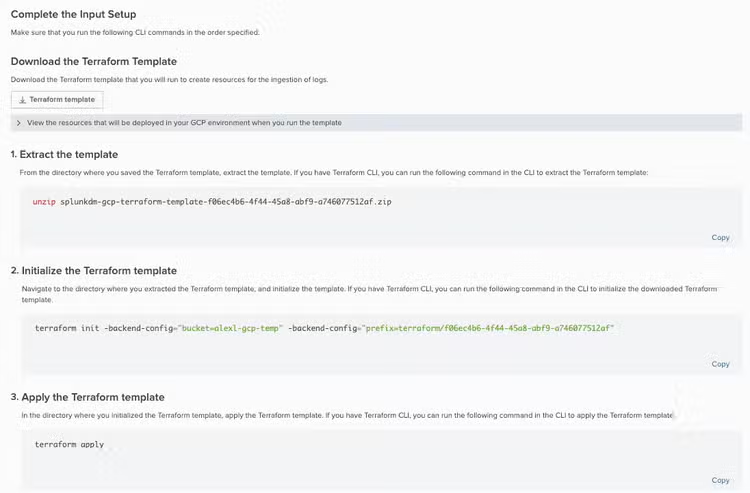
The final step involves running Terraform templates. Using the information provided in the previous step, Data Manager generates the Terraform templates required to deploy the backend services in GCP to enable data ingestion into Splunk Cloud. Download the templates and follow the instructions to extract, initialize and apply the templates. As you might expect by now, we provide the exact commands required to run the templates!
Once the backend services are configured, you should see data streaming into your Splunk Cloud stack. Happy Splunking!
Try out this new capability today to help you get to the cloud faster while making your data work for you. Don’t forget to check out Splunk Docs and watch the full .conf22 session on the future of data on-boarding at Splunk.
Have feedback? Share your thoughts with us and other users on the Splunk Community.
This article was co-authored by Tanzil Kazi, Senior Sales Engineer at Splunk
----------------------------------------------------
Thanks!
Sulay Shah
Related Articles
Access the Cloud Monitoring Console from Anywhere
Splunk Mobile, iPad, AR and TV in Private Networks