Splunking Slack Audit Data
Partners SplunkThe Slack Audit Logs API is for monitoring the audit events happening in a Slack Enterprise Grid organization to ensure continued compliance, to safeguard against any inappropriate system access, and to allow the user to audit suspicious behavior within the enterprise. This essentially means it is an API to know who did what and when in the Slack Enterprise Grid account.
Enterprise Grid is a "network" of two or more Slack workspace instances. Each Slack workspace has its own ID, its own directory of members, its own channels, conversations, files, and zeitgeist.
We are excited to announce the Slack Add-on for Splunk, that targets this API as a brand new data source for Splunk.
For more information on the audit logs API, please refer to the Slack Documentation and to get a complete list of all audit actions, refer to this link as the Source of Truth.
Slack Components
There are 2 main considerations to note on the Slack side:
- Enterprise Grid Account: Audit Logs API is only available to Slack workspaces on Slack Enterprise Grid. These API methods will not work with Free, Standard, or Plus plans.
- The earliest possible timestamp is when the Audit Logs feature was enabled for the Grid Organization, around mid-March 2018. Additionally, logs for events that have taken place before this feature became available to organizations that may have migrated to Grid (after 2018), will not be available.
Splunk Setup Overview
- Download and install the Splunk Add-on for Slack
- Configure an audit input for a given Enterprise account
- Generate Access Token
Download and Install the Splunk Add-on for Slack
The Splunk Add-on for Slack is listed on Splunkbase.
Configure an Audit Input for a Given Enterprise Account
The configuration steps are common for both on-prem and cloud. Please follow the following steps in order:
1. Open the Web UI for the Heavy Forwarder (or IDM).
2. Navigate to the Splunk Add on for Slack from the Splunk homepage.

3. Click on the Configuration tab and then Click on the “Add” button.

4. Enter a unique name for the Global Account. This doesn’t have to be the name of your Enterprise Grid Slack Account. This will only be used on the splunk side for configurations.
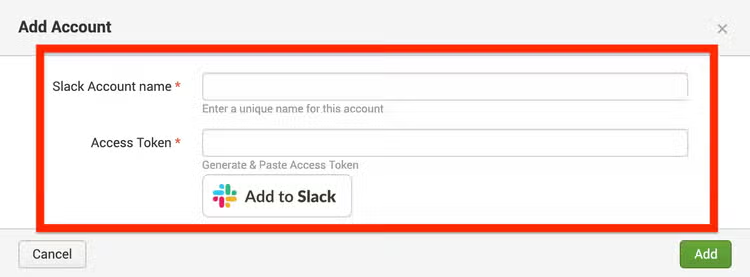
5. Access Token (required): See the “Generate Access token” section below for detailed instructions on how to generate this. Alternatively, you can bring your own xoxp-token with the auditlogs:read scope. Please contact your Slack account team or feedback@slack.com (Opens in new tab) for up to date instructions on how to generate the token.
6. Click on the Create New Input button on the top right corner of the Input page.

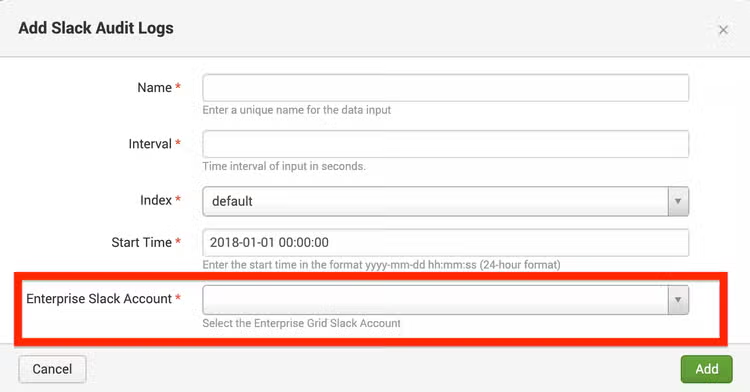
7. Enter the following details:
- Name (required): Provide a unique name for the input.
- Interval (required): Provide a number in seconds for the query interval.
- Index (required): Select the index from the dropdown list. Set the default index to be slack_audit, if using in conjunction with the Slack Audit App for Splunk.
- Start Time (required): Enter the time from which to begin querying, in the format yyyy-mm-dd hhss. The default has been set to 2018-01-01 00:00:00.
- Enterprise Slack Account (required): Select the global Slack account that you configured on steps 4 and 5.
5. Click on Add to save the input.
6. To check for any logs or errors, navigate to the Search tab and enter the below search index=_internal source="*ta_slack_add_on_for_splunk_*.log".
Generate Access Token
1. Click on the Add to Slack button to initiate the Authentication flow.
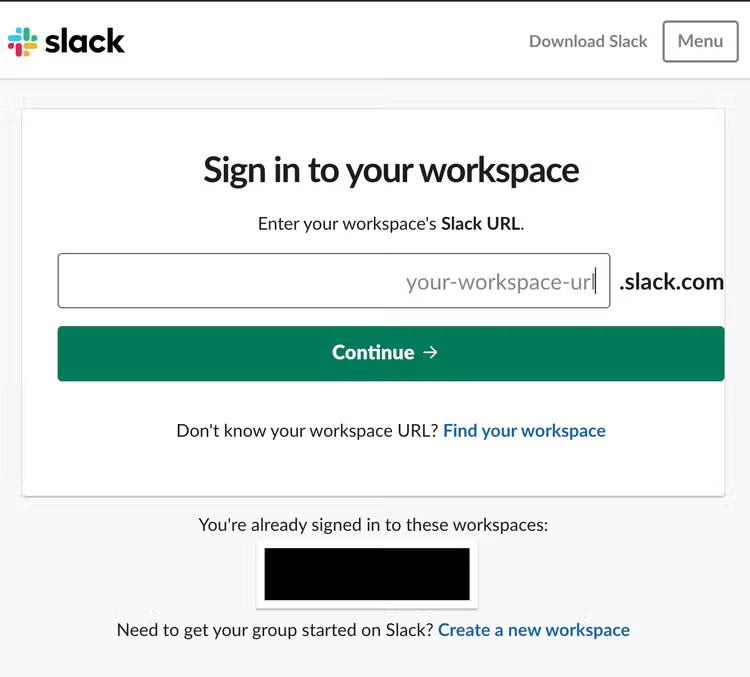
2. Sign into your organization's Enterprise Grid Slack account from the Sign in page. Please note: Audit logs can only be retrieved by the org owner in a Slack Enterprise Grid account.
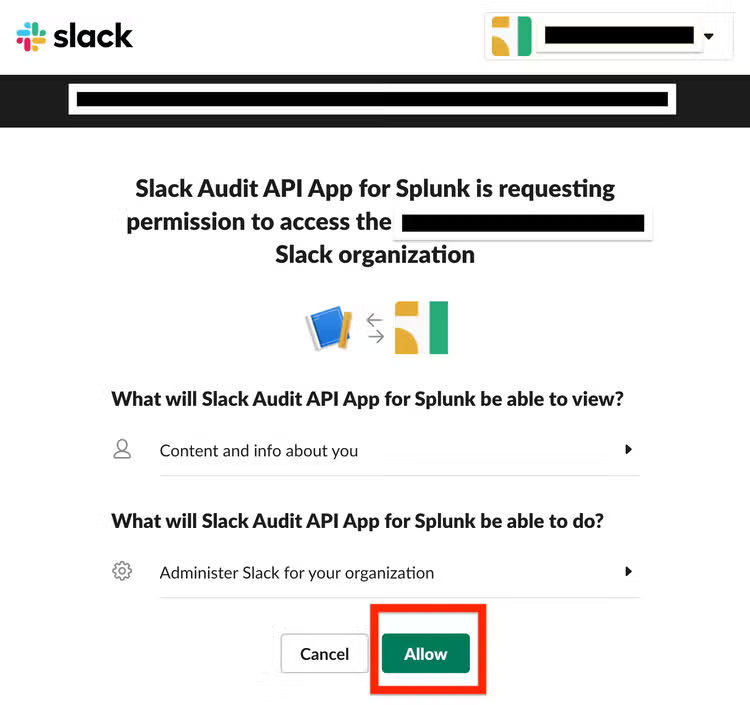
3. You will be presented with a screen to authorize the Slack Audit API App to collect the audit log information from your Enterprise Grid account. Click on Content and info about you and the Administer Slack for your organization options to see what the app can view. Should you see this screen, skip step 4 and proceed onto 5.
4. If you are not presented with the content in Step 3, close the dialog box and re-initiate the authentication process from Step 1.
5. Click on Allow to generate your access token.
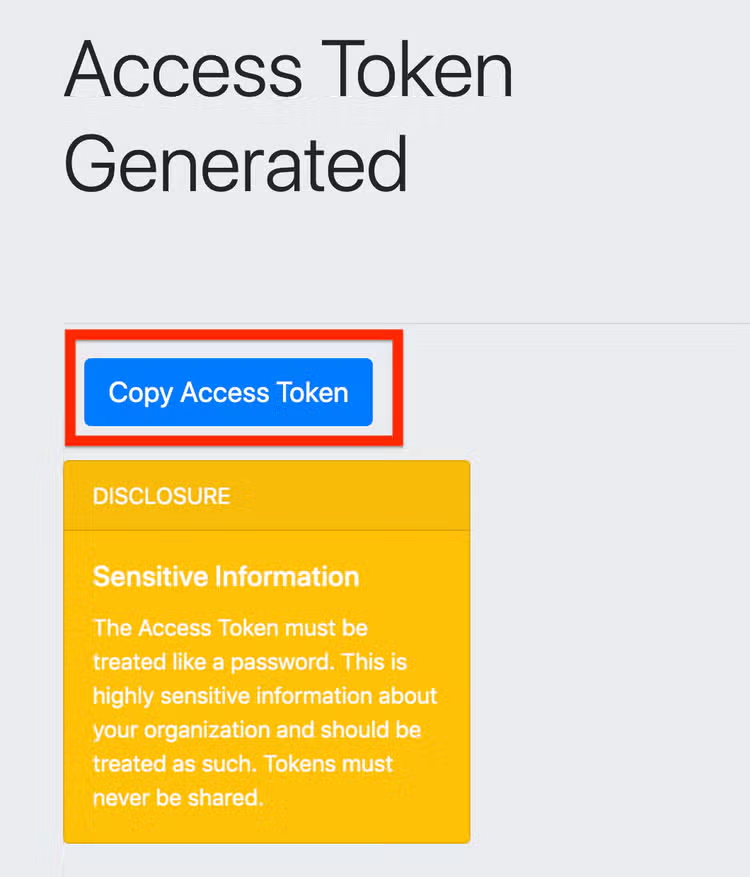
6. The access token should now be generated. On the Access Token Generated page, click on the Copy Access Token button to copy the token to your clipboard and close the pop up window.
8. The Access token should be about 79-80 characters long. If the character length of the pasted token isn't roughly the same size, re-initiate the authentication process to generate the token from Step 1.
And that's it. We have built an app to visualize the data brought into Splunk. Head on over to the Slack Audit App for Splunk to see this data inside the already pre-built dashboards.
View our Tech Talk: Platform Edition, Getting Slack Data into Splunk on demand.
Happy Splunking!
----------------------------------------------------
Thanks!
Karthika Krishnan
Related Articles

Leveraging Machine Learning, Splunk Enterprise, the Splunk Edge Hub and MQTT for Data Integration

Partners Are the Strategy: Momentum and Opportunity After Cisco Live 2025