Monitor Salesforce’s Real-Time Events with Splunk
I
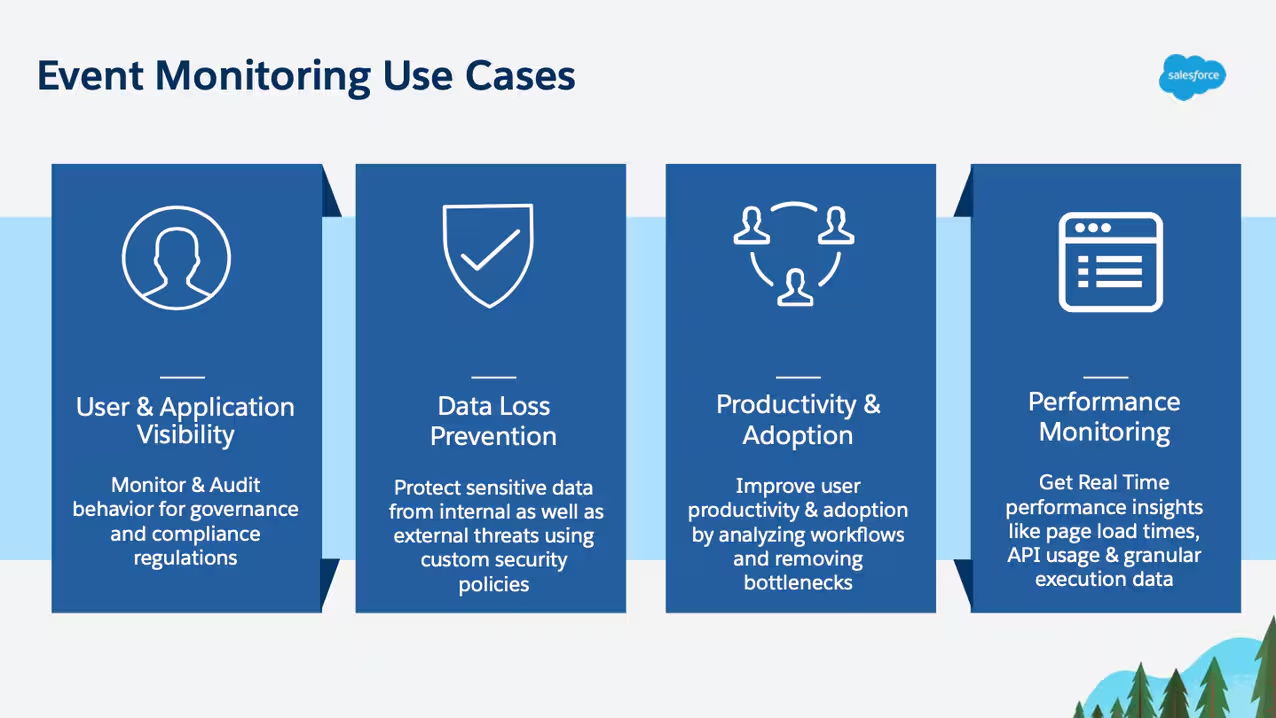
Salesforce customers can use Event Monitoring events for a variety of use cases centered around security, application performance and product intelligence.
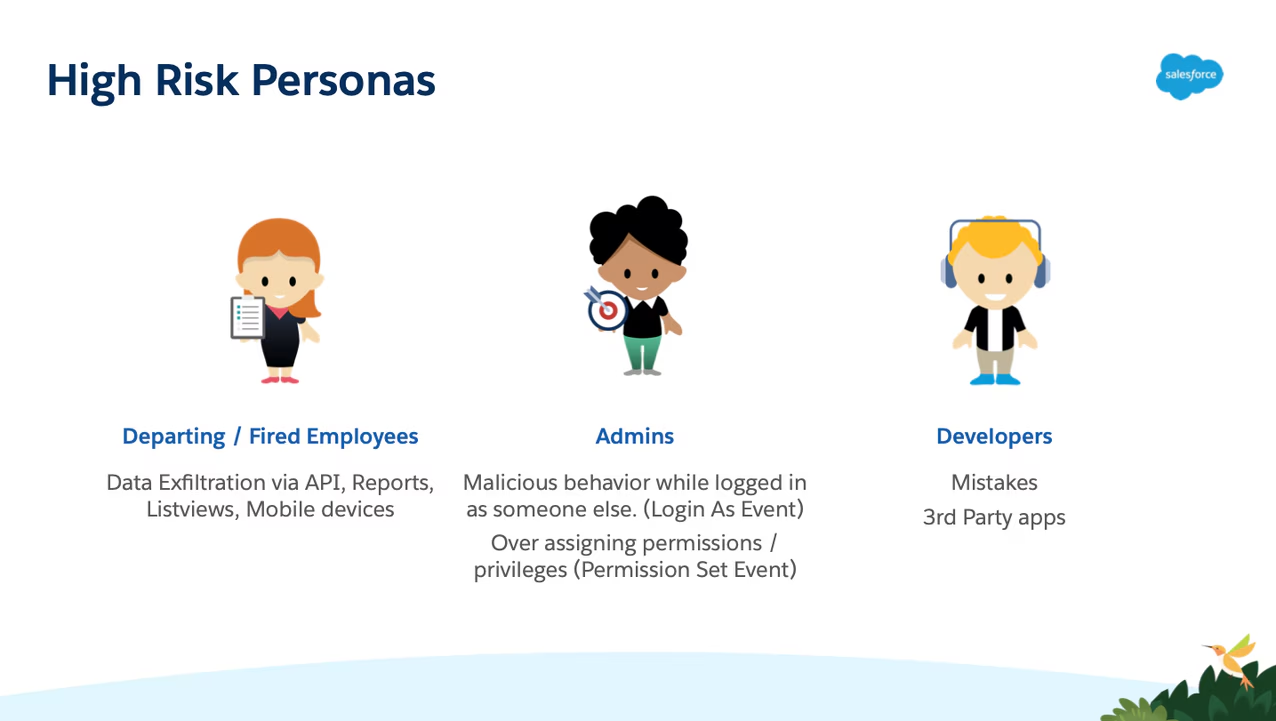
With RTEM data, you gain real-time visibility into how sensitive data is viewed, exported or queried via the API which helps identify insider threats and malicious / accidental data incidents in a timely manner. Real Time Event Monitoring gives security teams the ability to monitor & investigate various high risk actors such as departing employees, privileged users (Salesforce admins) and developers.
Real-Time Event Monitoring also includes Threat Detection which uses machine learning to identify and surface threats related to anomalous API / report interactions, session hijacking attacks and credential stuffing attacks.
Another feature included with RTEM is Transaction Security, which Salesforce customers can use to set up custom security policies to get alerted or stop potentially malicious users from proceeding with risky behaviors such as downloading massive amounts of sensitive data.
Real Time Event Monitoring is available to Salesforce customers as an add-on product and is part of Salesforce’s premium security product suite, Shield, which is essential for modern security teams to ensure a good security posture in today’s world full of cyber threats. If you’re a Salesforce customer and would like to learn more about Real-Time Event Monitoring, check out the RTEM Trailhead.
Splunk + Salesforce’s Real-Time Event Monitoring
Many Salesforce customers love to use Splunk with Event Monitoring’s v1 batch log based offering, EventLogFiles, with the widely used Splunk Add-on for Salesforce. Now, the Salesforce + Splunk story gets even better by adding Real-Time Events as a supported data source in Splunk, which drastically reduces the latency in which Salesforce events are delivered to Splunk.
This great demo developed by the Splunk team demonstrates the power of this all new Splunk integration with Real-Time Event Monitoring, which Salesforce and several keystone customers helped develop. The demo gives a thorough overview of the different Salesforce data sources that can be imported into Splunk and shows how easy it is to use Splunk dashboards to track security concerns such as failed logins, suspicious login-as activities and high risk permission modifications. It also shows how customers can take advantage of Splunk SOAR to implement robust threat response strategies and mitigate threats that Event Monitoring helps identify. A highlight of the demo is when Splunk walks us through how security teams can set up custom notifications based off of Real-Time Events and respond to them directly from Slack!
Combining Event Monitoring’s rich set of activity data with the robust capabilities of Splunk makes for an incredible solution for Salesforce / Splunk joint customers. To learn more about the integration and app, check out the demo here!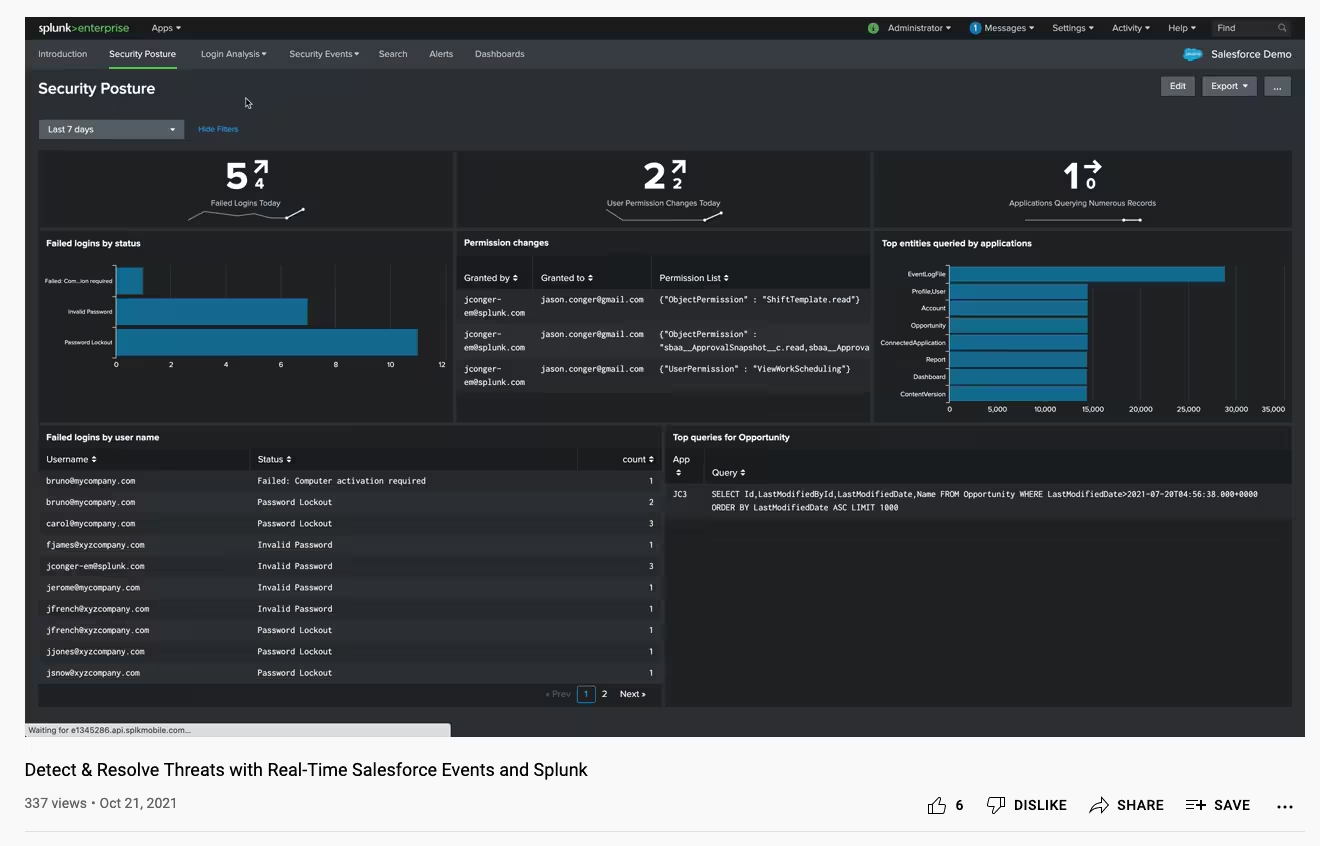

Related Articles

Unlocking New Possibilities: Splunk and AWS Better Together
Executive Q&A: Accelerating AI Success with Splunk and AWS

Accelerate Operations with AI: New Splunk and AWS Integrations

Introducing Splunk Victoria Experience on Google Cloud: Faster, Clearer, More Resilient

Splunk Cloud Platform: Accelerating Digital Resilience for the Agentic AI Era in Kingdom of Saudi Arabia with Google Cloud

How Splunk and Dataminr Work Together to Help Accelerate Resilience

Splunk Named 2025 Americas Partner of the Year Finalist by Microsoft

Managed Enterprise Platform: Delivering Mission-Critical Observability with Splunk
