What’s New With AppDynamics 25.4
Keeping your applications running smoothly is no small feat, especially with today’s complex tech stacks and ever-growing user expectations. That’s why we’re thrilled to announce the latest updates to AppDynamics, designed to enhance troubleshooting, improve visibility, and streamline your operations—all while keeping your applications performing at their best.
Here’s the lowdown on what’s new, why it matters, and how it empowers you to do more with less hassle.
Optimized Troubleshooting: Get to the Root Cause Faster
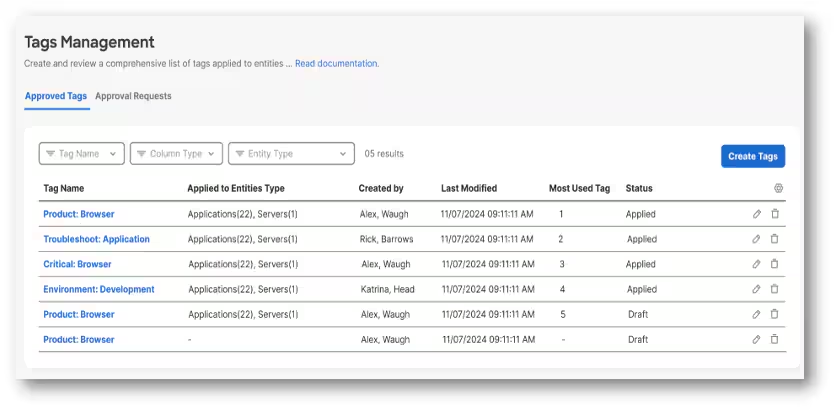
Tagging via Controller UI
Navigating your observable stack can sometimes feel like looking for a needle in a haystack. That’s where our new tagging interface comes in. You can now define and assign tags to entities directly from the Controller UI, making it easier to filter, group, and analyze data across your environment.
Imagine being able to:
- Filter health data for just the entities you care about.
- Group related entities for faster issue identification.
- Troubleshoot root causes in a matter of minutes—not hours.
Whether you’re setting up alerts, searching for specific data, or isolating an issue, tags are your new secret weapon for staying organized and efficient.
SQL Server High Availability Monitoring
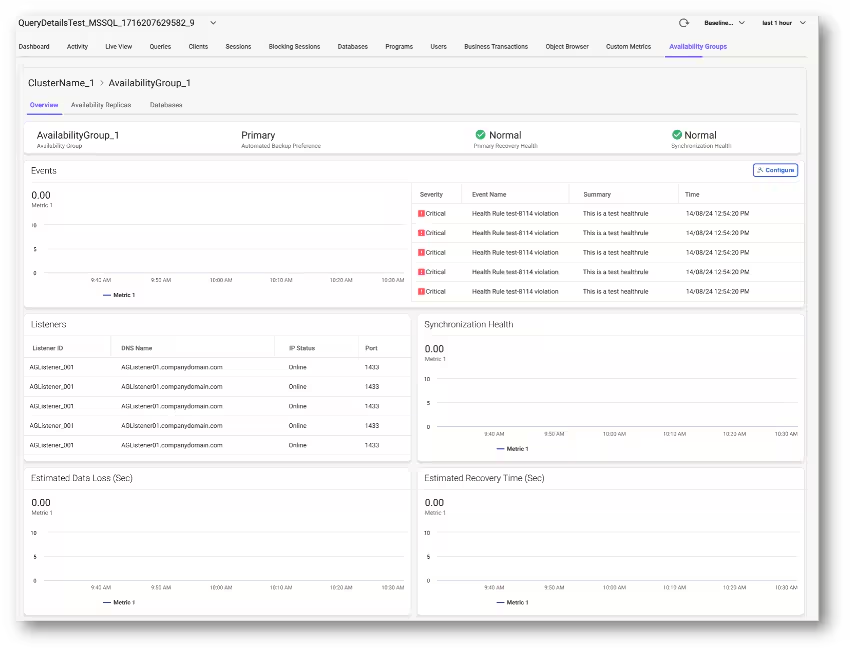
For those working with Microsoft SQL Server in High Availability (HA) mode, we’ve added comprehensive monitoring for Always On clusters and database files. What does this mean for you? It means no more scrambling to figure out why a failover happened or why your disk space suddenly spiked.
Here’s what you’ll gain:
- Visibility into Always On clusters, including availability groups and replicas.
- Metrics to help you track synchronization health, data loss, and more.
- Insights into disk space utilization, so you can spot and resolve performance bottlenecks before they escalate.
Metric Browser Search: Find What You Need, When You Need It
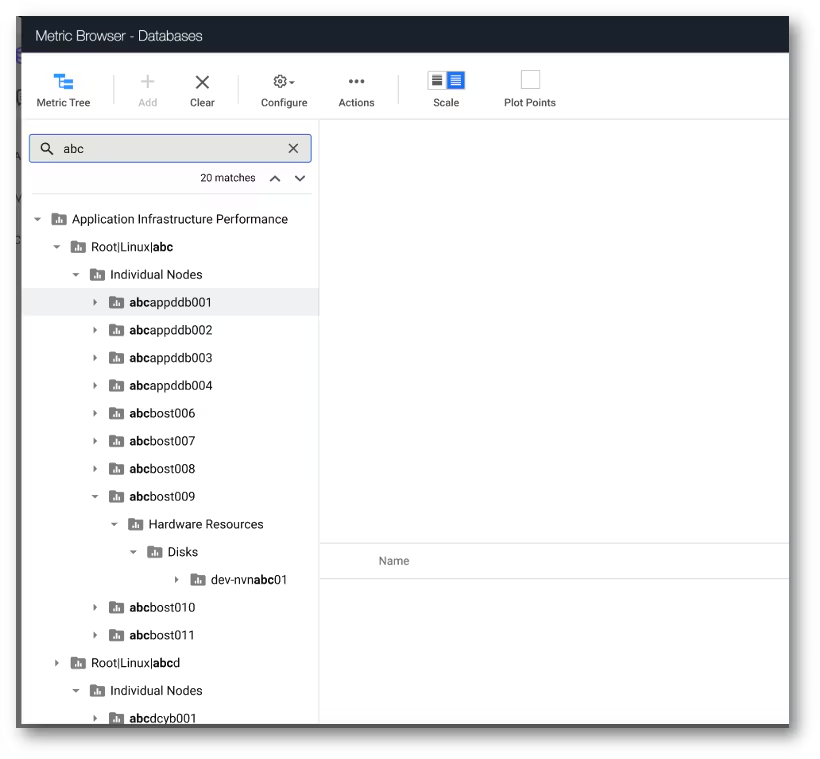
If you’ve ever spent too much time scrolling through thousands of nodes in your metric browser, we feel your pain. That’s why we’ve introduced a new search bar with typeahead search for server visibility. Now you can quickly locate the exact node or server you’re looking for, select the desired metric, and get back to what really matters.
Proactive Problem Detection: Stop Issues Before They Start
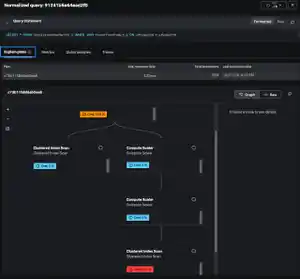
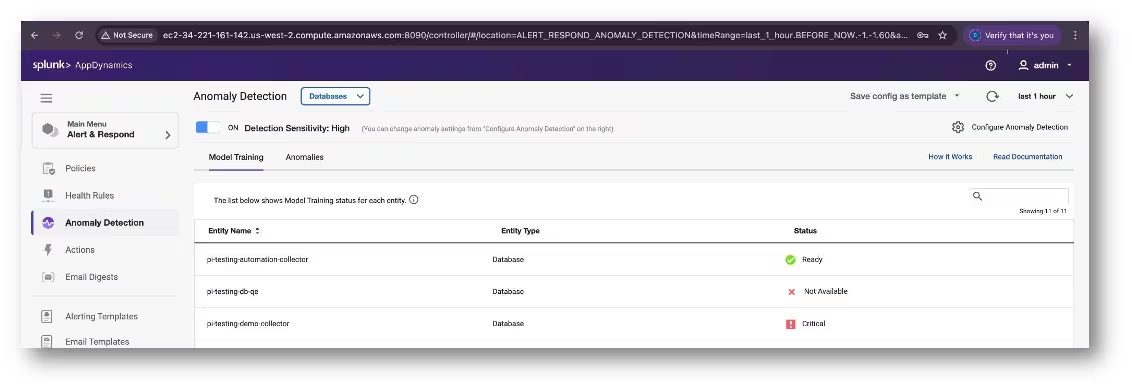
Anomaly Detection for Database Performance
Database issues can be sneaky. They lurk in the shadows, impacting your app’s performance before you even realize something’s wrong. But with anomaly detection for databases, you’re always one step ahead.
This feature automatically flags database queries that deviate from their normal behavior, helping you:
- Identify potential problems before they affect users.
- Reduce downtime by catching anomalies early.
- Simplify root cause analysis for query-related issues.
It’s like having a safety net for your database performance—proactive, precise, and invaluable.
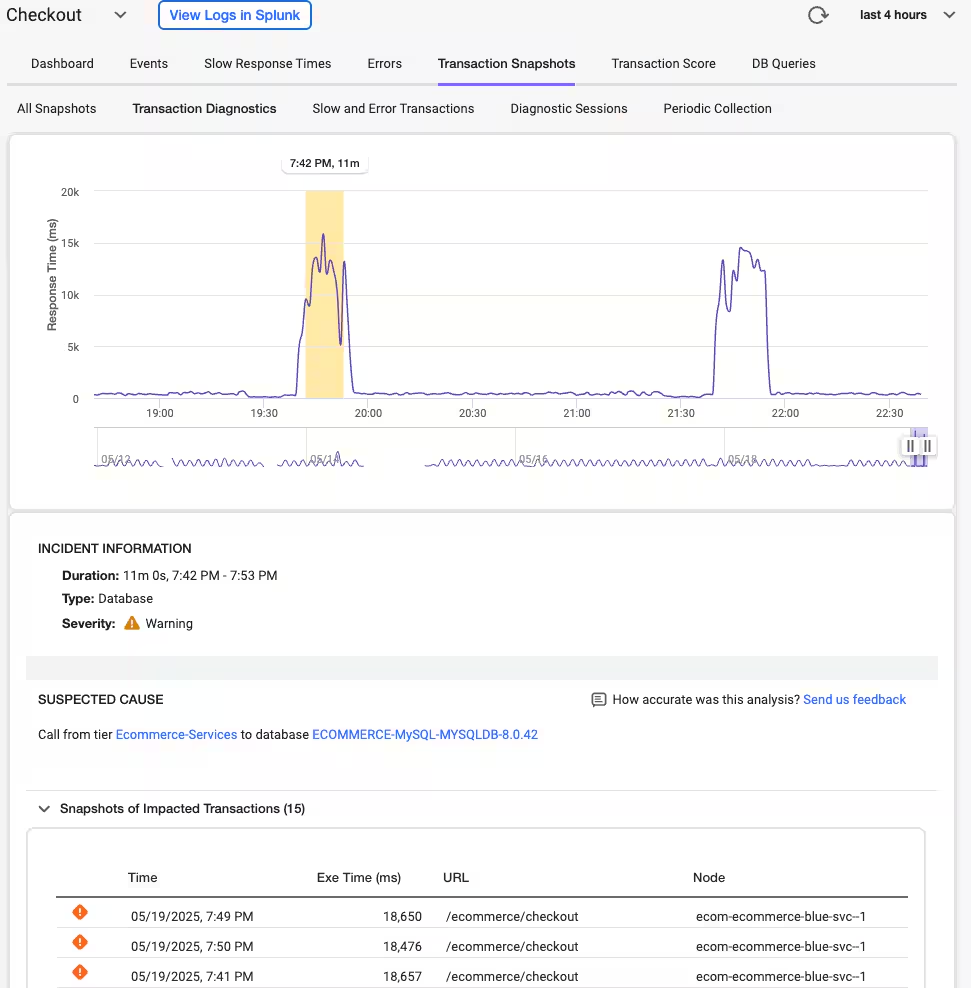
Automated Transaction Diagnostics (ATD) for On-Premises
Performance troubleshooting often means wading through mountains of data, but ATD changes the game. Using machine learning, ATD analyzes transaction snapshots to pinpoint anomalies that could lead to bigger issues down the line.
Here’s how it helps:
- Automatically filters out noise to highlight the most likely root causes.
- Pinpoints specific methods, database calls, or remote services causing slowdowns.
- Triggers diagnostic sessions when anomalies are detected, so you can gather detailed insights in real-time.
Think of ATD as your personal assistant for transaction troubleshooting—always working in the background to keep your app running smoothly.
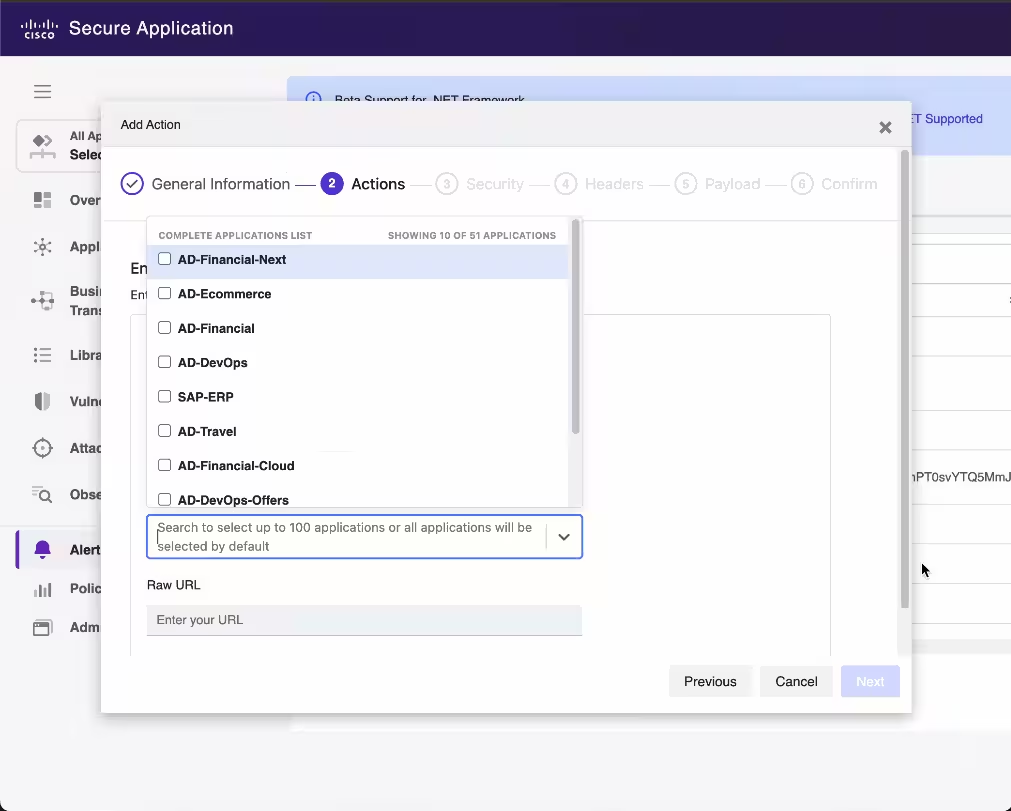
Filter Security Notifications by Application
Alert fatigue is real—and it can make it harder to focus on what truly matters. That’s why the new Application Filter for Alerting is a game-changer.
This feature lets you configure alerts for specific applications, helping you:
- Focus only on relevant vulnerabilities, attacks, or business risk changes.
- Cut through alert noise and reduce distractions.
- Enhance security by ensuring teams only see alerts for their assigned applications.
It’s like having a personalized alert system—focused, efficient, and secure.
User-Centric Insights: See Your App Through Their Eyes
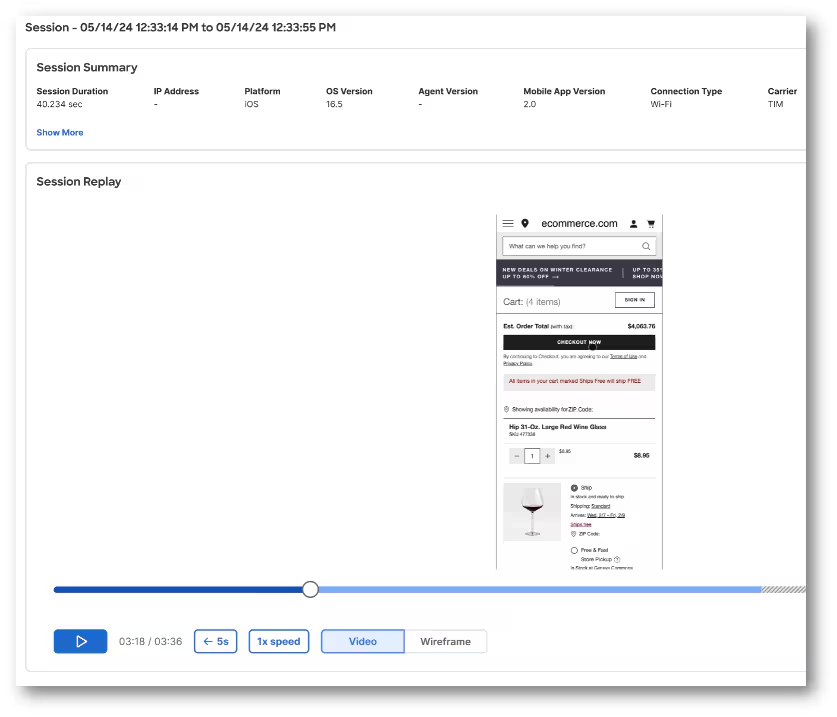
Session Replay for BRUM & MRUM (Private Preview)
Ever wished you could see exactly what your users see? With Session Replay, now you can. This feature captures video recordings of real user interactions—whether through a browser or mobile app—so you can:
- Troubleshoot elusive issues that don’t show up in staging.
- Understand the sequence of actions leading up to a problem.
- Optimize user journeys based on real-world behavior.
- Investigate security incidents by tracking malicious user actions.
Currently available in private preview, Session Replay provides a detailed, visual representation of user behavior. Mobile users, for example, can replay every tap, swipe, and scroll, while browser users can analyze click paths and navigation patterns.
Want to join the preview? Submit a support request here.
Enhanced Resource Management: Smarter Licensing, Better Control
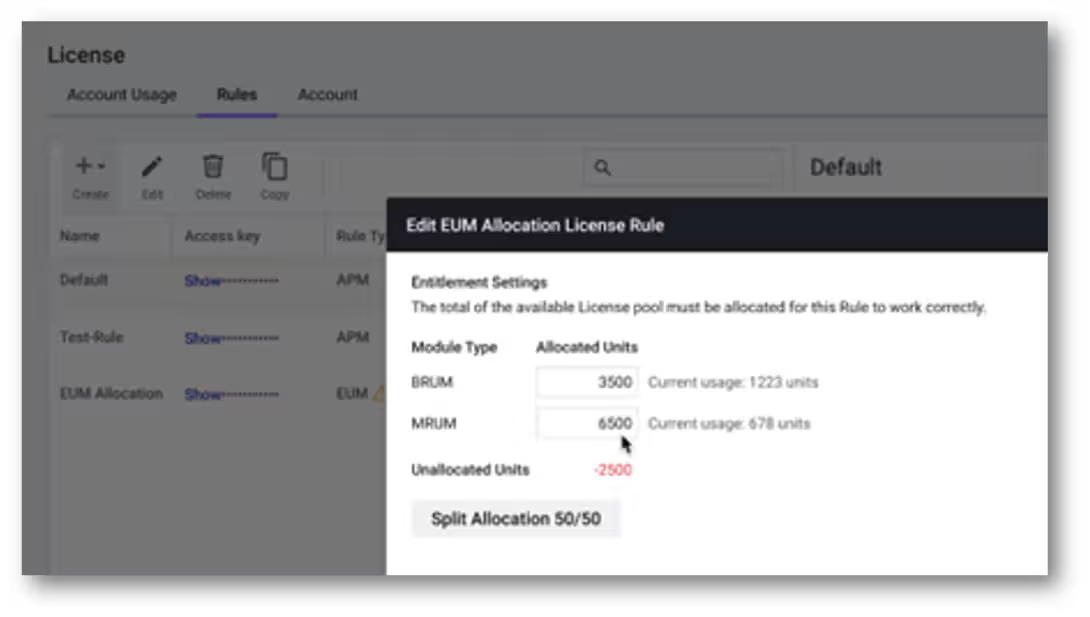
Allocate RUM Licenses Across BRUM & MRUM
Managing RUM (Real User Monitoring) licenses can be tricky, especially when different applications have different needs. To make this easier, we’re introducing new license allocation rules. You can now:
- Allocate unified RUM licenses between browser and mobile applications.
- Define percentages or exact numbers to prevent overuse.
- Ensure critical apps always have the licenses they need.
This means no more surprise overages and no more critical apps left without coverage. Plus, only license admins can access this feature, ensuring it’s used responsibly.
Platform Optimizations: Expanding Horizons
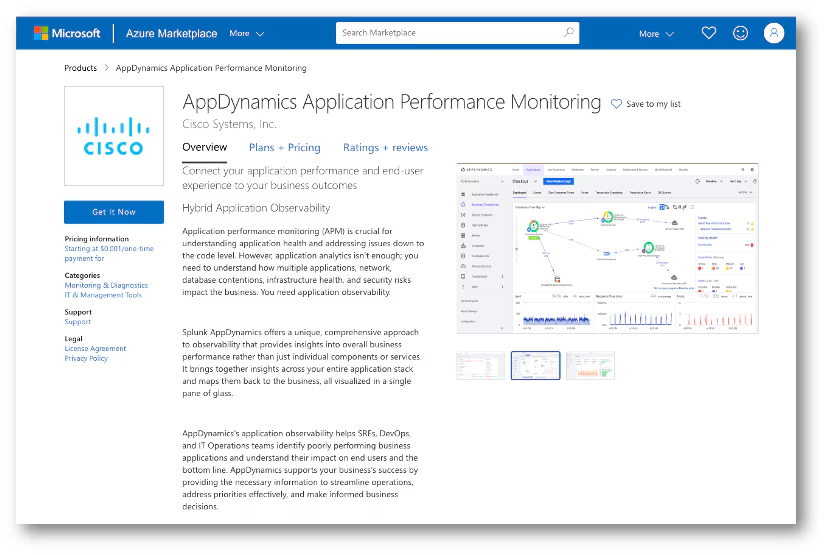
AppDynamics on Azure
Multi-cloud strategies are becoming the norm, and we’re here to support that with the relaunch of AppDynamics SaaS on Microsoft Azure. Currently hosted in the Toronto region, this offering helps organizations:
- Avoid cloud vendor lock-in.
- Expand regional coverage.
- Maintain compliance with industry-specific regulatory requirements.
While this release achieves feature parity with AppDynamics SaaS 25.1 (minus Synthetics, which is coming soon), it’s just the beginning of our commitment to a more flexible, multi-cloud future.
Why It Matters
At the heart of these updates is a simple goal: to empower you with better tools, deeper insights, and less friction in your day-to-day operations. Whether you’re troubleshooting a critical issue, optimizing user journeys, or managing resources more effectively, these features are here to make your life easier.
Want to learn more? Dive into our updated documentation or reach out to your customer success team for personalized guidance. Here’s to smoother apps, happier users, and fewer late nights troubleshooting!
Related Articles
What the North Pole Can Teach Us About Digital Resilience

The Next Step in your Metric Data Optimization Starts Now

How to Manage Planned Downtime the Right Way, with Synthetics

Smart Alerting for Reliable Synthetics: Tune for Signal, Not Noise

How To Choose the Best Synthetic Test Locations
Advanced Network Traffic Analysis with Splunk and Isovalent

Conquer Complexity, Accelerate Resolution with the AI Troubleshooting Agent in Splunk Observability Cloud

Instrument OpenTelemetry for Non-Kubernetes Environments in One Simple Step