Tips & Tricks Blogs
Latest Articles
template
category
category
Tips & Tricks
hideCategoryPill
true

Sourcetypes Gone Wild
Splunk can help bring order to the chaos of IT systems. But when Splunk itself is in disarray it can hinder your powers of search and put a serious damper on your Splunk experience. Giving Splunk a few pointers can make a big difference.
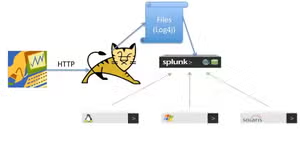
Indexing data into Splunk Remotely
Data can reside anywhere and Splunk recognizes that fact by providing the concept of forwarders. The Splunk Forwarder will collect data locally and send it to a central Splunk indexer which may reside in a remote location.

Encrypting and Decrypting Fields
There are times when data within events contains sensitive information. This could be Social Security numbers, credit card numbers, date of birth, an employee’s salary information, etc.

Indexing Events Delivered by Multicast
Indexing Events Delivered by Multicast

Enriching Data with DB Lookups (Part 2)
Today, I’m writing as a guest blogger for Bob Fox to create part 2 of enriching data with the Splunk lookup command. Bob had already created part 1, which describes in detail with an example how to use the lookup command to enrich data from external CSV files. Today’s topic builds on the lookup command usage showing how to enrich indexed data at search time using an external database.

Using File Contents as Input for Search
I’ve been asked a few times on how best to search for events which may contain many different discrete values for a field. It’s essentially using an OR (disjunctive search) in the search language. For example, you can do this:

Indexing and Searching RSS feeds
Indexing and Searching RSS feeds

LDAP auth configuration tips
Now that I’ve (hopefully) convinced you that ldapsearch is your friend, let’s get down to the matter. How can you use that information to configure Splunk to authenticate against LDAP?

Help! I can’t export more than 10,000 events!
If you have ever tried exporting lots of events from Splunk UI then you probably know that there’s a hardcoded max of 10,000 lines. This is to prevent users from potentially crashing splunkd or python. Taking the previous into consideration may allow you to view this restriction as a safety feature.