New Keyword App
One of the most common requests I get from new customers is that they want to centrally collect all their machine generated time series data and search for a keyword like error or RuntimeException. Obviously Splunk can do this. Then, the next set of questions concern things like give me the top hosts or applications producing this keyword, show me a baseline of last week vs this week for this keyword, show me a slope line on the trend for this or any keyword(s), find outliers that go beyond the average occurrences for the keyword and then try to predict what may happen in the future.
To answer these questions and then some, I’ve created an app template that you can download from Splunkbase and simply install the Keyword App. The app has no inputs as it uses your own indexed data. You can modify the default indexes for the role that uses the app in Manager to include indexes beyond main. Usually, what I do next in these blog entries is describe how to use the app. However, in this case, a picture is worth a thousand words. Rather than continue to entertain you with my prose, I’ll simply embed the the self explanatory dashboards here.
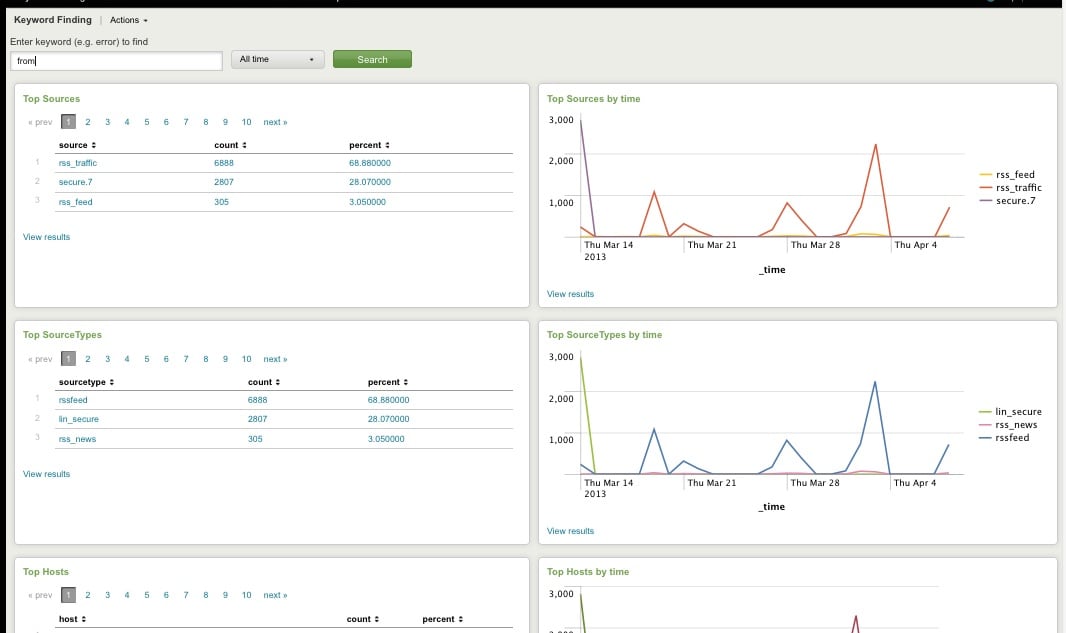
Top Host, Sourcetype, and Source for Keyword
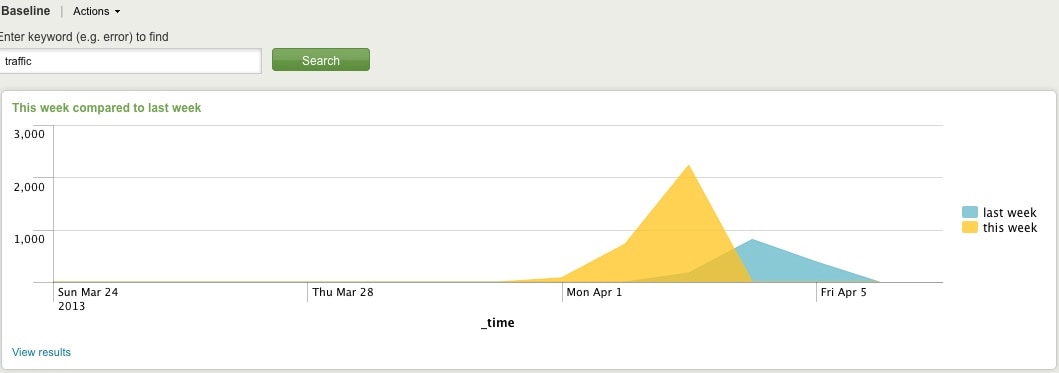
Comparing Present Count vs. Past Count
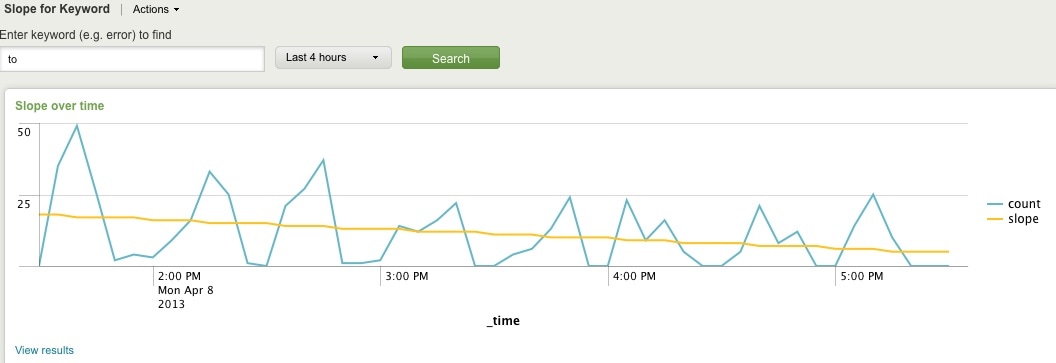
Slope for Trend
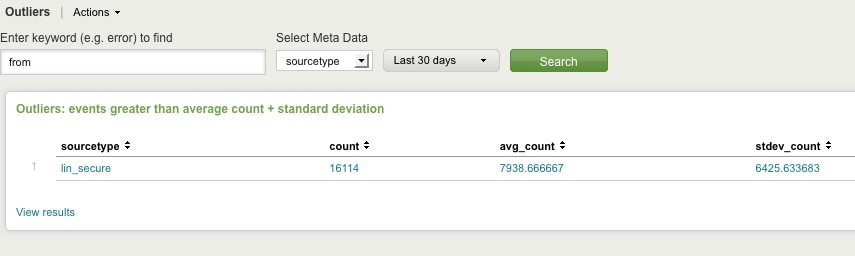
Find Outliers
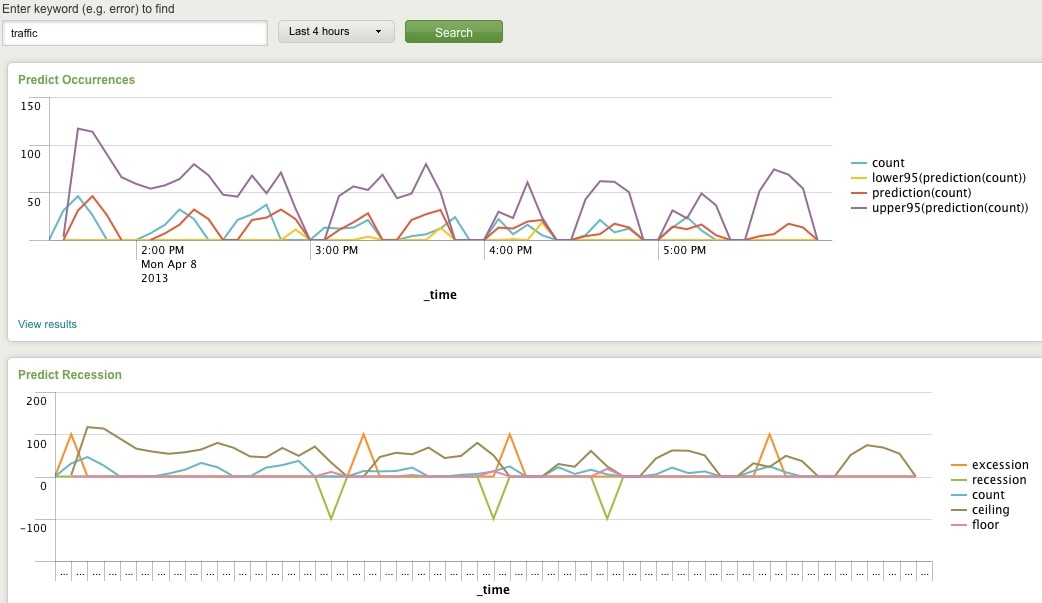
Predict Future Counts (Recession Predict is Jack Coate’s idea)
There’s a Donut Chart (Ron Naken’s Module) that allows you to split your list of keywords by top 10 host, source, or sourcetypes and see the distribution of events.
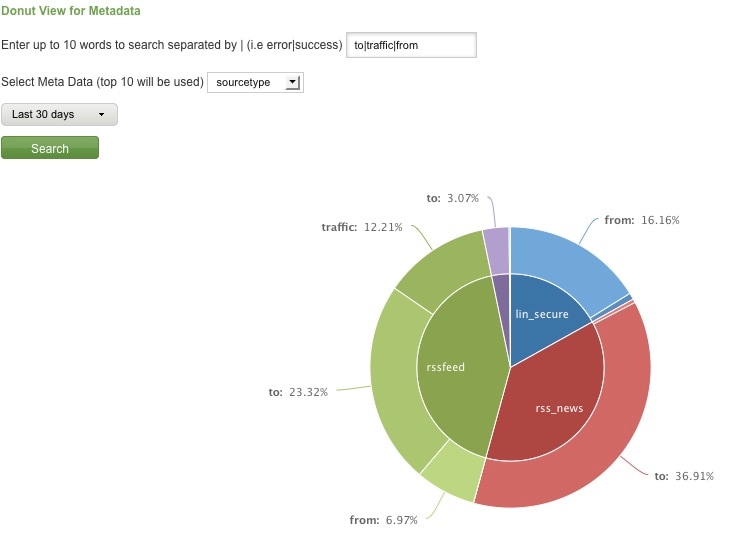
Split Keyword(s) Distribution by Top 10 Hosts, Source, or Sourcetype
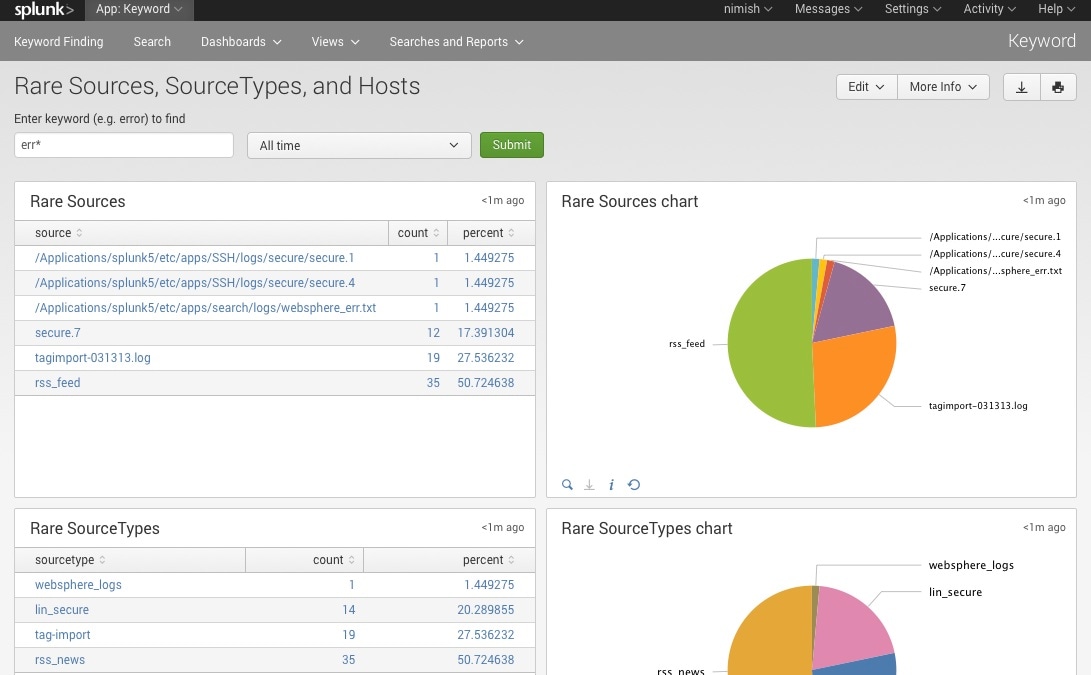
Here are rare events based on your filter:
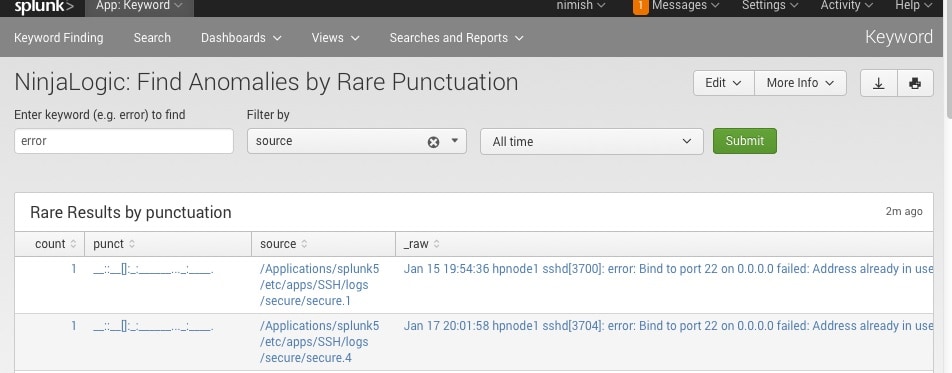
Finally, here are rare events based on punctuation.
Conclusion
Hopefully, this template will satisfy all your needs out of the box. If you need to modify the searches, make a copy of the app’s default/data/ui/views/<dashboard>.xml file and put it into the app’s local/data/ui/views/<dashboard>.xml file and edit your local copy. I’m hoping this app will save you some time from configuring these common tasks.
Related Articles

Recap: Splunk @ Blackhat Europe 2016

Playbook Series: Phishing: Automate and Orchestrate Your Investigation and Response