Welcome to the Future of Data Search & Exploration
You have more data coming at you than ever before. Over the next five years, the total amount of digital data is going to be more than twice the amount of data created since the advent of digital storage.
With the success of your company often determined by how you anticipate and respond to threats – and leverage meaningful insights – you need the ability to quickly search and find insights in your data, despite this increasing deluge of information.
Simultaneously, you need to empower more users than ever before to access and find insights in their data, regardless of their skill level or technical acumen.
And despite more data, more users and faster queries, you need tools that are ever more cost efficient, to meet IT budgets that seldom scale to data storage and demand.
Introducing a Revolutionized Search Experience
Splunk is uniquely positioned to ride this data wave, with users performing billions of monthly ad-hoc queries against data of all structures and sizes.
Working with numerous customers and drawing upon 20+ years of historical feedback, Splunk is pleased to announce the Public Preview of a complete redesign of its core Search experience, accelerating the data-to-insight workflow, and bringing the power of Splunk to everyone.
Faster Time-to-Insight for Advanced Investigations
Robust IDE-Style Code Editor

With the new Search experience, you’re no longer confined to a small search box to write your queries. With a resizable IDE-style editor, you have all the space you need to write complex searches.
Updated and More Powerful Search Language (SPL2)

The new editor supports our updated Search Processor Language (SPL2), a more concise and powerful version of our search language. SPL2 is designed for users with a range of query language backgrounds including SPL and SQL while maintaining a similar syntax for familiarity. It also introduces a range of powerful capabilities such as built-in functions, types and the ability to add comments.
If you’ve never written SPL searches before – or occasionally forget which command to use or the correct syntax – auto-completion and in-line documentation make it fast and easy to start writing searches.
Multi-Statement Search

Thanks to the power of SPL2, you can now perform multiple searches all within a single Search Module. It’s extremely common for individuals to want to iteratively build searches, or even branch investigations. For instance, after preparing a view of their data, they may wish to conduct a certain set of analysis with one set of queries and conduct separate analysis on the same data with a different set of queries. This previously resulted in a proliferation of browser tabs. However, with the new search experience, a user can take the output of one search and use it as a starting point for another search, all within the same experience!
Reusable Searches
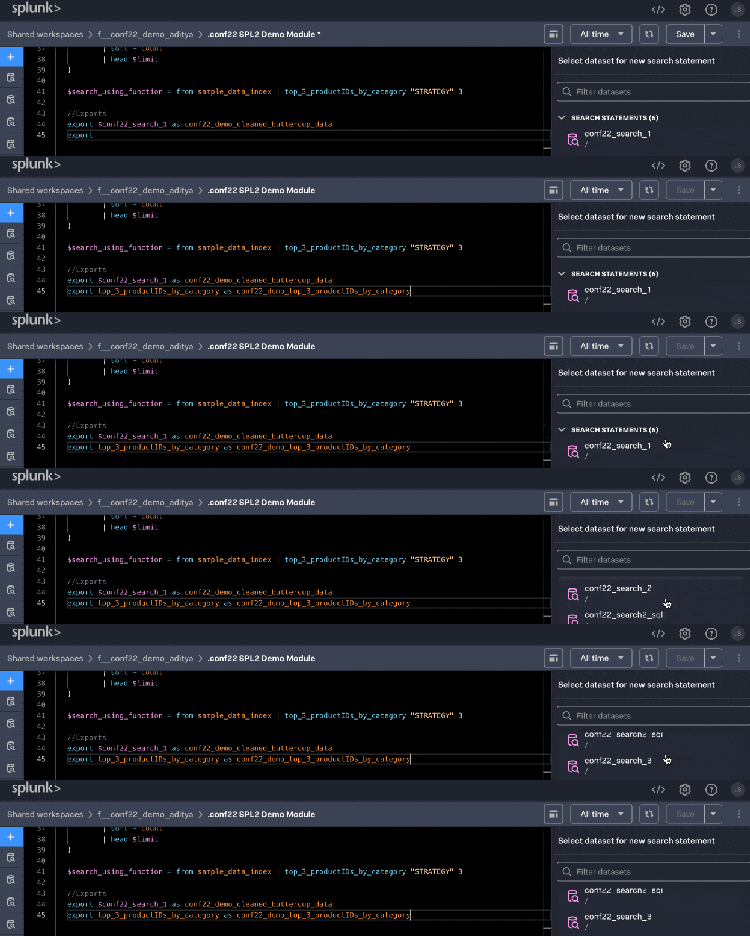
Every search query you write can be exported as a reusable dataset, making it easy to share specific views of your data.
Integrated Charting

The new Search experience also supports multiple charts. Instead of having to delete and re-write different commands to see various visualizations of your data, it’s easy to point-and-click and create as many charts as you’d like from the same base search.
The Power of Splunk for Everyone
Point-and-Click Search Creation

Bi-Directional Editing
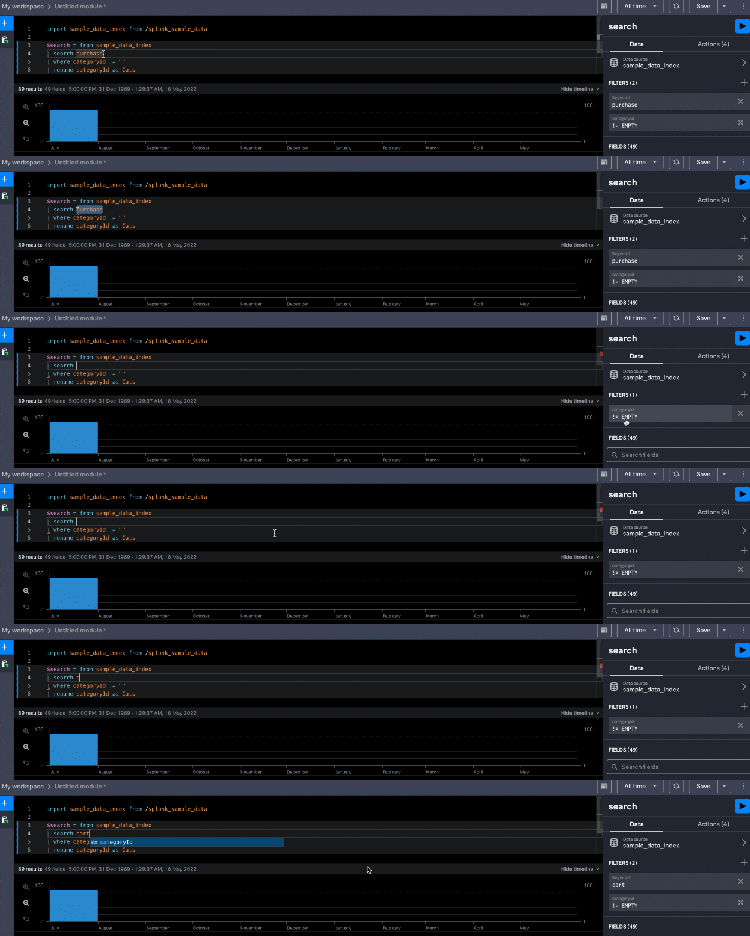
While Splunk has offered point-and-click tools in the past, such as our extremely popular Table Views, this new Search experience is completely bi-directional. A first-time user can generate a query using point-and-click actions, while an advanced user can edit that query using the code editor. Both users can seamlessly collaborate on the same query.
Save and Share

Once a user has finished searching their data, their entire multi-search statement investigation, including charts, can be saved as a Search Module for easy reuse and collaboration. Search Modules can be saved to a user's private workspace, or saved to a shared workspace where they can collaborate with others.
Get Started Today!
In the words of Aaron Dobbins, President of Ellenby Technologies, “The new Search experience for Splunk Cloud helps us to iterate through questions we have hidden in our data more efficiently than ever before, all without needing deep knowledge of the SPL language.”
Splunk’s new Search experience is now available as public preview, at no extra cost, to Splunk Cloud customers in AWS US-based data centers (with more regions to follow). Register your interest here!
Related Articles

Stream Amazon CloudWatch Logs to Splunk Using AWS Lambda
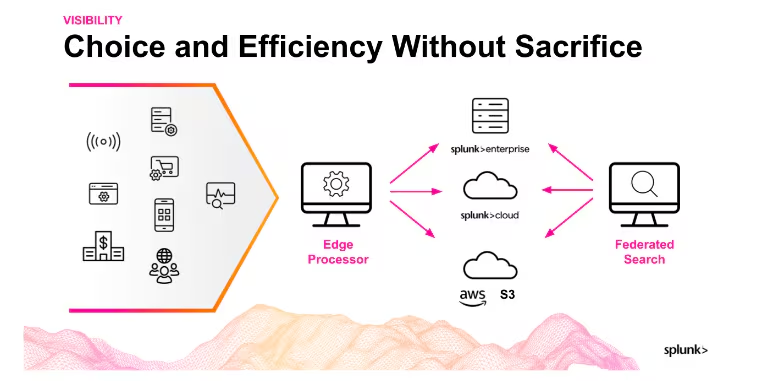
Splunk Edge Processor and Federated Search: Do I Need It?

IDC Reports: Enterprises Gain Higher Efficiency and Resiliency With Migration to Cloud

Analyzing Text with Deep Learning: New Use Cases in Splunk DSDL
Build Digital Resilience Through Expanded Access to Decentralized Data

Enterprises Realize Benefits from Migrating to Cloud with Splunk

Announcing Splunk Federated Search for Amazon S3 Now Generally Available in Splunk Cloud Platform

Addition of Syslog in Splunk Edge Processor Supercharges Security Operations with Palo Alto Firewall Log Reduction