Splunking F1: Part Two

Do you remember when your maths teacher told you it’s not the final answer that’s important, it’s your working out that really counts? Well, during this year’s SplunkLive! London event, we had a tie for first place on our F1 racing simulator; two identical lap times to within one thousandth of a second - amazing! Both James and Joe wanted to win the first prize – tickets to the British Grand Prix, so we decided to investigate their driving styles by examining the car telemetry data streamed to Splunk during their respective sessions. Much like an outage or security investigation, with the data in Splunk, we were able to unwind the events to find out how we arrived at the end result. In this case, the result was the fastest lap time. In other scenarios, it could be how security defences were breached, or why a server went down, the process is the same.

One element missing from the F1 data listed in part one of this post, was information concerning the actual driver. To supplement this, we built a simple form in Splunk to capture driver name and demographic data, storing the information in the Splunk KV Store. The final piece; the leaderboard dashboard, correlates the driver information with the telemetry data collected during the race to determine fastest completed lap, of the first 3 laps per contestant.

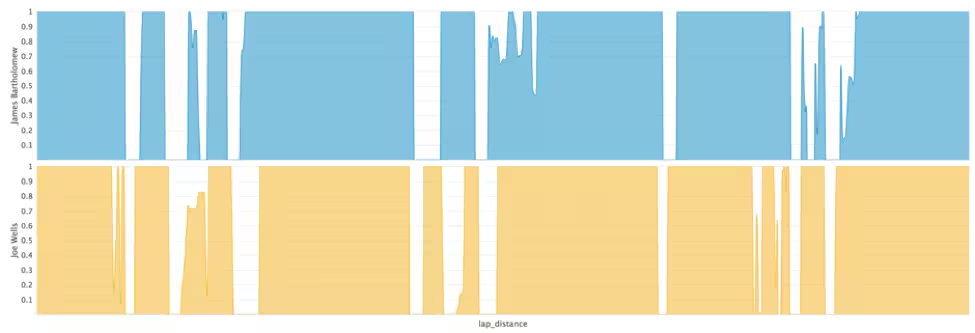
The table below shows the average throttle, brake and steering application from the driver, ranging from 0 (no application) to 1 (full application).

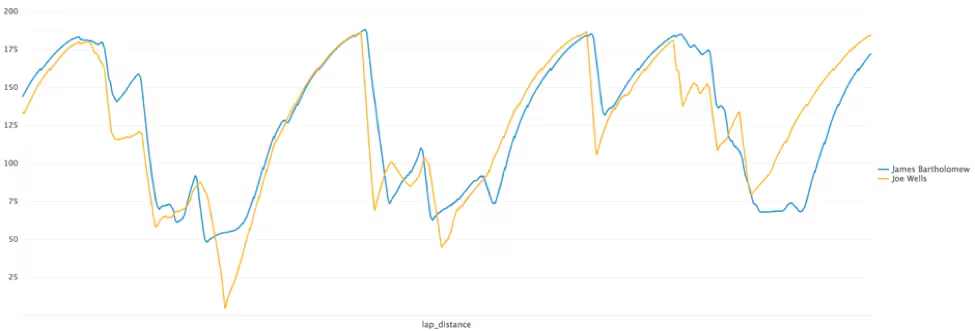
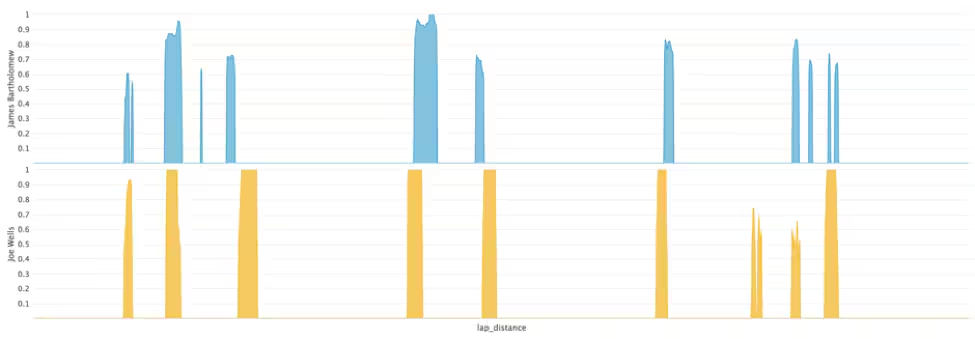
Session Summary Stats From the above summary table, we can see that James was on the throttle longer and on the brakes less of the time, indicating that he accelerated and braked harder than Joe – key for a fast lap time. James also used less steering angle, indicating a smoother driver, again key for being fast. So how was Joe able to match James’s lap time?

Throttle Application

Brake Application The answer isn’t obvious when looking at the driver inputs alone. However, the speed of the car does give a clear indication. The speed chart from the two drivers reveals that James had a terrible last corner as the pressure of the big prize got to him! Joe kept a clear head and applied the power beautifully through ‘Club Corner’, a very fast right hander which requires the driver to balance the car on the edge of adhesion. This allows him to recover the time that he had lost to James in the earlier part of the lap.
Speed (mph)

For those who missed out on the excitement, the competition is sure to make another appearance at a Splunk event near you! We are also exploring additional features to add to the app, such as the use of the Machine Learning Toolkit to predict behaviours based on player demographic, driving style, and to correlate the data with real-world IOT data sources.

Not and F1 fan? Let us know what other sports you think we could Splunk. Who knows, it could be our next event competition!
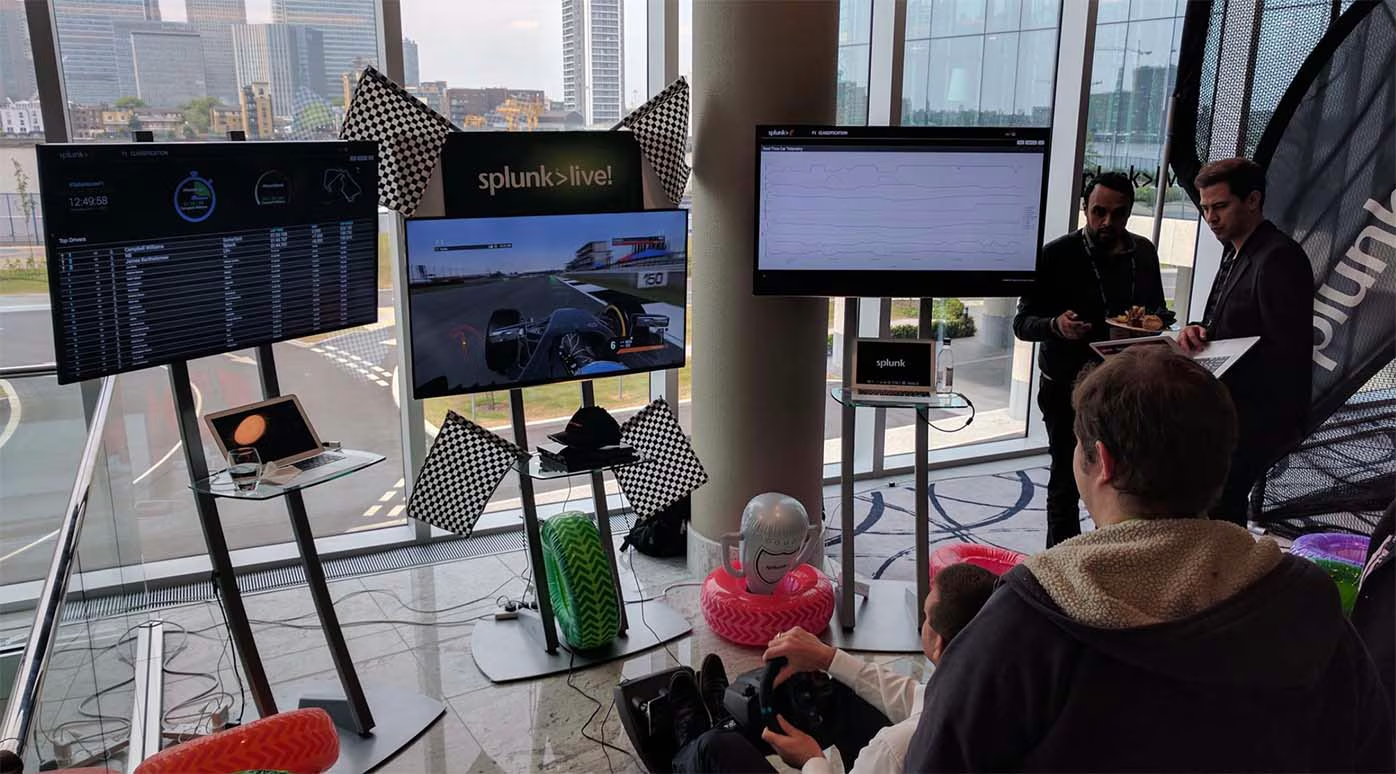
SplunkLive London F1 simulator

----------------------------------------------------
Thanks!
Haider Al-Seaidy

Related Articles
Access the Cloud Monitoring Console from Anywhere
Platform
2 Minute Read

Access the Cloud Monitoring Console from Anywhere

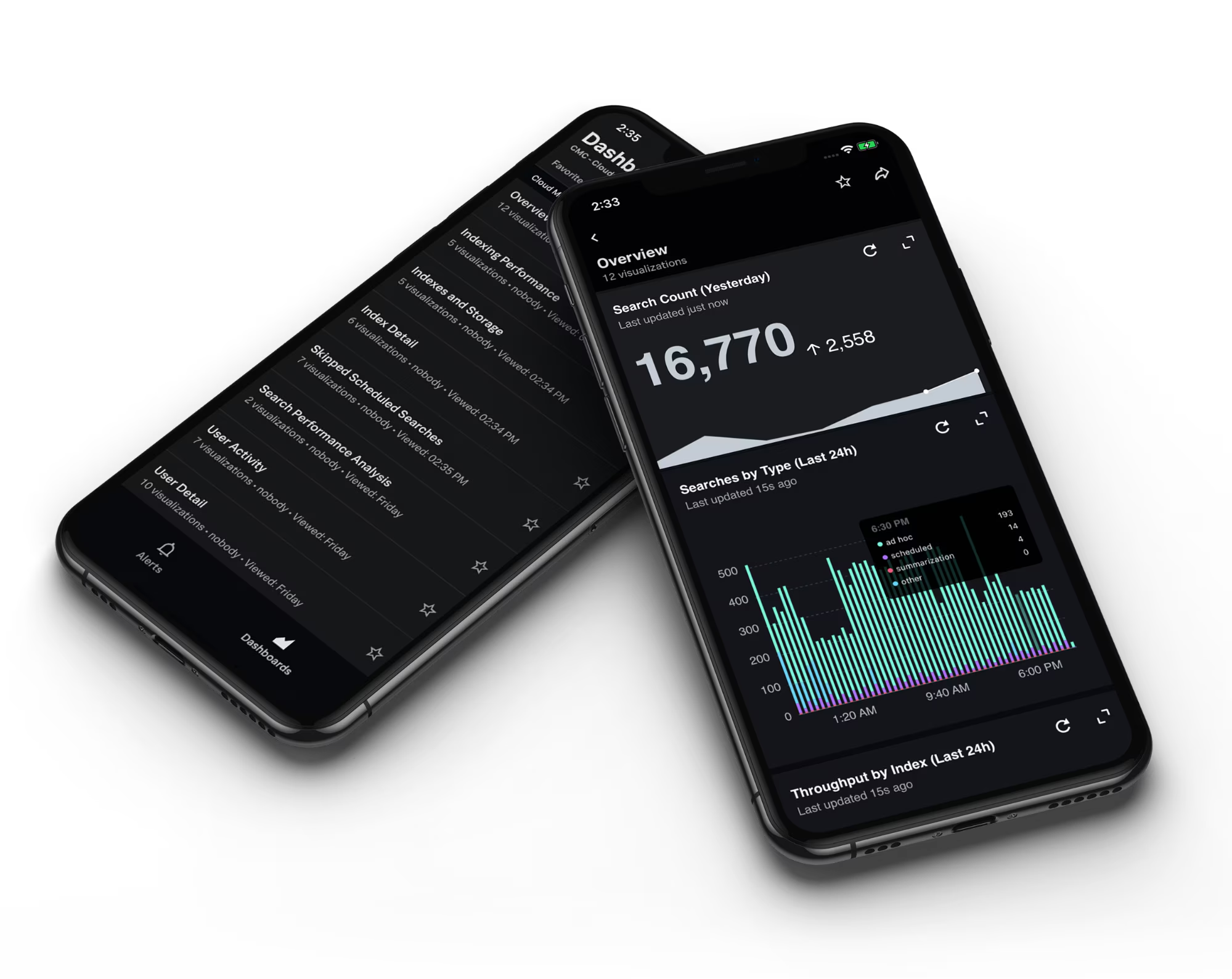
Have you ever wanted to check the status of your Splunk Cloud Platform deployment but can't easily access your laptop? We've got you covered — the Cloud Monitoring Console is now available on Spunk Mobile.
Empower Your Organization with Splunk On the Go
Platform
2 Minute Read

Empower Your Organization with Splunk On the Go

Get an overview of Splunk Mobile, learn about new Splunk Mobile features, and find out how easy it is to build dashboards for Splunk Mobile.
Go with your Data Flow - Improve your Machine Learning Pipelines
Platform
3 Minute Read

Go with your Data Flow - Improve your Machine Learning Pipelines

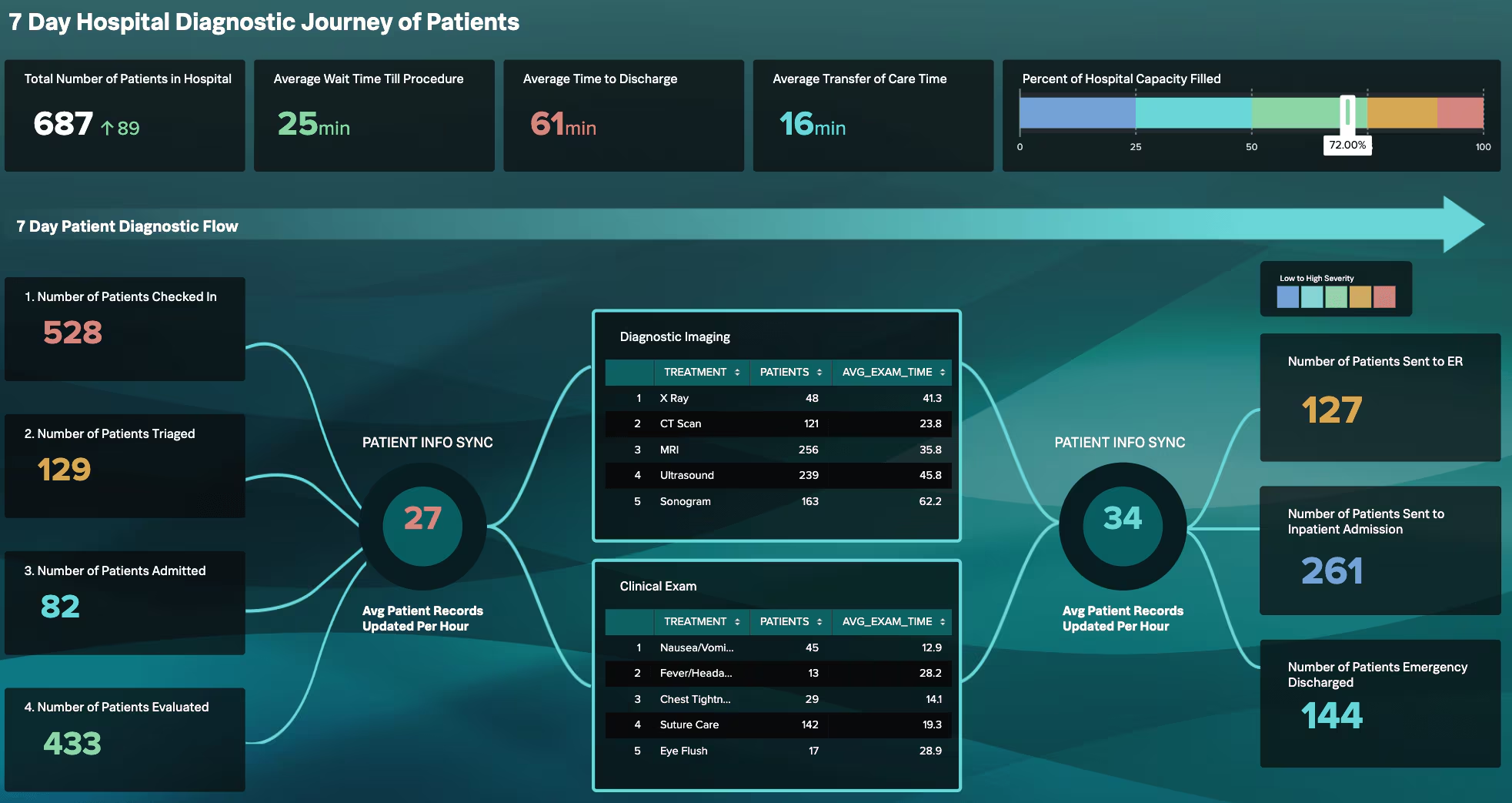
How do you organize the data flow in Splunk Enterprise or Splunk Cloud? Splunker Philipp Drieger shares typical data pipeline patterns that will help you improve your existing or future machine learning workflows with MLTK or DLTK.
Dashboard Studio Tips: What's New in 8.2.2106
Platform
2 Minute Read

Dashboard Studio Tips: What's New in 8.2.2106

You asked, we answered. The Dashboard Studio release in Splunk Cloud Platform 8.2.2106 comes with improvements requested by you: UI to add data sources to inputs, hiding the Edit or Open in Search buttons, a brand new markdown visualization, and more!
Deep Learning Toolkit 3.6 - Automated Machine Learning, Random Cut Forests, Time Series Decomposition, and Sentiment Analysis
Platform
3 Minute Read

Deep Learning Toolkit 3.6 - Automated Machine Learning, Random Cut Forests, Time Series Decomposition, and Sentiment Analysis

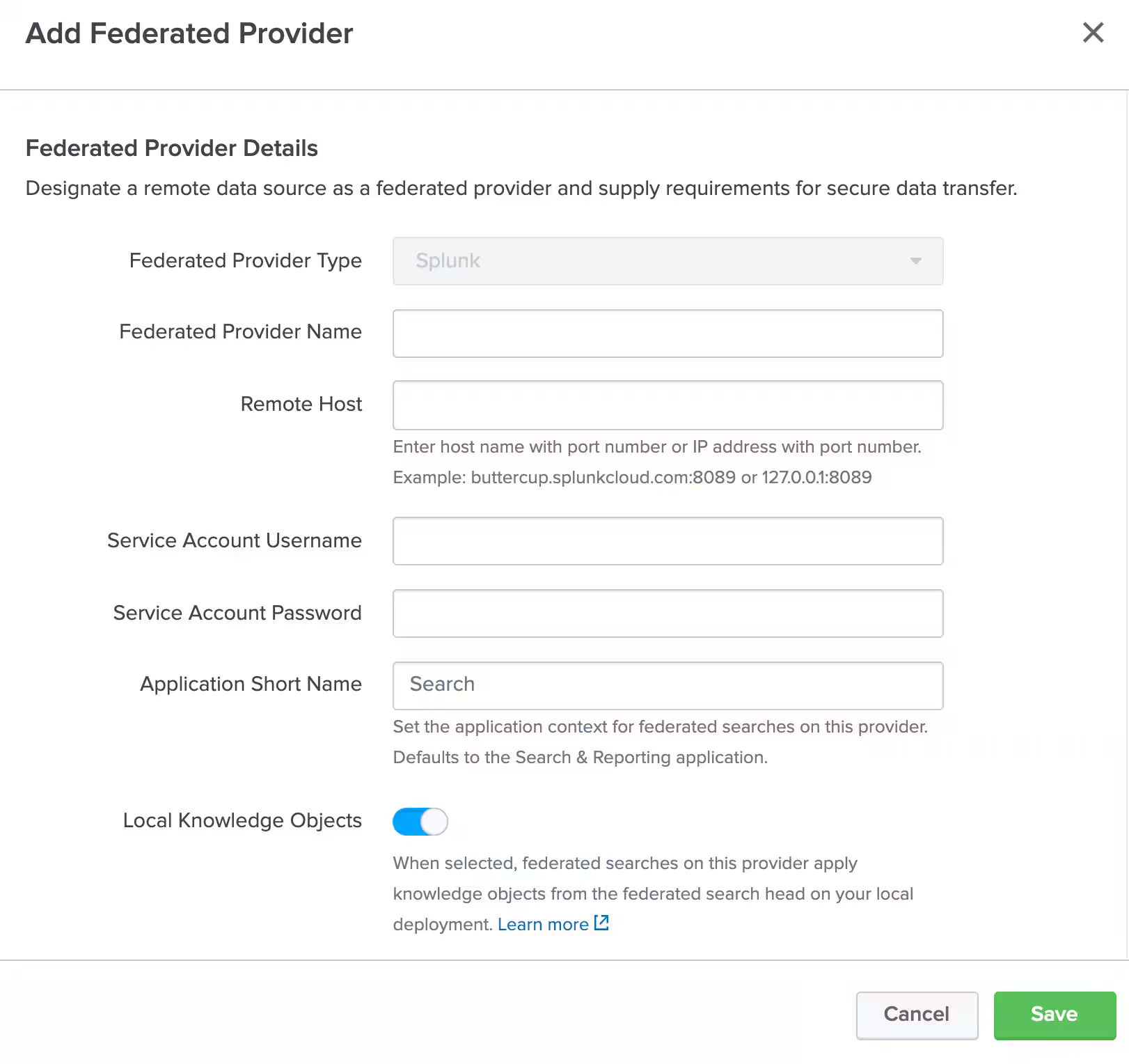
We’re excited to share that the Deep Learning Toolkit App for Splunk (DLTK) is now available in version 3.6 for Splunk Enterprise and Splunk Cloud. Read all about the updates here.
Introducing Splunk Federated Search
Platform
3 Minute Read

Introducing Splunk Federated Search


We’re excited to share that the Splunk Federated Search is now generally available starting in Splunk Cloud Platform 8.1.2103 and Splunk Enterprise 8.2! Get an introduction to Federated Search and see how you can enjoy a unified search experience across your data ecosystem.
Cyclical Statistical Forecasts and Anomalies – Part 5
Platform
5 Minute Read

Cyclical Statistical Forecasts and Anomalies – Part 5

When your datasets are far from simple, your anomaly detection techniques must evolve to scale with the growing complexity. In this blog, you will learn various ways to take your anomaly detection to the next level no matter the complexity of your data.
Dashboard Studio: Dashboard Customization Made Easy

Platform
4 Minute Read

Dashboard Studio: Dashboard Customization Made Easy

Learn more about Splunk Dashboard Studio, a new and intuitive dashboard-building experience, with native capabilities for customizing layout or colors, and adding images or text boxes.
Removing Python® 2 from New Splunk Cloud and Splunk Enterprise Releases Starting Fall 2021
Platform
3 Minute Read

Removing Python® 2 from New Splunk Cloud and Splunk Enterprise Releases Starting Fall 2021

Python 2 will be removed from all new Splunk Cloud and Splunk Enterprise releases starting Fall 2021. Learn how to confirm full Python 3 app readiness for confidence in migrations.