Introducing Edge Processor: Next Gen Data Transformation
We get it — not only can it take a lot of time, money and resources to get data into Splunk, but it also takes effort to shape the data in a way that will provide you the most value. But it doesn’t have to anymore, thanks to Splunk’s latest innovation in data processing.
Splunk is pleased to announce the general availability of Splunk Edge Processor, a service offering within Splunk Cloud Platform designed to help customers achieve greater efficiencies in data transformation close to the data source, and improved visibility into data in motion. Edge Processor provides customers new abilities to filter and mask, and otherwise transform their data, before routing it to supported destinations. Edge Processor joins Ingest Actions as part of Splunk’s pre-ingest data transformation capabilities. All current Edge Processor features are free to all Splunk Cloud customers.
What gives Edge Processor its data transformation power is Splunk’s next generation data search and preparation language, SPL2. With SPL2, customers have much more flexibility to shape data so that it is formatted exactly how they want before sending it to be indexed.
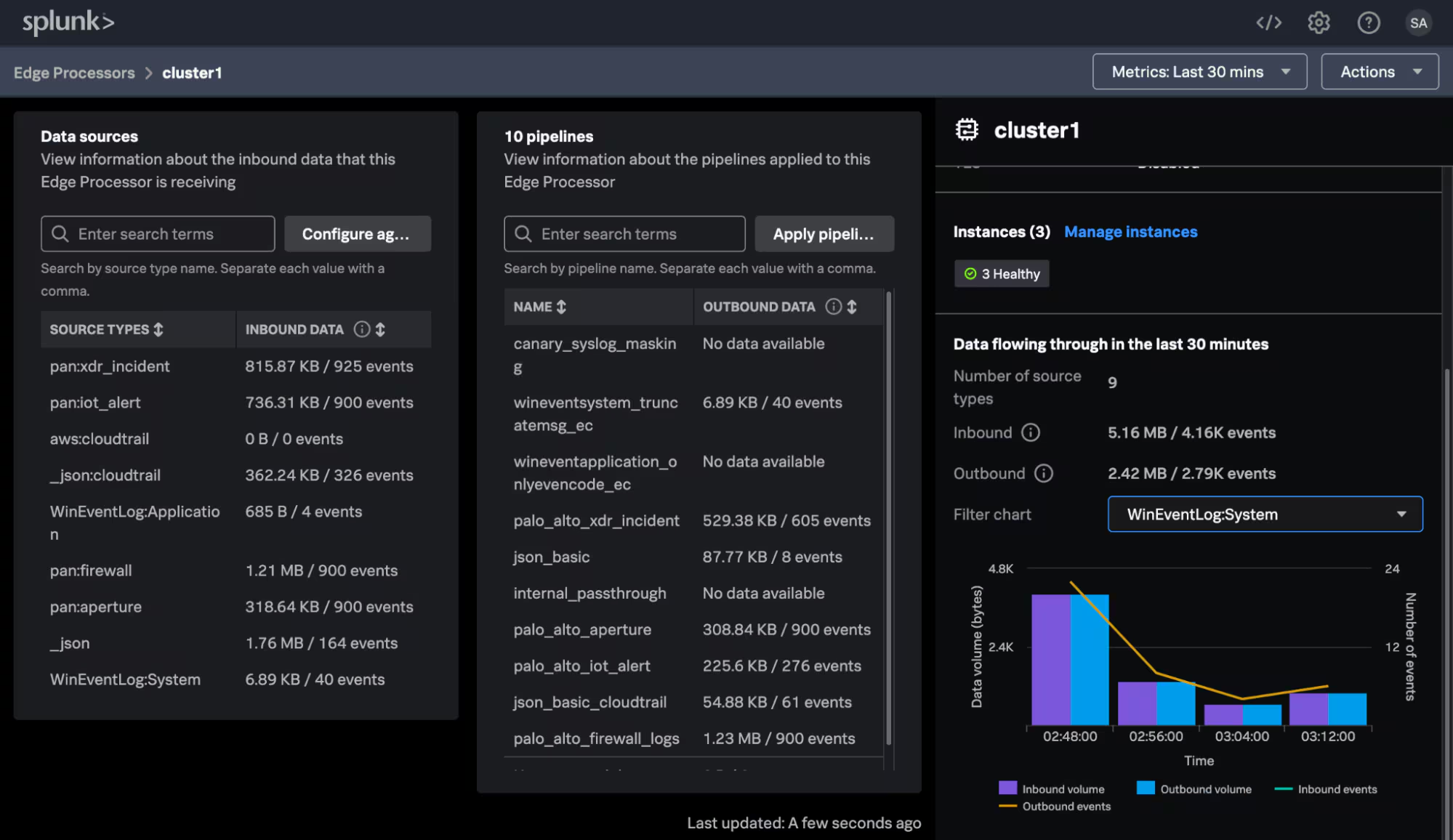
Unique to Edge Processor is its architecture, chiefly the cloud-based control plane. Edge Processor nodes are easily installed and configured on customer servers or customer cloud infrastructure using a single command, and managed completely from Splunk Cloud Platform. These nodes are an intermediate forwarding tier, and receive data from edge sources. Customers manage their entire fleet of edge processors and have visibility into both inbound and outbound data volumes through their edge processor network, all from a single place. Any node can then scale horizontally to handle increasing processing or data volume requirements by simply adding instances.
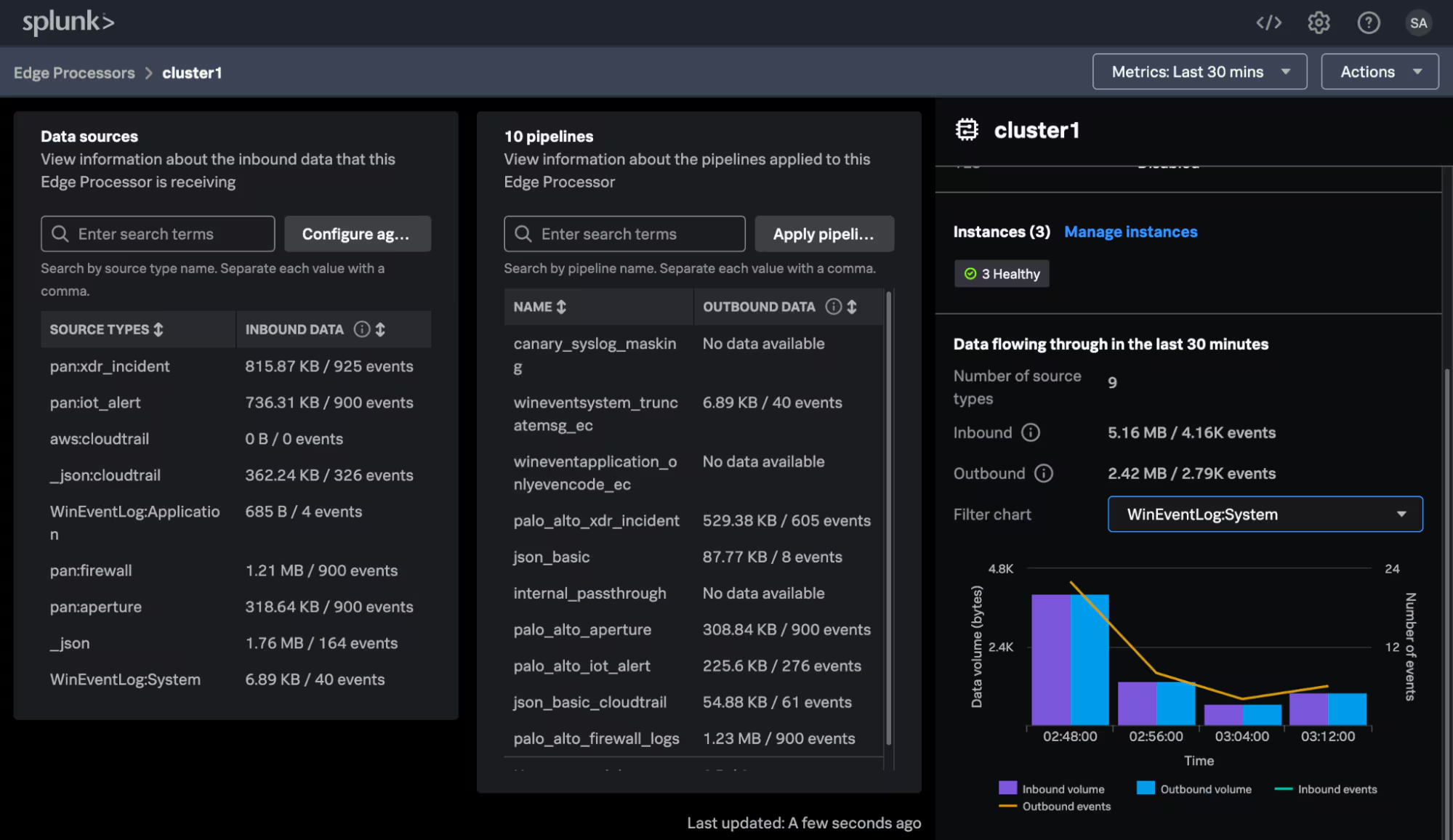
From the central cloud control plane, customers define data processing logic — pipelines — that dictate their desired filtering, masking and routing logic, and can apply their pipelines to any or all edge processors in their network. Edge Processor pipelines are constructed using SPL2 in the new pipeline editor experience, where users can see previews of the data showing the impact of applying a pipeline before making a change.
The data plane remains completely within the customer control — customers point data sources to an edge processor node that is installed on their hosts, and that data is only sent to where customers direct it to be sent. At launch, Edge Processor can receive data from Splunk Universal and Heavyweight Forwarders, and route data to Splunk Enterprise, Splunk Cloud Platform, and Amazon S3.1
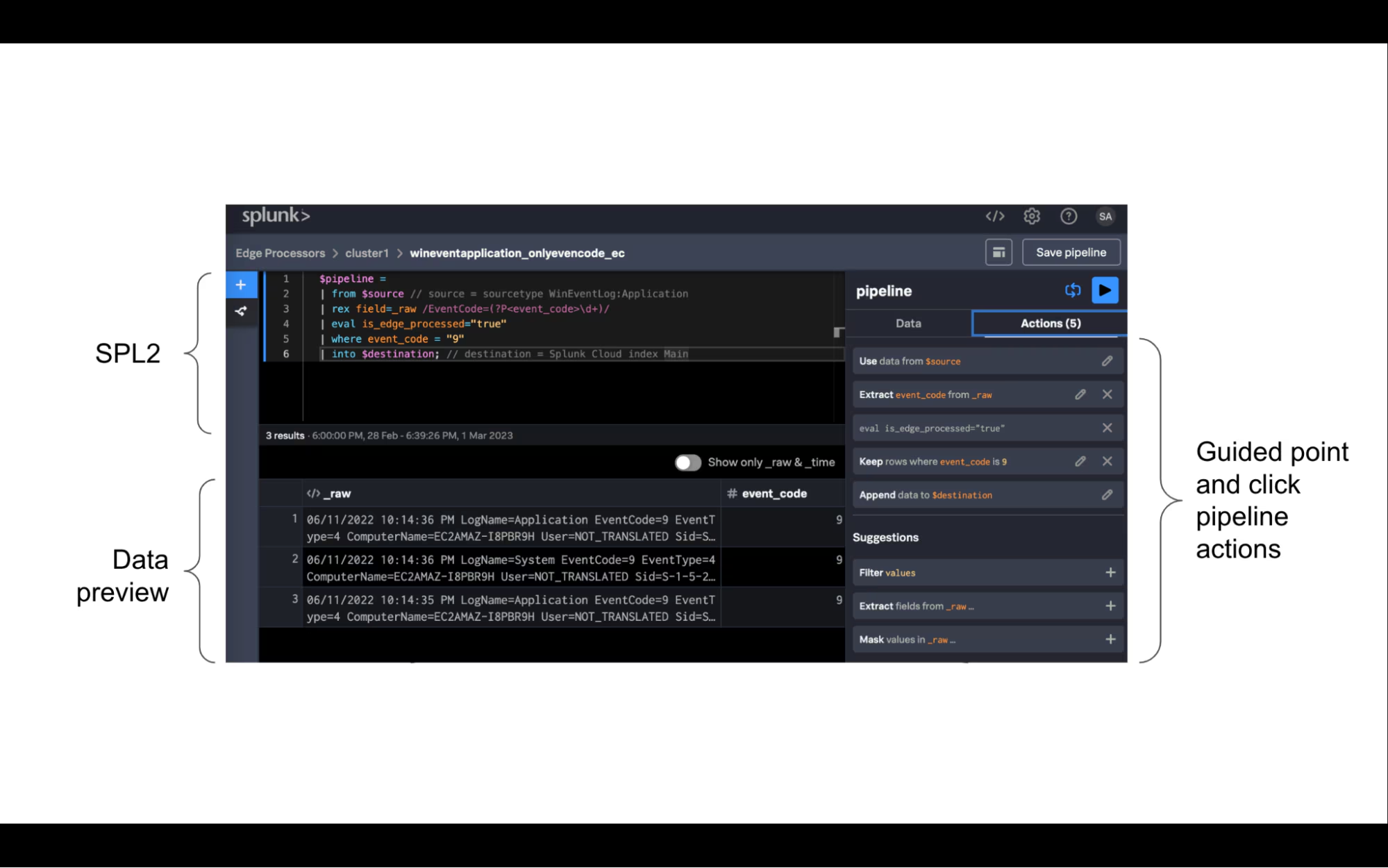
Edge Processor using SPL2 makes data transformation easy and flexible. One of the most common use cases for Edge Processor is to filter verbose data sources, such as Windows event logs, to retain selected events or content within an event. An explicit set of examples for this use case is retaining only Windows events that match a certain event code, masking the extensive message field at the end of Windows events, and routing an unfiltered copy of data to an AWS S3 bucket. The pipelines below show how these examples are constructed; the user controls what data the pipeline applies to, how that data is to be processed, and then where the processed data is routed to.
$pipeline =
| from $source
// Extract event code field
| rex field=_raw
/EventCode=(?P<event_code>\d+)/
// retain all events with windows event code = 9
| where event_code = 9
| into $destination;
sourcetype =
winEventLog:
system
Security
$pipeline =
| from $source
| eval _raw=replace(_raw,
/(Message=.*[\r\n?|\n])((?:.|\r\n?|\n)
*)/, "\\...")
| into $destination;
sourcetype =
winEventLog:
system
Main
$pipeline =
| from $source
| into $destination;
Sourcetype =
winEventLog*
Windows
With Edge Processor, customers will experience increased visibility of data in motion and improved productivity, simplicity, and control of data transformations, all at scale. What’s more, Edge Processor is another capability to help customers manage costs and boost value from your Splunk investment, serving as a sort of forcing function to organize and prioritize your data according to use case so that you work with just the data you want, in the location you need it.
If you are a current Splunk Cloud Platform customer hosted in the US or Dublin Splunk Cloud regions, you can get access to Edge Processor today. Contact by your Splunk sales representative, or send an email to EdgeProcessor@splunk.com with your company name, Splunk cloud stack name, and Splunk Cloud region. If you are a Splunk Cloud Platform customer hosted in other Splunk Cloud regions, also contact your Splunk sales representative or send an email to get on the list to be enabled once Edge Processor is available in your region.
For more about Edge Processor, including release plans to support additional sources, destinations, and new functionality, see release notes and documentation.
[1] See release notes for updates on new features, including additional supported sources and destinations.
----------------------------------------------------
Thanks!
Jodee Varney
Related Articles

Workload Pricing and SVCs: What You Can See and Control

Splunk Edge Processor Now Available in Sydney
Your Splunk Platform UI Home Page Had a Makeover
Cloud Monitoring Console’s Health Dashboard: Maximize Your Monitoring Efficiency
Data Preparation Made Easy: SPL2 for Edge Processor
Introducing Edge Processor: Next Gen Data Transformation

Building Digital Resilience for SecOps, ITOps and DevOps
Bring More ML to Splunk: Inference Externally Trained ONNX Models in MLTK 5.4.0