Data Manager Enables Microsoft Azure Data Onboarding!
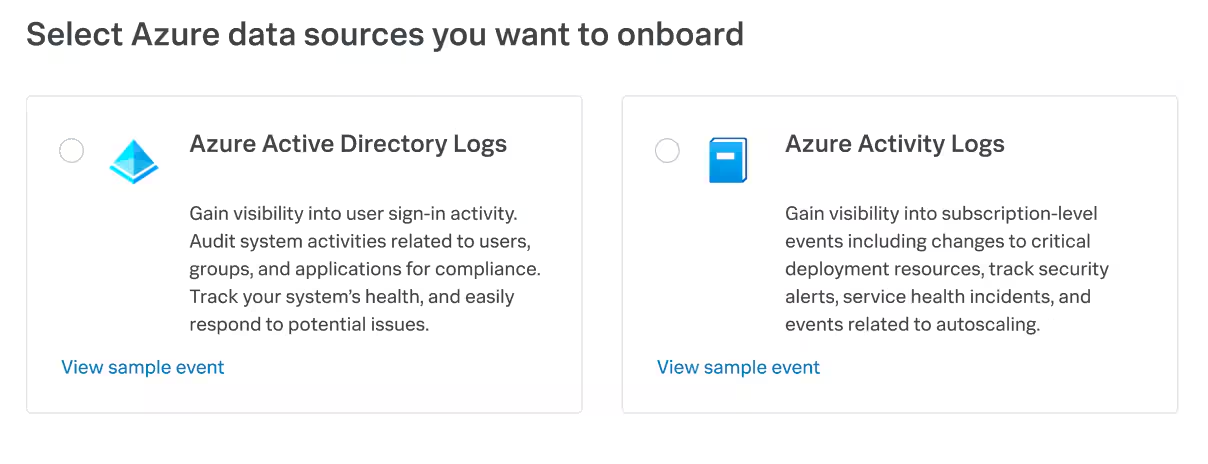
On the heels of several exciting developments about Splunk Cloud Platform announced at .conf22, I am excited to share today that Data Manager now supports onboarding of Microsoft Azure data sources, effective immediately. This means you can use the same Data Manager application in your Splunk Cloud Platform to onboard critical Azure data sources — including Azure Active Directory logs and Azure Activity logs — to generate actionable insights in Splunk related to sign-in patterns, critical alerts related to Azure resource modifications, system activities related to users, groups, and applications, and gain visibility into the health status of critical resources.
The availability of Azure data onboarding is in addition to AWS data onboarding that was enabled earlier this year. Data Manager ships as a built-in application in Splunk Cloud Platform and is available today to all Splunk Cloud Platform customers who have chosen AWS as their provider and are on Victoria and Classic (except GovCloud US-West and US-East) experiences.
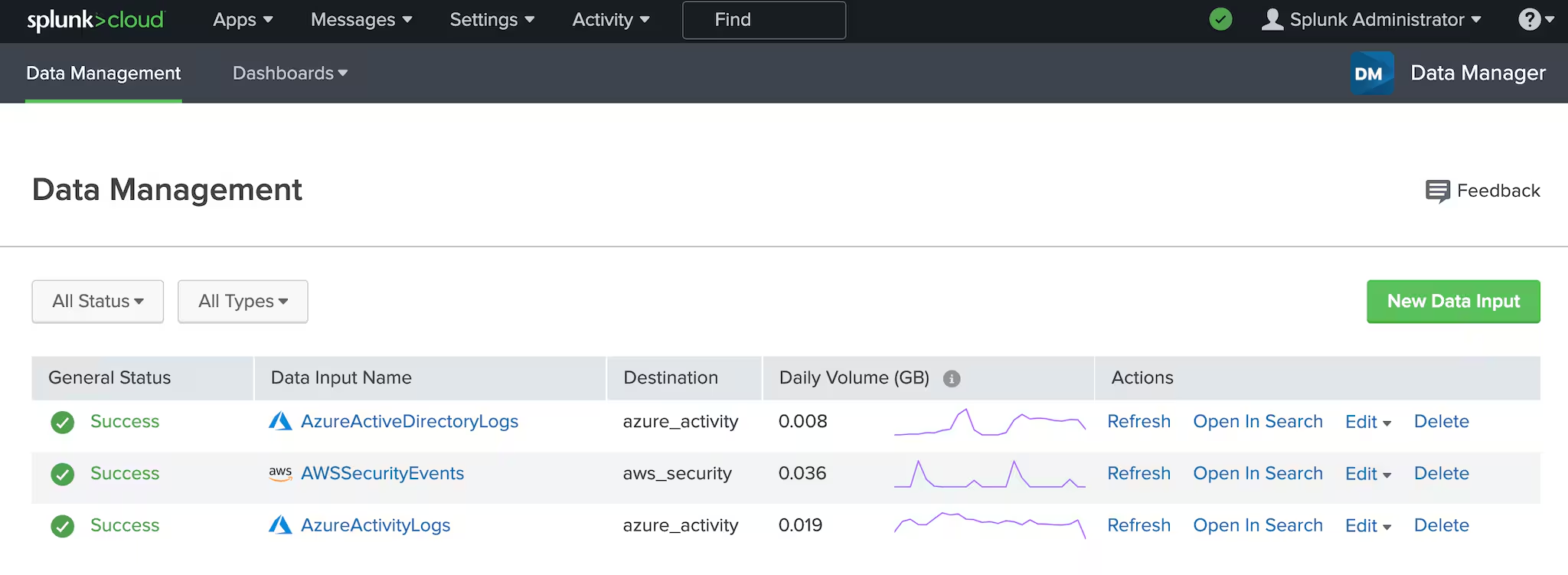
By providing minimum information about your cloud environments in Data Manager’s rich user interface, you can easily onboard data from both AWS and Azure, and manage your configured data inputs from one central location, irrespective of which cloud provider’s data you are bringing in.
Key Capabilities and Use Cases Enabled Through this Launch
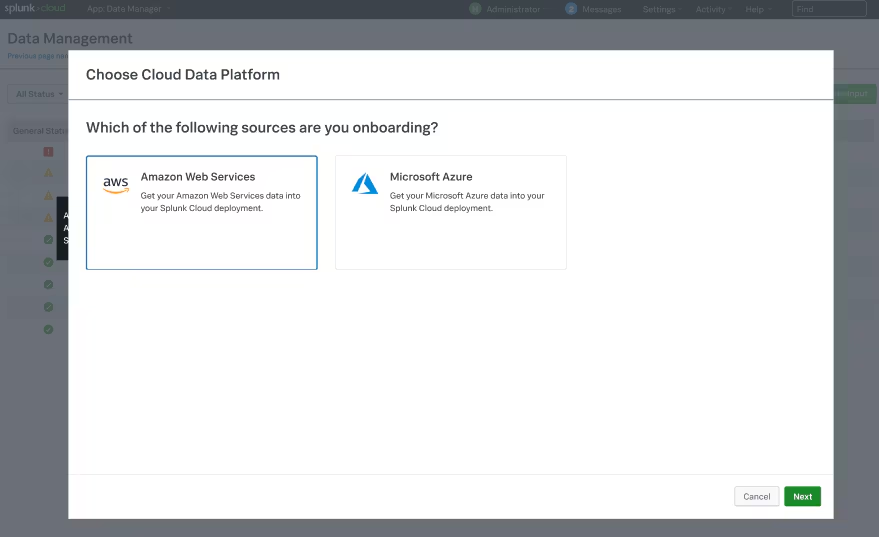
- Configure, monitor, troubleshoot and manage data onboarding for Microsoft Azure data sources
- Support for critical Microsoft Azure data sources such as Azure Active Directory and Azure Activity logs, thereby enabling customers to generate insights related to sign-in patterns, critical alerts related to Azure resource modifications, system activities related to users, groups, and applications, and visibility into the health status of critical resources.
- Automation for Microsoft Azure prerequisites and configuration
- Ability to add custom tags to Azure resources used for ingesting data into Splunk using Data Manager
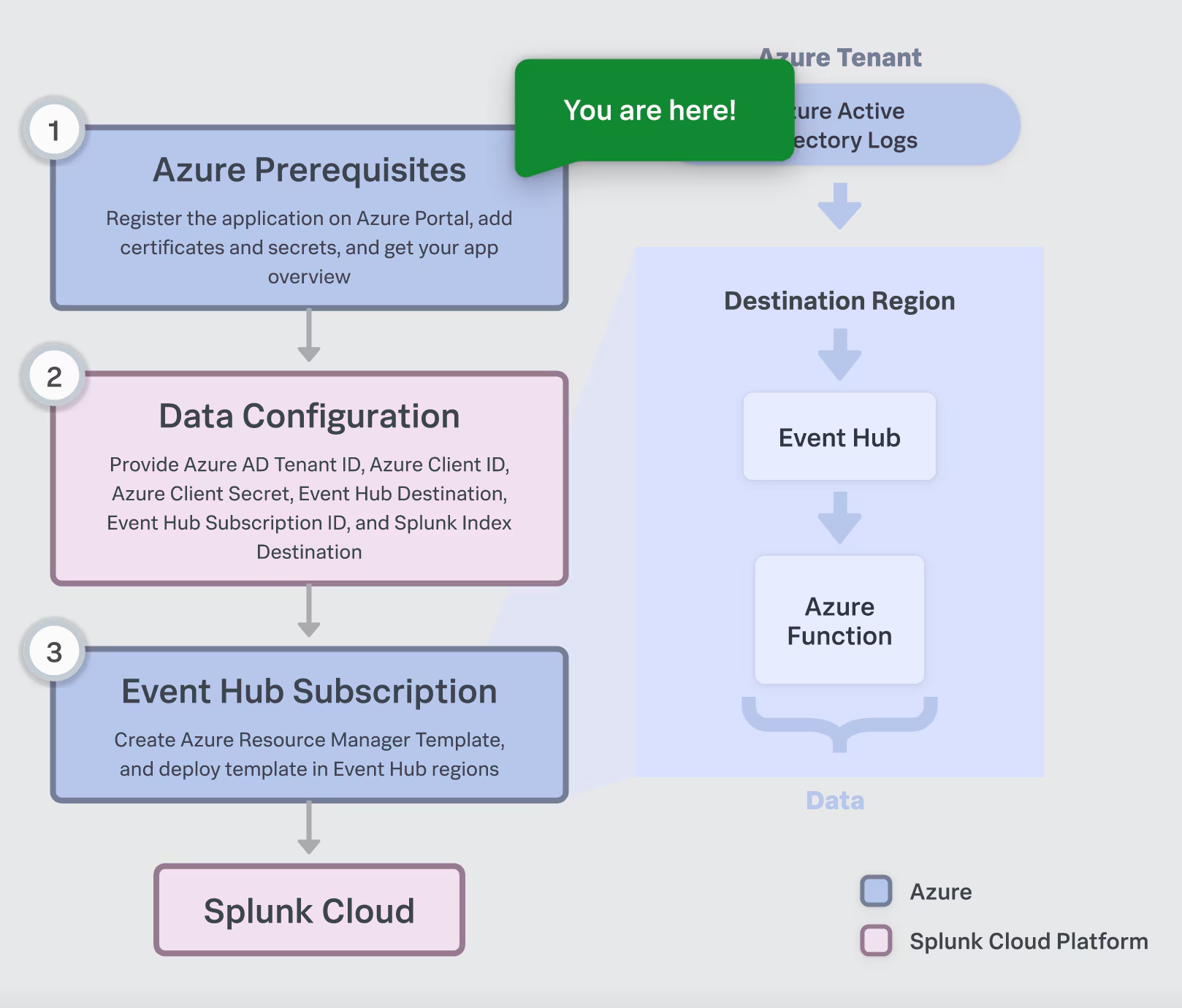
All prerequisites and relevant Azure setup information is easily accessible and consumable through the Data Manager UI with in-context documentation along with a flow diagram of the setup (shown above). You can even choose to send data from each Azure service to a different Splunk index. We also auto-generate the Azure Resource Manager (ARM) templates for you with clear steps to run them in your Azure environment through PowerShell or CLI, providing transparency for you and your Azure admin to review the setup at any time. Once set up, your data input configuration is easy to monitor in Splunk through a single pane of glass to help ensure your Azure data flows into Splunk smoothly.
Onboarding Azure Data Sources in Data Manager
Now lets see Data Manager in action, where you’ll learn how to onboard Azure Active Directory logs in Data Manager, how Azure resources such as Event Hubs, Azure Storage, and Azure functions are set up in your Azure environment using the ARM template from Data Manager, and how the data starts flowing immediately after the Azure data input is successfully created in Data Manager.
That’s how simple it is to onboard Azure Active Directory logs in Splunk using Data Manager! In case you are also interested in onboarding Azure Activity logs, all you have to do is create a new data input in Data Manager and follow the configuration steps in the Data Manager UI. For more information, please see onboarding Azure data in Data Manager.
Try out this new capability today to help you get to the cloud faster while making your data work for you.
Have feedback? Share your thoughts with us and other uses on the Splunk Community.
----------------------------------------------------
Thanks!
Sulay Shah
Related Articles
Dashboard Studio: Small Changes, Big Impact

Dashboard Studio: Your Dashboards, Now Guest-Friendly

From Setup to Migration: Azure Event Hubs in Data Manager

Clara-fication: Data Onboarding Best Practices

Introducing Cloud Monitoring Consoles’s New Overview Dashboard: Intuitive Actionable Insights at Your Fingertips
Splunk Platform Use Cases, Written Just for You
Automatic Deprovisioning of users for Okta IdP

Enhanced Maintenance Experience in Splunk Cloud Platform