Splunk Lantern Annual Refresh: Navigating a Smarter Path to Success
Customers & Community Jennifer SwallowWe might be a few weeks too early to wish you a happy new year, but that doesn’t mean we can’t be excited about sharing annual changes with you. Long-term Splunk Lantern readers know that we update the use cases on our site every year to help you find step-by-step tutorials on working through the most prominent security and observability issues your organization is facing. If you’ve been eagerly awaiting this year’s changes, they are finally here, and with them, a brand new Lantern experience. Let’s dive in.
First we’ve brought the use cases front and center, to the top of the Lantern home page. You’ll find some old, high-value favorites, like Security Monitoring and Troubleshooting, and you’ll find some new use cases that will help you mature your organization and take control of costs. For example, why not check out Deploy Continuous Assets and Identities Discovery or Optimize Observability Costs? Plus, we’ve made all our Splunk + Cisco use cases and our artificial intelligence use cases easy to find, right from the home page.
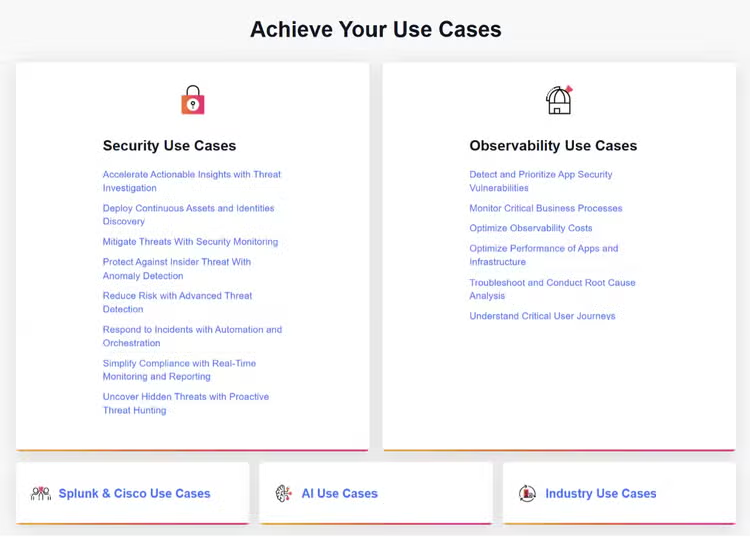
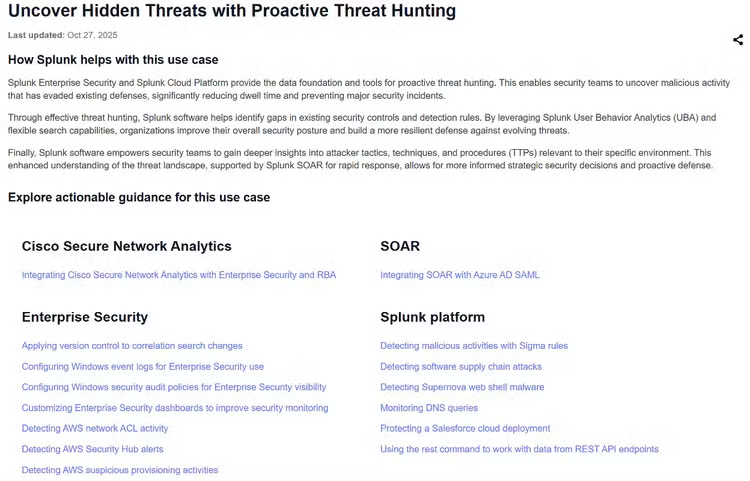
What’s more is that use cases are now sorted by product. When you click into any use category from the home page, you’ll see all our available guidance, organized by Splunk product. This helps you more quickly find information relevant to your environment, while still being able to see what other steps you could be taking if you expanded. Oh, and did you also notice the “last updated" date beneath the article title? We added that highly requested feature to our articles, so you can trust that you’re getting content that’s been recently reviewed by our crowdsourced experts.
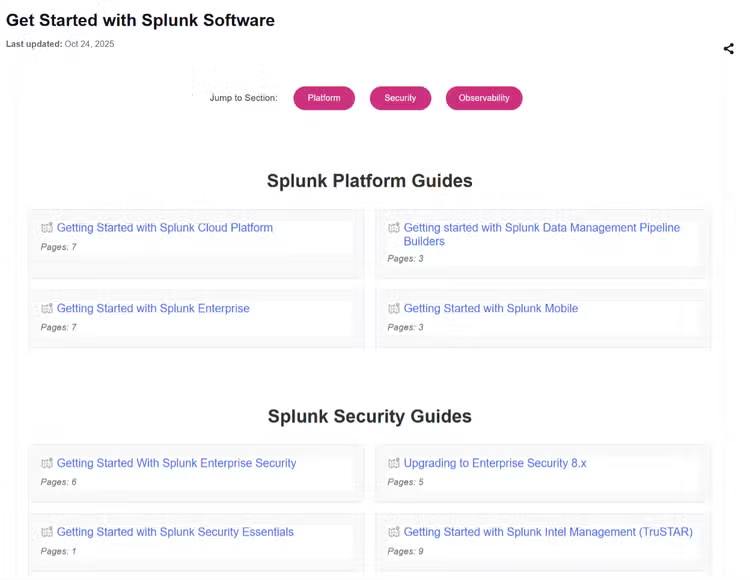
The next section on the home page is all about Splunk administration. Again, you’ll find tried-and-true favorite content like Getting Started Guides, the Success Framework for Splunk program managers, and the Splunk Cloud Migration learning path. You can get to all this great content with fewer clicks, especially those Getting Started Guides, which are now all on a single page, instead of split by solution area.

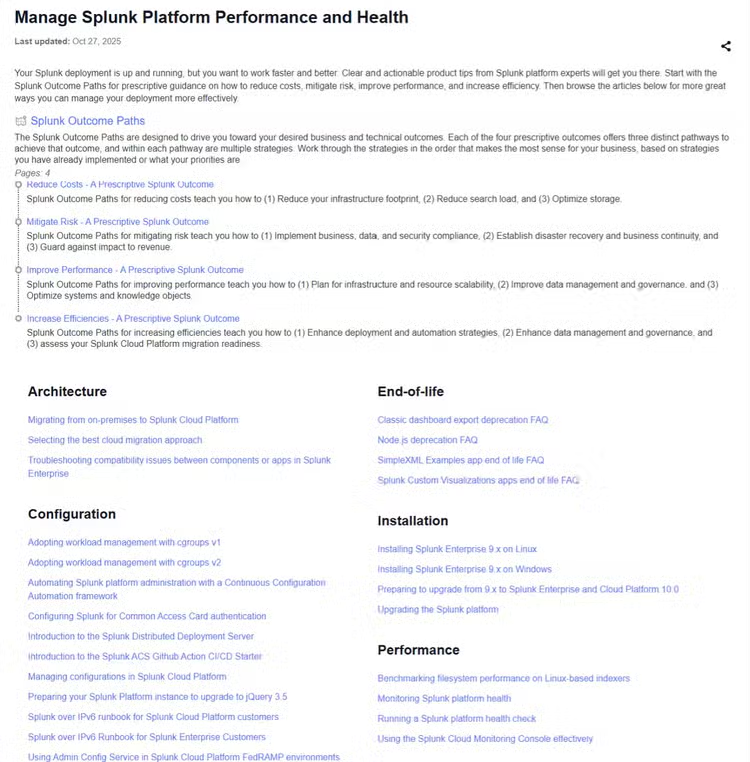
By now you might be wondering where our old Product Tips sections have disappeared to. Well, some of the content has been aligned with the new use case categories. But the most important administrative best practices that we’ve gathered from Splunk experts can be found in Manage Splunk Platform Performance and Health. Here you’ll learn how to optimize your Splunk platform configurations, performance, security, cost structure, and more.
And what about the rest of the product tips – all those useful articles on optimizing search and managing your data and creating clear dashboards for reporting? Splunk knows these are customer pain points, so we developed six all-new Splunk platform data use cases for the new fiscal year. These can be found in the Platform Data Management dropdown menu on the home page, alongside our popular data source and data type navigators that connect you to add-ons, configuration information, and use cases for all kinds of data your deployment might ingest.
Do you want to learn more about how to ingest GCP or AWS data? Try browsing Unlock Unified Insights. Do you want to make sure you’re ingesting the right data at the right time? Try Transform and Optimize Pipelines. Could your search and knowledge object usage skills use some brushing up? Optimize Data and Extract Value has you covered. The new platform data use cases are your go-to learning place for getting data in.
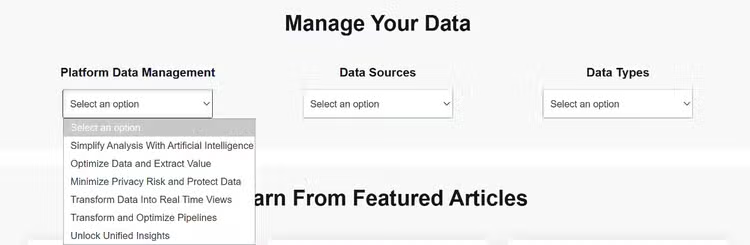
Finally, while all these changes have given the home page a totally new look, we did keep our featured articles. Lots of you come back week after week to see what’s new and what your peers are doing. You’ll have to scroll a little further to find them now, but you’ll find three new articles there every Monday morning.
We hope these site changes make content easier for you to find. Thanks to everyone who participated in our user research at .Conf and through the user surveys we posted on Lantern this year. This site is for you and your opinion on how you want to use it matters. Which means, we have one more change to share with you – a more obvious feedback button! Each article now has a simple feedback button at the bottom that opens an in-page form so you can tell us what is working and what is not. No more need to log in to talk to us.
We can’t wait to hear from you so we can keep building better Splunk help together.
Related Articles

Splunk Reddit Crosses 15,000 Strong

Meet the New Splunk Lantern