Starting Your AgenticOps Journey: Getting Ready for Cisco Cloud Control and AI Canvas
Artificial Intelligence Coty SuggKey takeaways
- Cisco and Splunk are building a unified platform where people and AI agents work together to run IT infrastructure, powered by tools like Cisco Cloud Control and AI Canvas.
- Email verification is the first step, starting with the June release for US AWS commercial customers, and is required to access new Cisco features (though admins can opt out).
- Verifying the same email across all Splunk accounts lets users securely link their identities, enabling one unified login and shared data insights across Cisco and Splunk products.
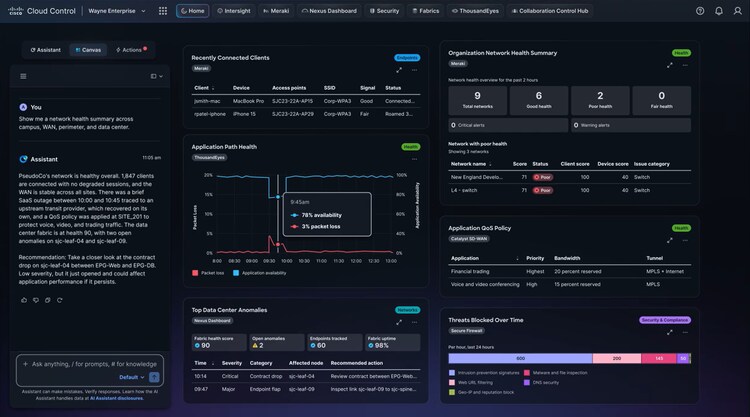
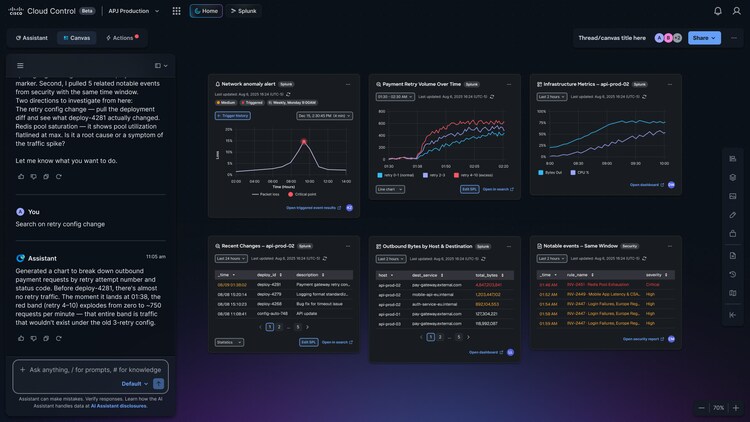
Cisco and Splunk are working toward a vision of a unified platform built for humans and AI agents to run critical IT infrastructure together. The upcoming release of Cisco Cloud Control and AI Canvas will realize that vision by bringing together the vast array of solutions and tools in the Cisco portfolio together (along with extending access to third-party tools) to create one platform for humans and agents to run the agentic enterprise. This bright future will be powered by a unified identity system that enables users to have one identity for use with Cisco products. Cisco and Splunk admins will ultimately have a single place to manage their identity choices with Splunk.
Email Verification Process
Starting with our June release, all US AWS commercial customers will begin that journey. Users of these enabled Splunk stacks will be required to have their email verified upon signing in to Splunk. While this verification can be skipped, Cisco Cloud Control and by extension, AI Canvas, will not properly function for users without a verified email.
Email verification is necessary to take place on each distinct Splunk search head that the user can access, which is eligible for Cisco Cloud Control or AI Canvas. It is important for future cases, that the user submits the same email address for each Splunk search head as this will eventually be used to “link” or “merge” user accounts from different search heads and products in a single unified user account.
Linking is an important process for customers that own different Cisco products. Cisco Cloud Control and AI Canvas will enable a single experience for unifying data from different products for analysis and insights. A user’s given access rights from each platform must be authorized appropriately, and thus, the user must be able to confirm that different accounts in different products are really the same user. Email verification provides this function and, if product tenants are linked together by an administrator, enables data to be securely shared between products.
Email verification and linking are the first steps toward this transition to a unified approach to identity and access management for Splunk and Cisco. We will be working to enable admins to have a common administrative experience for identity and user administration, which will unlock capabilities like:
- Multiple identity providers
- Multiple supported federation technologies such as OIDC and SAML
- Routing rules for authentication such as domain-based or pattern-based
- Multifactor authentication for local user accounts
- SCIM based user lifecycle management
- User attribute-based access
FAQ
Q: How does email verification work?
Email verification is a simple process. Upon the completion of the existing log in experience for Splunk, the system will check to see that the user has a verified email on record. If they do, then log in proceeds as normal and without interruption. However, if no verified email exists, the user will be prompted to provide their email address. Once entered and submitted, the user will be presented with a 6-digit entry page and will receive an email at the provided address with a 6-digit code. Once the user enters the code in the presented entry page, the system will confirm a match and store the user’s email as verified.
Q: Is email verification a part of all Splunk Cloud deployments?
Email verification will eventually be a part of all Splunk Cloud deployments and environments as it is a key component to enabling a streamlined experience with Cisco products and services. However, this will roll out to our customer population over time. Our first release will be customers in the United States on AWS Commercial only.
Q: In what version of Splunk does this take effect?
This will become available with Splunk version 10.5.
Q: I’m a Splunk administrator, and I don’t want my users to provide their email. Can I turn this off?
Yes, as an administrator, you may opt-out of email verification by accessing the Authentication Options page and toggling Cisco Identity off. Please be aware that all related features, such as Cisco Cloud Control and AI Canvas will not be usable. Further, there will be more features coming enhancing our identity management capabilities that will be blocked while this is off. At any point, you may opt-in to Cisco Identity using the same toggle.
Q: What if I don’t see the email verification prompt after signing in to Splunk?
This is due to one of three conditions.
- Your administrator has disabled email verification.
- Your deployment is not part of a supported region.
- Your Splunk deployment has not been upgraded to the minimum supported version.
Q: What happens if I have access to different Splunk search heads?
For each distinct search head you have access to (i.e. each distinct public Splunk URL you access), email verification will be required. It is important that you provide and verify the same email address on all search heads as this provides important information about your user account and enables secure access across services.
Q: Does email verification work with SAML and LDAP logins?
Yes, regardless of how you access Splunk, email verification is required and will work. It will not change your login method but will be used to enhance your experience for new offerings and features.
Q: I already have a username that is in email format, do I still have to verify my email address?
Yes, while your username is formatted as an email, verifying your email has never been a Splunk requirement. It is important to prove that you have access to that email address to ensure it is real and valid and yours.
Q: My SAML provider already includes my email address during login. Do I still have to provide and verify my email address?
Yes, Splunk has never had any mechanism to trust those email addresses. The new process will ensure that emails are verified and accurate.
Q: I have a local login and a SAML login, can I use the same email for both?
No, email must be unique per search head per user account. Because you have 2 user accounts, they cannot be associated to the same email address. Many email providers support the “+” notation whereby your base username may be appended with “+”<some_string>@youremaildomain.com enabling a new email address for Splunk’s use that are routed to the same inbox. We recommend using this method to enable multiple accounts.
Q: I use IDP initiated SAML login, do I still have to provide an email?
Yes, your IDP initiated SAML session will still result in the email verification process after signing in to Splunk.
Q: What if I don’t get the email containing the 6-digit code?
Be sure to check your spam folder. Sometimes emails of this nature are routed there. If it is still not found, you may request another email. Contact Splunk support if you continue to have problems.
Q: Cisco Cloud Control requires registration and approval. What if the email I use for email verification is not the same as the email used for registration to Cisco Cloud Control?
Yes, during the Cisco Cloud Control controlled availability release, access to Cisco Cloud Control requires registration and approval. While you don’t have to be the same user or use the same email address as that which is used to request access to Cisco Cloud Control, it is important that your email domain matches the domains submitted for access to Cisco Cloud Control.
How to Get Started
Once you’ve gone through the email verification process, you’re ready to begin the integration process. Please refer to the guides featured here for a detailed and guided explanation of the steps you’ll need to take.
Related Articles

Splunk AI Assistant for SPL 1.4 Brings Improved Accuracy and Optimization Via the Power of Agentic AI
From AI Assistance to Agentic Action: Advancing the SOC in Splunk Enterprise Security 8.6