AWS Technical Add-on: Simplifying Error Data Re-ingestion
This blog was co-authored by Ranjit Kalidasan, Senior Solutions Architect at AWS.
We're excited to share a significant update to our AWS Technical Add-on (TA) for Splunk, focusing on a more efficient and cost-effective re-ingestion process for failed data delivery from S3 error buckets. This update is a direct response to popular demands from our Splunk Ideas portal, aiming to optimize operations for our users.
Addressing the Challenge
The traditional approach to managing failed data deliveries required a Lambda function to retrieve and process data from S3 error buckets, introducing complexity and additional costs. You can read more about the problem in this blog post.
Introducing Our Solution
We have integrated the parsing functionality directly into the AWS TA. This integration substantially streamlines the re-ingestion process and diminishes related expenses.
The AWS TA now autonomously processes both eventData and rawData. Users maintain control over defining the structure and transformations of eventData, while the add-on takes over the responsibility of decoding base64 data. This enhancement eliminates the need for a custom Lambda function, simplifying the data handling process.
Setting Up Ingestion for Error-Out Data
Assuming that you have configured the backup settings in your AWS Kinesis Firehose console to store only failed events, this designated bucket will contain events that could not be ingested due to connectivity issues or other barriers preventing data transfer to Splunk.
The Workflow:
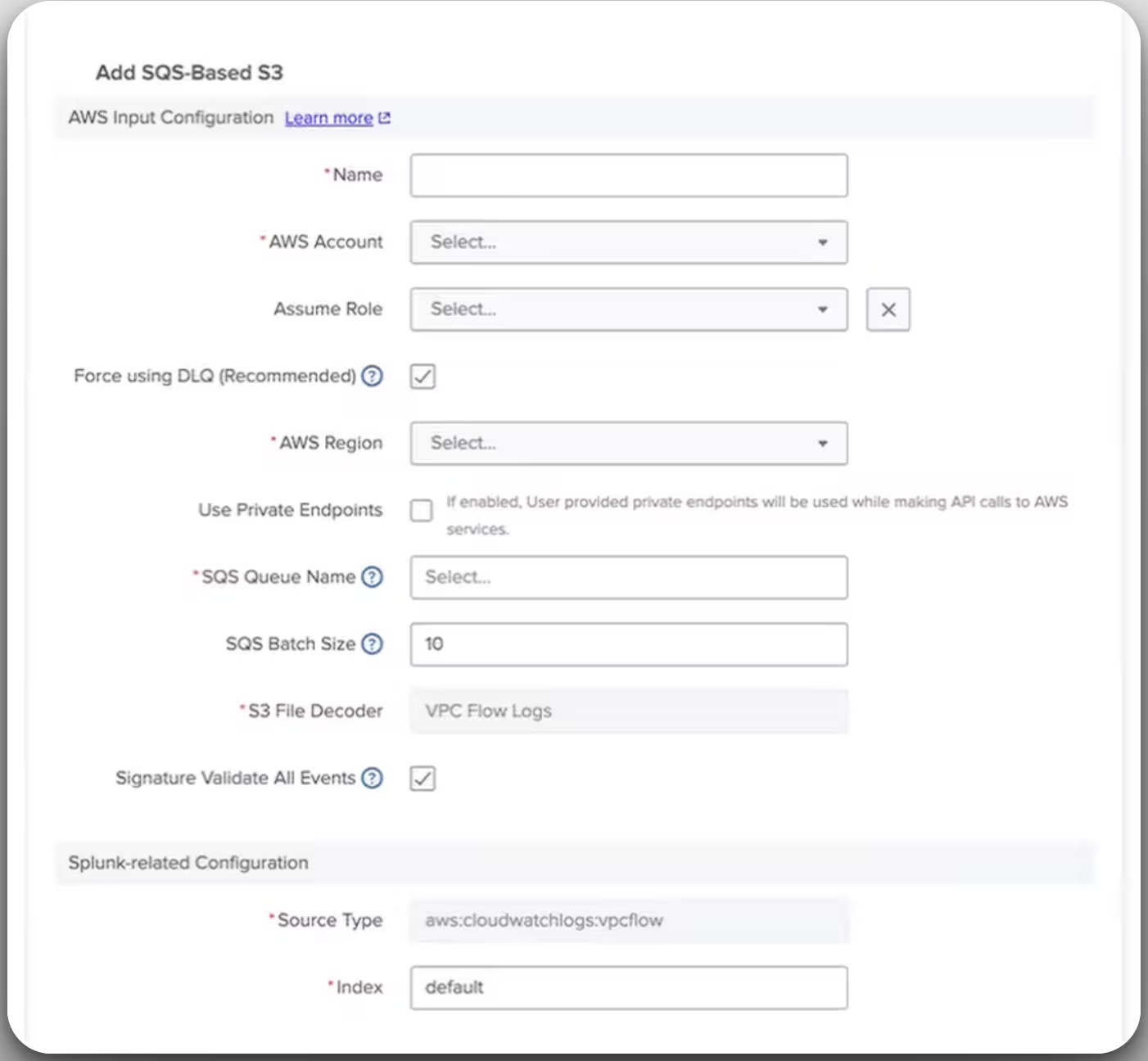
Create New Input - VPC Flows Logs

Fill the relevant information related to SQS basedS3
An Advanced Settings with ‘Firehose Failed Events’ has been added to our UI. Simply choose the relevant decoder based on their data type.
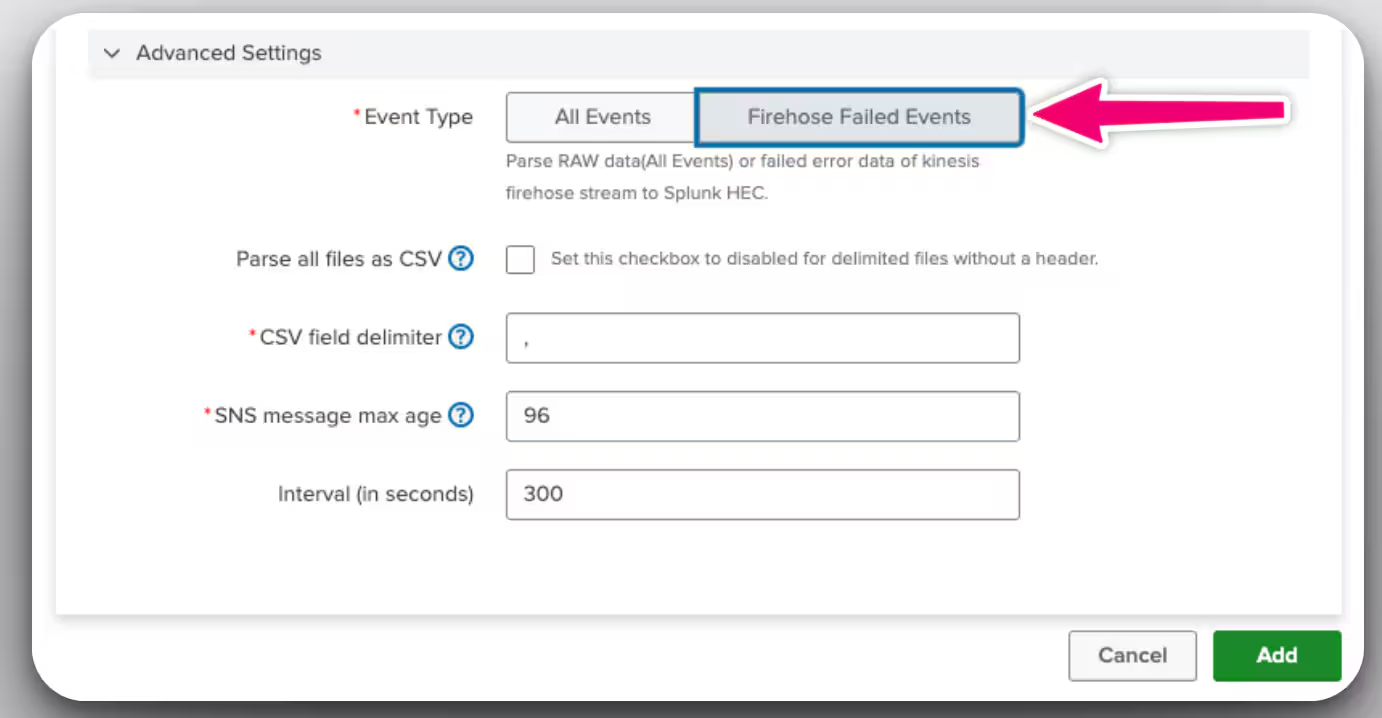
This will collect all events which were stored in the s3 bucket because of the error.
Advantages for Our Customers
These enhancements help customers in two key ways:
- Cost-Effectiveness: Eliminating the Lambda function reduces operational costs.
- Simplicity: The re-ingestion process becomes more straightforward, saving time and minimizing complexity.
Conclusion
This enhancement is a testament to our commitment to continually improving the user experience and operational efficiency. We eagerly anticipate your feedback and are excited to see the positive effects of this new feature on your operations.
We appreciate your involvement in our Splunk community.
For in-depth information, please consult our documentation and join our community forums for discussions and support. Look forward to more exciting updates from us!