What is IT Data?

There is more to IT data than just logs. There are also more diverse logs than traditional Log Management solutions support. Read on to learn about all the different kinds of useful data your IT systems generate.

Logs Are Only Part of the Picture

At Splunk we talk a lot about IT data and by that, we mean all of the data that IT staff can use to understand what’s happened in their IT infrastructures, how their systems are configured and what users have done. That’s more than just logs – it’s configuration data, data from APIs and message queues change events, the output of diagnostic command and more. It's also a much wider variety of log data than network security and compliance-centric log management and security information and event management systems (SIEMs) are built to handle. Splunk users know that there are thousands of distinct log formats in their environments, many from custom and homegrown applications, that are critical to finding and diagnosing service problems as well as to detect more sophisticated application-level security threats and demonstrate compliance with a wider variety of controls. Here are some of the most important IT data sources and some of what they can tell you about your IT infrastructure and the behavior your users and would-be attackers. But remember, this list is just the starting point. Every environment has its unique footprint of IT data.

Application Logs

Most homegrown and packaged applications write local logfiles, often via logging services built into middleware - J2EE application servers like Weblogic, Websphere and JBoss, .Net, PHP and more. These files are critical for day-to-day debugging of production applications by developers and application support. They're also often the best way to report on business and user activity and detect fraud scenarios, since they have all the details of transactions. When developers put timing information into their log events, they can also be used to monitor and report on application performance.

Web Access Logs

Web access logs report every request processed by a web server - what client IP it came from, what URL was requested, what the referring URL was, and whether the request was successful or what type of failure was encountered. They're most commonly processed to produce web analytics reports for marketing - daily counts of visitors, most requested pages, and the like.

They're also invaluable as a starting point to investigate a user-reported problem, since the log of a failed request can establish the exact time of an error. Web logs are fairly standard and well structured. The only challenge is sheer volume with busy websites experiencing billions of hits a day as the norm.

Web Proxy Logs

Nearly all enterprises, service providers, institutions and government organizations that provide employees, customers or guests with web access use some type of web proxy to control and monitor that access. Web proxies log every web request made by users through the proxy. They may include corporate usernames and URLs hit. These logs are critical to monitor and investigate 'terms of service' abuses or corporate web usage policy and are also a vital component of effective monitoring and investigation of many data leakage scenarios.

Message Queues

Message queuing technologies like TIBCO, JMS and AquaLogic are used to pass data and tasks between service and application components on a publish/subscribe basis. Subscribing to these message queues is a good way to debug problems in complex applications - you can see exactly what the next component down the chain received from the prior component. Separately, message queues are increasingly being used as the backbone of logging architectures for applications.

Packet Data

Data generated by networks is processed using tools such as tcpdump and tcpflow, which generate pcaps data and other useful packet-level and session-level information. This information is necessary to handle performance degradation, timeouts, bottlenecks or suspicious activity that indicates that the network may be compromised or the object of a remote attack.

Configuration Files

There's no substitute for actual, active system configuration to understand how the infrastructure has been set up. Past configs are needed when debugging failures that occurred in the past and which may recur in the future. When configs change, it's important to know what changed and when. Whether the change was authorized and whether a successful attacker compromised the system, to leave backdoors, time bombs or other latent threats.

Database Audit Logs and Tables

Databases contain some of the most sensitive corporate data – customer records, financial data, patient records and more. Audit records of all database queries are vital to have in order to understand who accessed or changed what data when. Database audit logs are also useful to understand how applications are using databases to optimize queries. Some databases log audit records to files, while others maintain audit tables accessible via SQL.

Filesystem Audit Logs

The sensitive data that's not in databases is on filesystems, often being shared. In some industries such as healthcare, the biggest data leakage risk is consumer records on shared filesystems. Different operating systems, third party tools and storage technologies provide different options for auditing read access to sensitive data at the filesystem level. This audit data is a vital datasource for monitoring and investigating access to sensitive data.

Management and Logging APIs

Increasingly vendors are exposing critical management data and log events through both standardized and proprietary APIs rather than by logging to files. Checkpoint firewalls log via the OPSEC Log Export API (OPSEC LEA). Virtualization vendors including VMware and Citrix expose configurations, logs and system status via their own APIs.

OS Metrics, Status and Diagnostic Commands

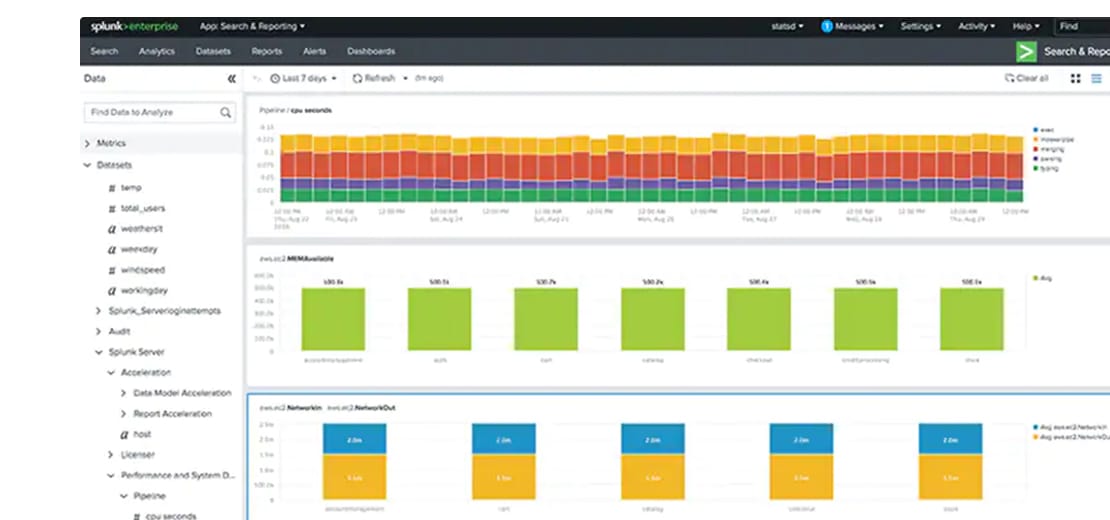
Operating Systems expose critical metrics like CPU, network and memory utilization; status information using command line utilities like ps, top, iostat and memstat on Unix and Linux and perfmon on Windows. This data is usually harnessed by server monitoring tools but rarely persisted. Yet it is potentially invaluable for troubleshooting, analyzing trends to discover latent issues and investigating security incidents.

Syslog, WMI and More...

There are countless other useful and important IT data sources beyond this list - source code repository logs, physical security logs, etc. You still need your firewall and IDS logs to report on network connections and attacks. Your OS logs including Unix and Linux syslog and the Windows event logs record who's logged into your servers, what administrative actions they've taken, when services start and stop and when kernel panics happen. Logs from DNS, DHCP and other network services record who's assigned what IP address and how domains are resolved. Syslog from your routers, switches and network devices record the state of your network connections and failures of critical network components. The point is that there’s more to IT data than just logs and a lot more diverse logs than traditional log management solutions can support.